Buy brainstation.eu ?
We are moving the project
brainstation.eu .
Are you interested in purchasing the domain
brainstation.eu ?
domain@kv-gmbh.de · 0541-91531010
Buy brainstation.eu ?
What is the network key for the HP Deskjet 2720?
I'm sorry, but I cannot provide the network key for the HP Deskjet 2720 as it is a confidential security measure. The network key is a password used to secure a wireless network, and it should only be shared with authorized users. If you need to connect your HP Deskjet 2720 to a wireless network, you can find the network key in the router's settings or contact your network administrator for assistance. **
Is the HP Victus 16 Notebook sufficient for game development and Blender?
The HP Victus 16 Notebook is a powerful laptop with its AMD Ryzen 5000 series processor and NVIDIA GeForce RTX 30 series graphics card, making it suitable for game development and Blender. It has enough processing power and graphics capabilities to handle complex 3D modeling and rendering tasks in Blender, as well as running game development software smoothly. However, for more demanding tasks or larger projects, a higher-end workstation with more RAM and storage might be more suitable. **

Similar search terms for HP
Top-Angebote
Products related to HP:
-
HP 240 Bluetooth Wireless Mouse – Red, Bluetooth 5.1, 1600 DPI Optical Sensor, Lightweight, Ambidextrous Design with AES TechnologyOverview : The HP 240 Bluetooth Mouse in Red offers a seamless wireless experience with Bluetooth 5.1 connectivity. Designed for both left- and right-handed users, this lightweight mouse features a 1600 DPI optical sensor for precise tracking. With AES technology ensuring secure connections and easy pairing, it’s the perfect companion for efficient work or smooth gaming experiences. Practical, comfortable, and easy to use, this mouse provides a responsive and reliable performance for everyday tasks. Key Features : Bluetooth 5.1 Connectivity : Enjoy wireless freedom with Bluetooth 5.1 for a faster, more stable connection with your devices. 1600 DPI Optical Sensor : Offers precise tracking with an adjustable 1600 DPI optical sensor, perfect for various tasks, from work to light gaming. AES Technology : Advanced AES (Advanced Encryption Standard) technology ensures secure communication, protecting your data from external threats. Lightweight & Comfortable Design : Ergonomically designed for comfort during prolonged use, with an ambidextrous shape that suits both left and right-handed users. Easy to Connect : Hassle-free Bluetooth pairing, providing a smooth and efficient wireless experience. Stylish Red Finish : A bold, modern red color adds a touch of style to your desk or workspace. Product Description : The HP 240 Bluetooth Mouse in vibrant red combines style, performance, and security in one sleek design. With Bluetooth 5.1, you can easily connect it to a wide range of devices without the need for additional receivers, offering a clutter-free desk. The 1600 DPI optical sensor provides precise and smooth cursor movement, making it perfect for daily tasks, office work, or casual gaming. Designed with AES technology, this mouse ensures a secure and reliable connection, protecting your data from potential interference. The ambidextrous design ensures comfort for both left- and right-handed users, while the lightweight build allows for easy handling during extended use. Its ergonomic shape fits comfortably in your hand, reducing strain and allowing you to work or play for longer periods without discomfort. Ideal for anyone seeking a reliable, wireless Bluetooth mouse, the HP 240 is your go-to choice for comfort, security, and functionality in one affordable, stylish package.21,49 £*Shipping: 0,00 £Secure redirect to the provider
-
Jaspertronics™ Original Lamp & Housing for the HP MP1800-HP Projector - 1 Year WarrantyNew Jaspertronics™ Original Lamp & Housing Module for the following HP models: MP1800-HP Lamp Specifications Specifications Data Product Code MP1800-HP Part Type Lamp and Housing Warranty Industry Leading 1 Year Warranty Condition New Lamp Type...199,99 $*Shipping: 0,00 $Secure redirect to the provider
-
Jaspertronics™ Original Lamp & Housing for the HP MP1400-HP Projector - 1 Year WarrantyNew Jaspertronics™ Original Lamp & Housing Module for the following HP models: MP1400-HP Lamp Specifications Specifications Data Product Code MP1400-HP Part Type Lamp and Housing Warranty Industry Leading 1 Year Warranty Condition New Lamp Type...199,99 $*Shipping: 0,00 $Secure redirect to the provider
-
AL™ Series Lamp & Housing for the HP MP2800-HP Projector - 90 Day WarrantyNew aftermarket Lamp and Housing for the following HP models: MP2800-HP Lamp Specifications Specifications Data Product Code MP2800-HP Part Type Lamp and Housing Warranty 90 Days Condition New Lamp Type Genuine AL™ Series Discounts Available Volume,...44,99 $*Shipping: 0,00 $Secure redirect to the provider




-
Why has the network adapter of my HP laptop suddenly disappeared?
There could be several reasons why the network adapter of your HP laptop has suddenly disappeared. It could be due to a driver issue, where the driver for the network adapter has become corrupted or outdated. Another possibility is that the network adapter itself may be malfunctioning or has become disconnected from the motherboard. It's also possible that a recent software update or system change has caused the network adapter to disappear. I would recommend checking the Device Manager to see if the network adapter is listed there, and if not, try updating the driver or seeking technical support from HP. **
-
How long does an HP printer, HP Envy 5030, last?
The lifespan of an HP printer, such as the HP Envy 5030, can vary depending on usage and maintenance. On average, these printers can last anywhere from 3 to 5 years with regular use. Proper care and maintenance, such as cleaning the printer regularly, using high-quality ink cartridges, and avoiding paper jams, can help extend the lifespan of the printer. **
-
Why is the HP printer not recognized natively in the Fritzbox network?
The HP printer may not be recognized natively in the Fritzbox network due to compatibility issues between the printer and the router. It is possible that the printer's network protocols are not supported by the Fritzbox, or there may be a configuration issue preventing the devices from communicating effectively. In some cases, updating the firmware of the printer or the router may help resolve the recognition issue. Additionally, checking the network settings on both devices and ensuring they are on the same network can also help in resolving the problem. **
-
How can I turn off the HP printer's standalone Wi-Fi network?
To turn off the HP printer's standalone Wi-Fi network, you can access the printer's control panel and navigate to the wireless settings. From there, you can disable the Wi-Fi network by selecting the option to turn it off. Alternatively, you can also use the HP Smart app or the printer's web interface to access the settings and disable the standalone Wi-Fi network. If you are having trouble finding the specific settings, you can refer to the printer's user manual or contact HP customer support for assistance. **


Why is the HP printer not natively recognized in the Fritzbox network?
The HP printer may not be natively recognized in the Fritzbox network because the printer may not be compatible with the network protocols used by the Fritzbox. Additionally, there may be a configuration issue with the printer or the network settings on the Fritzbox that is preventing the printer from being recognized. It is also possible that there is a software or firmware issue with either the printer or the Fritzbox that is causing the recognition problem. **
Which model is it, the HP Envy or the HP Spectre?
It is not clear which specific model is being referred to in the question. Both HP Envy and HP Spectre are product lines that include various models with different specifications and features. To accurately determine which model is being referred to, more specific information about the product in question would be needed. **
Top-Angebote
Products related to HP:
-
The Readers Paradise Connect To Grow: How To Network With Confidence, Purpose And Authenticity by Shweta Chawla - Non Fiction Paperback - Career & Networking Skills GuideNetworking often feels transactional and faintly exhausting, but this practical paperback guide reframes it entirely. Shweta Chawla shows readers how to approach every professional interaction with genuine confidence, clear purpose, and real authenticity, rather than chasing quick wins at crowded events. The book offers a repeatable, human-centered framework for building lasting relationships focused on mutual value instead of collecting contacts. Whether starting a career or scaling a business, readers gain mental shifts and practical tools that make reaching out feel natural. Connect To Grow is built around a simple idea: strong professional networks are grown, not harvested. Rather than offering rigid scripts or outdated sales formulas, the book focuses on realistic, people-first connection, with an emphasis on preparation that never feels rehearsed.2,99 £*Shipping: 2,99 £Secure redirect to the provider
-
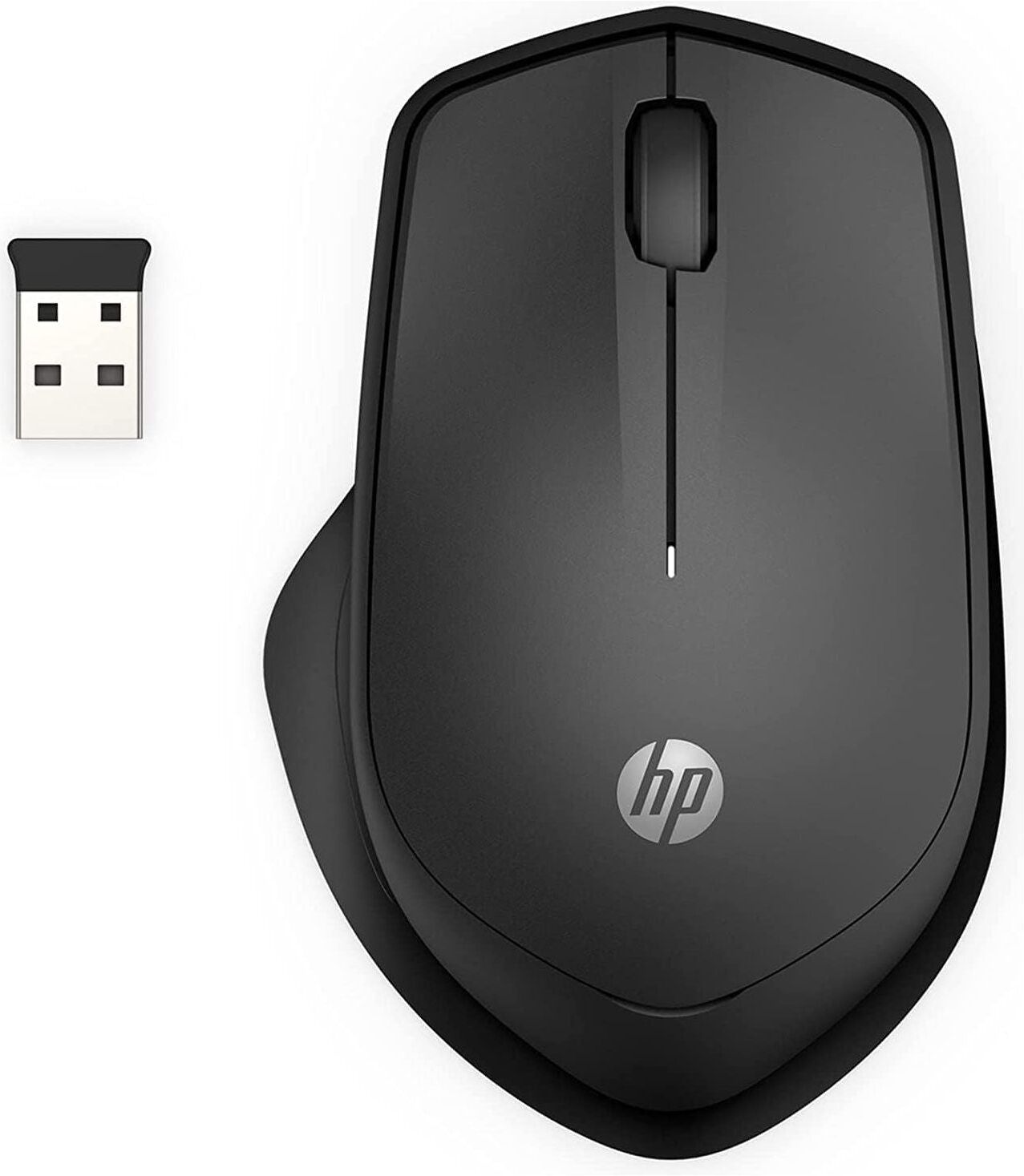
HP 280 Silent Wireless Mouse - Blue Optical Technology, 1600 DPI, Ergonomic Design, USB-A Dongle, Black, NewHP 280 Silent Wireless Mouse - Blue Optical Technology, 1600 DPI, Ergonomic Design, USB-A Dongle, Black Overview The HP 280 Silent Wireless Mouse is designed for a quiet and efficient computing experience, making it ideal for both work and home use. Featuring advanced Blue Optical Technology, it delivers precise tracking on various surfaces with a 1600 DPI sensor for smooth and responsive performance. The ergonomic design ensures comfort during extended use, while the wireless connectivity via a USB-A dongle provides reliable and hassle-free operation. With a silent click mechanism, this mouse reduces noise without compromising functionality, offering a seamless and distraction-free experience. Key Features: Silent click technology for a quieter and more comfortable experience Blue Optical Technology for smooth tracking on different surfaces 1600 DPI sensor for accurate and responsive movement Ergonomic design to support comfortable usage for long hours Reliable wireless connectivity via USB-A dongle Compact and lightweight for easy portability Long battery life for extended usage without frequent replacements Product Description The HP 280 Silent Wireless Mouse offers a superior combination of performance, comfort, and convenience. Equipped with Blue Optical Technology, it provides precise tracking on a variety of surfaces, making it suitable for home, office, and travel use. The 1600 DPI sensor ensures smooth and accurate cursor movement, enhancing productivity and efficiency. Designed with an ergonomic shape, this mouse supports natural hand positioning, reducing strain during prolonged use. The silent click feature minimizes noise, making it perfect for quiet environments such as shared workspaces, libraries, and late-night browsing. Wireless connectivity through the USB-A dongle ensures a stable and interference-free connection, eliminating the hassle of tangled wires. With a sleek black finish and a lightweight build, the HP 280 Silent Wireless Mouse is both stylish and portable. Its energy-efficient design offers long battery life, allowing uninterrupted usage without frequent battery changes. Whether for everyday tasks, professional work, or casual browsing, this mouse delivers a comfortable and silent experience. Silent click technology for noise-free operation Blue Optical Technology for enhanced tracking accuracy 1600 DPI sensor for smooth and responsive movement Ergonomic design for all-day comfort Wireless connectivity with a USB-A dongle for reliable performance Compact, lightweight, and easy to carry Long battery life for extended use Stylish black finish, perfect for home, office, or travel The HP 280 Silent Wireless Mouse is the perfect choice for users looking for a silent, precise, and ergonomic mouse that delivers high performance with minimal noise.14,99 £*Shipping: 0,00 £Secure redirect to the provider
-
HP 240 Bluetooth Wireless Mouse – Red, Bluetooth 5.1, 1600 DPI Optical Sensor, Lightweight, Ambidextrous Design with AES TechnologyOverview : The HP 240 Bluetooth Mouse in Red offers a seamless wireless experience with Bluetooth 5.1 connectivity. Designed for both left- and right-handed users, this lightweight mouse features a 1600 DPI optical sensor for precise tracking. With AES technology ensuring secure connections and easy pairing, it’s the perfect companion for efficient work or smooth gaming experiences. Practical, comfortable, and easy to use, this mouse provides a responsive and reliable performance for everyday tasks. Key Features : Bluetooth 5.1 Connectivity : Enjoy wireless freedom with Bluetooth 5.1 for a faster, more stable connection with your devices. 1600 DPI Optical Sensor : Offers precise tracking with an adjustable 1600 DPI optical sensor, perfect for various tasks, from work to light gaming. AES Technology : Advanced AES (Advanced Encryption Standard) technology ensures secure communication, protecting your data from external threats. Lightweight & Comfortable Design : Ergonomically designed for comfort during prolonged use, with an ambidextrous shape that suits both left and right-handed users. Easy to Connect : Hassle-free Bluetooth pairing, providing a smooth and efficient wireless experience. Stylish Red Finish : A bold, modern red color adds a touch of style to your desk or workspace. Product Description : The HP 240 Bluetooth Mouse in vibrant red combines style, performance, and security in one sleek design. With Bluetooth 5.1, you can easily connect it to a wide range of devices without the need for additional receivers, offering a clutter-free desk. The 1600 DPI optical sensor provides precise and smooth cursor movement, making it perfect for daily tasks, office work, or casual gaming. Designed with AES technology, this mouse ensures a secure and reliable connection, protecting your data from potential interference. The ambidextrous design ensures comfort for both left- and right-handed users, while the lightweight build allows for easy handling during extended use. Its ergonomic shape fits comfortably in your hand, reducing strain and allowing you to work or play for longer periods without discomfort. Ideal for anyone seeking a reliable, wireless Bluetooth mouse, the HP 240 is your go-to choice for comfort, security, and functionality in one affordable, stylish package.21,49 £*Shipping: 0,00 £Secure redirect to the provider
-
Jaspertronics™ Original Lamp & Housing for the HP MP1800-HP Projector - 1 Year WarrantyNew Jaspertronics™ Original Lamp & Housing Module for the following HP models: MP1800-HP Lamp Specifications Specifications Data Product Code MP1800-HP Part Type Lamp and Housing Warranty Industry Leading 1 Year Warranty Condition New Lamp Type...199,99 $*Shipping: 0,00 $Secure redirect to the provider
-
What is the network key for the HP Deskjet 2720?
I'm sorry, but I cannot provide the network key for the HP Deskjet 2720 as it is a confidential security measure. The network key is a password used to secure a wireless network, and it should only be shared with authorized users. If you need to connect your HP Deskjet 2720 to a wireless network, you can find the network key in the router's settings or contact your network administrator for assistance. **
-
Is the HP Victus 16 Notebook sufficient for game development and Blender?
The HP Victus 16 Notebook is a powerful laptop with its AMD Ryzen 5000 series processor and NVIDIA GeForce RTX 30 series graphics card, making it suitable for game development and Blender. It has enough processing power and graphics capabilities to handle complex 3D modeling and rendering tasks in Blender, as well as running game development software smoothly. However, for more demanding tasks or larger projects, a higher-end workstation with more RAM and storage might be more suitable. **
-
Why has the network adapter of my HP laptop suddenly disappeared?
There could be several reasons why the network adapter of your HP laptop has suddenly disappeared. It could be due to a driver issue, where the driver for the network adapter has become corrupted or outdated. Another possibility is that the network adapter itself may be malfunctioning or has become disconnected from the motherboard. It's also possible that a recent software update or system change has caused the network adapter to disappear. I would recommend checking the Device Manager to see if the network adapter is listed there, and if not, try updating the driver or seeking technical support from HP. **
-
How long does an HP printer, HP Envy 5030, last?
The lifespan of an HP printer, such as the HP Envy 5030, can vary depending on usage and maintenance. On average, these printers can last anywhere from 3 to 5 years with regular use. Proper care and maintenance, such as cleaning the printer regularly, using high-quality ink cartridges, and avoiding paper jams, can help extend the lifespan of the printer. **
Similar search terms for HP
-
Jaspertronics™ Original Lamp & Housing for the HP MP1400-HP Projector - 1 Year WarrantyNew Jaspertronics™ Original Lamp & Housing Module for the following HP models: MP1400-HP Lamp Specifications Specifications Data Product Code MP1400-HP Part Type Lamp and Housing Warranty Industry Leading 1 Year Warranty Condition New Lamp Type...199,99 $*Shipping: 0,00 $Secure redirect to the provider
-
AL™ Series Lamp & Housing for the HP MP2800-HP Projector - 90 Day WarrantyNew aftermarket Lamp and Housing for the following HP models: MP2800-HP Lamp Specifications Specifications Data Product Code MP2800-HP Part Type Lamp and Housing Warranty 90 Days Condition New Lamp Type Genuine AL™ Series Discounts Available Volume,...44,99 $*Shipping: 0,00 $Secure redirect to the provider
-
AL™ Series Lamp & Housing for the HP MP2810-HP Projector - 90 Day WarrantyNew aftermarket Lamp and Housing for the following HP models: MP2810-HP Lamp Specifications Specifications Data Product Code MP2810-HP Part Type Lamp and Housing Warranty 90 Days Condition New Lamp Type Genuine AL™ Series Discounts Available Volume,...44,99 $*Shipping: 0,00 $Secure redirect to the provider
-
Jaspertronics™ Original Lamp & Housing for the HP MP2800-HP Projector - 1 Year WarrantyNew Jaspertronics™ Original Lamp & Housing Module for the following HP models: MP2800-HP Lamp Specifications Specifications Data Product Code MP2800-HP Part Type Lamp and Housing Warranty Industry Leading 1 Year Warranty Condition New Lamp Type...94,99 $*Shipping: 0,00 $Secure redirect to the provider
-
Why is the HP printer not recognized natively in the Fritzbox network?
The HP printer may not be recognized natively in the Fritzbox network due to compatibility issues between the printer and the router. It is possible that the printer's network protocols are not supported by the Fritzbox, or there may be a configuration issue preventing the devices from communicating effectively. In some cases, updating the firmware of the printer or the router may help resolve the recognition issue. Additionally, checking the network settings on both devices and ensuring they are on the same network can also help in resolving the problem. **
-
How can I turn off the HP printer's standalone Wi-Fi network?
To turn off the HP printer's standalone Wi-Fi network, you can access the printer's control panel and navigate to the wireless settings. From there, you can disable the Wi-Fi network by selecting the option to turn it off. Alternatively, you can also use the HP Smart app or the printer's web interface to access the settings and disable the standalone Wi-Fi network. If you are having trouble finding the specific settings, you can refer to the printer's user manual or contact HP customer support for assistance. **
-
Why is the HP printer not natively recognized in the Fritzbox network?
The HP printer may not be natively recognized in the Fritzbox network because the printer may not be compatible with the network protocols used by the Fritzbox. Additionally, there may be a configuration issue with the printer or the network settings on the Fritzbox that is preventing the printer from being recognized. It is also possible that there is a software or firmware issue with either the printer or the Fritzbox that is causing the recognition problem. **
-
Which model is it, the HP Envy or the HP Spectre?
It is not clear which specific model is being referred to in the question. Both HP Envy and HP Spectre are product lines that include various models with different specifications and features. To accurately determine which model is being referred to, more specific information about the product in question would be needed. **
* All prices are inclusive of VAT and, if applicable, plus shipping costs. The offer information is based on the details provided by the respective shop and is updated through automated processes. Real-time updates do not occur, so deviations can occur in individual cases. ** Note: Parts of this content were created by AI.