Buy brainstation.eu ?
We are moving the project
brainstation.eu .
Are you interested in purchasing the domain
brainstation.eu ?
domain@kv-gmbh.de · 0541-91531010
Buy brainstation.eu ?
How does D-Link technology work?
D-Link technology works by using a combination of hardware and software to create networking solutions for homes and businesses. Their products, such as routers, switches, and access points, use advanced technology to provide reliable and high-speed internet connectivity. D-Link also offers cloud-based management solutions and security features to ensure a seamless and secure networking experience. Overall, D-Link technology works by providing innovative and user-friendly solutions to meet the networking needs of their customers. **
What are possible network problems with TP-Link Powerline?
Possible network problems with TP-Link Powerline include slow or inconsistent connection speeds, interference from other electrical devices, and compatibility issues with older wiring or circuitry. Additionally, the distance between the Powerline adapters can affect the quality of the connection, and using multiple adapters on different electrical circuits in the same building can also cause network problems. Finally, firmware issues or hardware malfunctions in the Powerline adapters themselves can lead to network disruptions. **


Similar search terms for Link
Top-Angebote
Products related to Link:
-
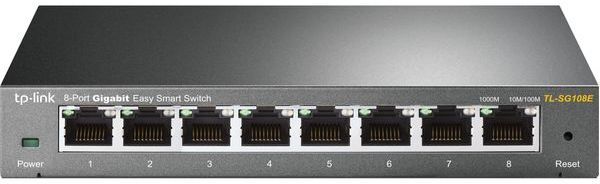
TP-LINK TL-SG108E 8-Port Gigabit Easy Smart Network Switch – Managed Desktop Ethernet SwitchOverview The TP-Link TL-SG108E 8-Port Gigabit Easy Smart Network Switch is a reliable and efficient networking solution designed for small offices, home networks, and workstations. Featuring 8 Gigabit Ethernet ports, this switch provides fast and stable wired connections for computers, printers, IP cameras, gaming consoles, and other network devices. With Easy Smart management features, including VLAN, QoS, and network monitoring, it allows users to optimise network performance while maintaining simple configuration. Built with a durable metal casing and plug-and-play functionality, the TL-SG108E offers dependable network expansion and high-speed connectivity. Key Features 8 Gigabit Ethernet Ports – High-speed wired connections for multiple network devices. Easy Smart Management – Supports VLAN, QoS, IGMP Snooping, and network monitoring features. Plug-and-Play Setup – Simple installation without complex configuration. Gigabit Speeds – Up to 1000Mbps for fast data transfer and network performance. Quality of Service (QoS) – Prioritise network traffic for smooth streaming and gaming. VLAN Support – Improved network segmentation and security. Durable Metal Housing – Robust build designed for long-term reliability. Energy Efficient Design – Automatically adjusts power consumption based on connection status. Fanless Operation – Silent performance suitable for office or home environments. Compact Desktop Design – Ideal for small networking setups. Benefits The TP-Link TL-SG108E is ideal for expanding wired networks while maintaining reliable and high-speed performance. With Gigabit connectivity, it supports smooth data transfer for bandwidth-intensive tasks such as video streaming, file sharing, and online gaming. The Easy Smart management features allow users to optimise network traffic and improve overall network efficiency. Functions such as VLAN segmentation and QoS prioritisation help ensure stable and secure connectivity across connected devices. Its compact, fanless design ensures quiet operation, making it suitable for home offices and workspaces where minimal noise is preferred. With durable metal construction and simple plug-and-play installation, the TL-SG108E provides dependable networking performance with minimal maintenance. Specifications Specification Details Brand TP-Link Model TL-SG108E EAN / Barcode [Ean] Type Easy Smart Gigabit Network Switch Ports 8 × Gigabit Ethernet Ports Switching Capacity 16 Gbps Forwarding Rate 11.9 Mpps Management Features VLAN, QoS, IGMP Snooping, Monitoring Connectivity Ethernet Mounting Desktop Housing Material Metal Cooling Fanless Power Supply External Power Adapter Dimensions Approx. 158 × 101 × 25 mm Weight Approx. 0.46 kg Package Contents TP-Link TL-SG108E Switch, Power Adapter, Installation Guide28,98 £*Shipping: 0,00 £Secure redirect to the provider
-
The Readers Paradise Connect To Grow: How To Network With Confidence, Purpose And Authenticity by Shweta Chawla - Non Fiction Paperback - Career & Networking Skills GuideNetworking often feels transactional and faintly exhausting, but this practical paperback guide reframes it entirely. Shweta Chawla shows readers how to approach every professional interaction with genuine confidence, clear purpose, and real authenticity, rather than chasing quick wins at crowded events. The book offers a repeatable, human-centered framework for building lasting relationships focused on mutual value instead of collecting contacts. Whether starting a career or scaling a business, readers gain mental shifts and practical tools that make reaching out feel natural. Connect To Grow is built around a simple idea: strong professional networks are grown, not harvested. Rather than offering rigid scripts or outdated sales formulas, the book focuses on realistic, people-first connection, with an emphasis on preparation that never feels rehearsed.2,99 £*Shipping: 2,99 £Secure redirect to the provider
-
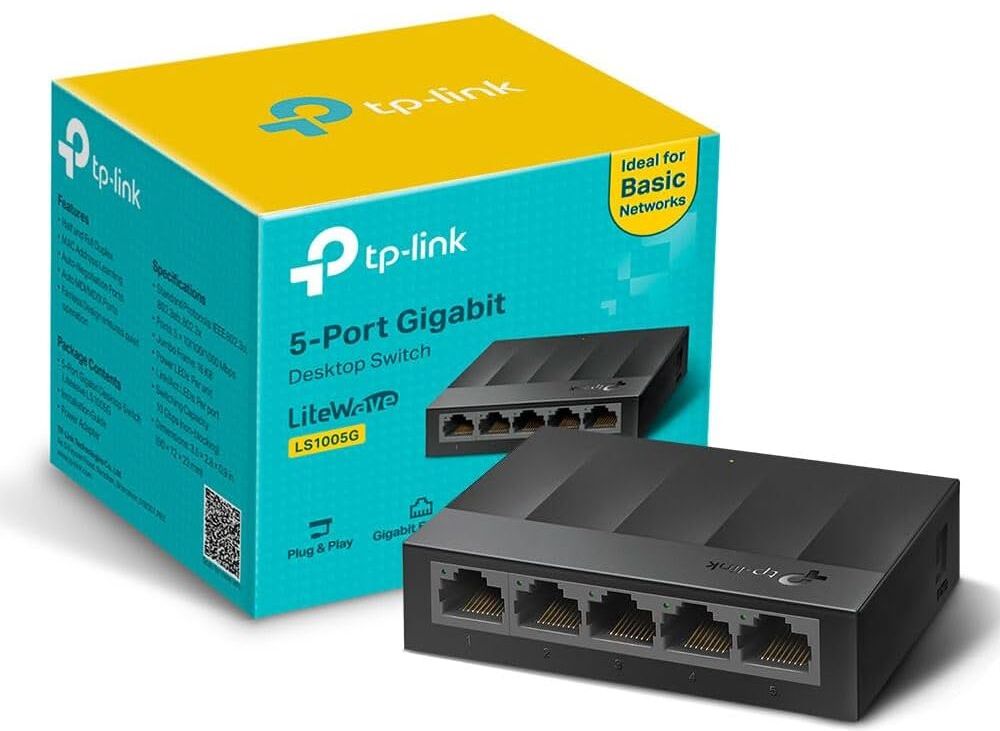
TP-LINK LS1005G 5-Port Gigabit Ethernet Switch – Desktop/Wall-Mount Network Hub, Plug & Play, Plastic CaseProduct Overview: The LS1005G 5-Port Gigabit Ethernet Switch is the perfect solution for expanding your home or office network. With five Gigabit Ethernet ports, this network splitter allows you to connect multiple devices for faster and more stable internet connectivity. Its plug-and-play functionality ensures quick and easy setup without the need for any software installation. The compact, durable plastic case allows for both desktop and wall-mount installation, making it a versatile option for any space. Key Features: 5 Gigabit Ethernet Ports : Provides five high-speed Gigabit Ethernet ports for fast and reliable wired connections to your devices. Plug and Play : Easy to use with no setup or installation required, simply plug in and start connecting devices immediately. Versatile Desktop/Wallmount Design : Can be placed on a desk or mounted on a wall for space-saving convenience and flexibility. Durable Plastic Case : Lightweight yet durable, the plastic casing ensures long-lasting use and protection for the internal components. Improved Network Performance : Ideal for enhancing the speed and stability of your home or office network, supporting multiple devices simultaneously. Energy-Efficient : Designed to operate efficiently with low power consumption, helping you save on energy costs. Product Description: The LS1005G 5-Port Desktop/Wallmount Gigabit Ethernet Switch is a reliable and efficient solution for expanding your wired network. With five Gigabit Ethernet ports, it ensures fast data transfer speeds for streaming, gaming, and browsing. Its plug-and-play feature makes installation quick and hassle-free, while the durable plastic case offers long-lasting protection for the device. Whether you're using it on a desktop or mounting it on a wall, the LS1005G provides flexibility and convenience. Enhance your network setup today with this compact yet powerful network splitter, ideal for connecting multiple devices in any home or office environment.9,99 £*Shipping: 0,00 £Secure redirect to the provider
-
James Zeiger Minecraft Beginner's Guide (21st Century Skills Innovation Library: Unofficial Guides Junior) - Non Fiction - PaperbackTitle:. Minecraft Beginner's Guide Condition: BRAND NEW. Format: Paperback. ISBN: Overview:. Dive into the world of Minecraft with this kid-friendly introduction designed for young builders and curious minds. The Minecraft Beginner's Guide, part of the 21st Century Skills Innovation Library: Unofficial Guides Junior, is crafted for readers who are stepping into blocky worlds for the first time. It explains the game’s core ideas in clear, approachable language, pairing each concept with simple visuals and practical, step-by-step guidance. From gathering resources and crafting essential items to planning safe bases and exploring biomes, the book teaches critical thinking, problem-solving, and creativity in a hands-on way. The paperback format keeps reading light and portable, making it ideal for reading at home, on journeys, or in the classroom. Beyond the how-to, it encourages safe, responsible gaming and helps young players build confidence as they experiment and iterate. This is not just a manual; it’s a springboard for independent play, storytelling in a sandbox environment, and the thrill of turning ideas into buildable, shareable worlds. A thoughtful gift for budding coders and creative minds alike, it channels Minecraft’s excitement into tangible, real-world skills. What Makes This Book Stand Out:. What sets this Minecraft beginner’s guide apart is its careful balance of accessibility and depth. Written for younger readers, it uses friendly, age-appropriate language and concise explanations that demystify complex ideas without talking down to the reader. The layout emphasises clear steps, quick win moments, and visual cues that reinforce learning by doing. Readers don’t just memorize recipes; they learn problem-solving strategies, planning, and experimentation—skills that transfer beyond the game. The inclusion of safe gaming guidance aligns with parents’ and teachers’ expectations for younger players, making it a reliable tool for independent reading, guided gaming sessions, or classroom activities. This book is genuinely engaging, turning browser curiosity into confident, curious builders who can imagine, design, and execute their own Minecraft projects. Who This Book Is Perfect For:. This book is ideal for children aged roughly 8–12 who are new to Minecraft or want a clear, structured start. It also serves as a practical resource for parents seeking kid-friendly explanations, for teachers looking to integrate digital literacy into lessons, and for gift buyers searching for an engaging STEM-inspired present. Perfect for early readers who enjoy visuals, short chapters, and actionable steps, it supports growing independence and safe play habits. Whether a family reads together or a classroom uses it as a mini-curriculum, this guide makes Minecraft approachable and enjoyable from page one. Key Highlights:. Clear, beginner-friendly explanations tailored to younger readers. Step-by-step guidance paired with friendly visuals. Focus on planning,...10,82 £*Shipping: 2,99 £Secure redirect to the provider


-
How can I encrypt my TP-Link Wi-Fi network?
To encrypt your TP-Link Wi-Fi network, you can enable WPA2 encryption on your router. This can usually be done by accessing your router's settings through a web browser and navigating to the wireless security settings. From there, you can select WPA2 as the encryption method and create a strong password to secure your network. Make sure to save the changes and reconnect your devices using the new password to ensure they are protected. **
-
How can I link my PlayStation Network and Steam accounts?
Unfortunately, there is currently no direct way to link your PlayStation Network and Steam accounts. These two platforms are separate and do not have a built-in feature for linking accounts. However, some games may offer cross-platform play or account linking options, allowing you to access certain features or content across both platforms. It's best to check the specific game's settings or support page to see if this option is available. **
-
Why is the TP-Link network adapter not working anymore?
The TP-Link network adapter may not be working anymore due to a variety of reasons. It could be a hardware issue such as a faulty adapter or a loose connection. It could also be a software issue such as outdated drivers or compatibility issues with the operating system. Additionally, network configuration settings or interference from other devices could also be causing the problem. Troubleshooting steps such as checking connections, updating drivers, and adjusting network settings may help identify and resolve the issue. **
-
Does TP-Link recognize the network but does not connect?
If TP-Link recognizes the network but does not connect, it could be due to several reasons. It could be a compatibility issue with the network's security settings or the router's configuration. It could also be due to interference from other devices or signal strength issues. Troubleshooting steps could include checking the network's security settings, ensuring the router is properly configured, and trying to connect from a different location to see if signal strength is the issue. If the problem persists, contacting TP-Link support or the network administrator for further assistance may be necessary. **

Which character is younger, Link or Toon Link?
Toon Link is generally considered to be younger than Link. Toon Link is often depicted as a younger, more cartoonish version of the character, with a more childlike appearance and demeanor. This is reflected in his design and personality in various games in the Legend of Zelda series. **
Can you hide a link behind another link?
Yes, it is possible to hide a link behind another link using HTML and CSS. This can be achieved by creating a transparent layer over the original link and then positioning the hidden link underneath it. This technique is often used for creating image-based navigation menus where the visible image serves as a link to another page, while the hidden link provides additional information for screen readers and search engines. However, it's important to use this technique responsibly and ensure that the hidden link is accessible to all users. **
Top-Angebote
Products related to Link:
-
D-Link DGS-1100-24V2 24-Port Gigabit Smart Managed Network Switch - BlackDescription With 24 Gigabit ports, the D-Link DGS-1100-24V2 is a smart managed network switch with VLAN support, Layer 2 features, QoS and 802.3az Energy-Efficient Ethernet. Its fanless design provides a practical solution for small, medium and enterprise businesses requiring straightforward network management. The switch offers smart and flexible management through a web management interface or the D-Link Network Assistant Utility. D-Link Green features help conserve energy without affecting performance, supporting reduced operating costs and more efficient network operation. For IP surveillance deployments, Surveillance VLAN support gives surveillance traffic high priority to help mitigate disruption and maintain the quality of video recording. An essential addition for business networks and environments requiring simple, managed connectivity.127,99 £*Shipping: 0,00 £Secure redirect to the provider
-
TP-LINK Managed Network Switch 5-Port Gigabit, Support QoS VLAN IGMP Snooping, Network Monitoring through Web Interface, 2.82 W, NewThis item offers easy setup through a web-based user interface and management utility. It is a 5-port RJ45 network switch with speeds of 10/100/1000Mbps, equipped with network monitoring, traffic prioritization, and VLAN capabilities. Additionally, it supports useful features like port mirroring, IGMP snooping, loop prevention, and Link aggregation. Quality of Service (QoS) is also supported, allowing for port-based/802.1p/DSCP priority, rate limiting, and storm control. Moreover, it incorporates energy-efficient technology, which can reduce power consumption by up to 57 percent.18,99 £*Shipping: 0,00 £Secure redirect to the provider
-
TP-LINK TL-SG108E 8-Port Gigabit Easy Smart Network Switch – Managed Desktop Ethernet SwitchOverview The TP-Link TL-SG108E 8-Port Gigabit Easy Smart Network Switch is a reliable and efficient networking solution designed for small offices, home networks, and workstations. Featuring 8 Gigabit Ethernet ports, this switch provides fast and stable wired connections for computers, printers, IP cameras, gaming consoles, and other network devices. With Easy Smart management features, including VLAN, QoS, and network monitoring, it allows users to optimise network performance while maintaining simple configuration. Built with a durable metal casing and plug-and-play functionality, the TL-SG108E offers dependable network expansion and high-speed connectivity. Key Features 8 Gigabit Ethernet Ports – High-speed wired connections for multiple network devices. Easy Smart Management – Supports VLAN, QoS, IGMP Snooping, and network monitoring features. Plug-and-Play Setup – Simple installation without complex configuration. Gigabit Speeds – Up to 1000Mbps for fast data transfer and network performance. Quality of Service (QoS) – Prioritise network traffic for smooth streaming and gaming. VLAN Support – Improved network segmentation and security. Durable Metal Housing – Robust build designed for long-term reliability. Energy Efficient Design – Automatically adjusts power consumption based on connection status. Fanless Operation – Silent performance suitable for office or home environments. Compact Desktop Design – Ideal for small networking setups. Benefits The TP-Link TL-SG108E is ideal for expanding wired networks while maintaining reliable and high-speed performance. With Gigabit connectivity, it supports smooth data transfer for bandwidth-intensive tasks such as video streaming, file sharing, and online gaming. The Easy Smart management features allow users to optimise network traffic and improve overall network efficiency. Functions such as VLAN segmentation and QoS prioritisation help ensure stable and secure connectivity across connected devices. Its compact, fanless design ensures quiet operation, making it suitable for home offices and workspaces where minimal noise is preferred. With durable metal construction and simple plug-and-play installation, the TL-SG108E provides dependable networking performance with minimal maintenance. Specifications Specification Details Brand TP-Link Model TL-SG108E EAN / Barcode [Ean] Type Easy Smart Gigabit Network Switch Ports 8 × Gigabit Ethernet Ports Switching Capacity 16 Gbps Forwarding Rate 11.9 Mpps Management Features VLAN, QoS, IGMP Snooping, Monitoring Connectivity Ethernet Mounting Desktop Housing Material Metal Cooling Fanless Power Supply External Power Adapter Dimensions Approx. 158 × 101 × 25 mm Weight Approx. 0.46 kg Package Contents TP-Link TL-SG108E Switch, Power Adapter, Installation Guide28,98 £*Shipping: 0,00 £Secure redirect to the provider
-
The Readers Paradise Connect To Grow: How To Network With Confidence, Purpose And Authenticity by Shweta Chawla - Non Fiction Paperback - Career & Networking Skills GuideNetworking often feels transactional and faintly exhausting, but this practical paperback guide reframes it entirely. Shweta Chawla shows readers how to approach every professional interaction with genuine confidence, clear purpose, and real authenticity, rather than chasing quick wins at crowded events. The book offers a repeatable, human-centered framework for building lasting relationships focused on mutual value instead of collecting contacts. Whether starting a career or scaling a business, readers gain mental shifts and practical tools that make reaching out feel natural. Connect To Grow is built around a simple idea: strong professional networks are grown, not harvested. Rather than offering rigid scripts or outdated sales formulas, the book focuses on realistic, people-first connection, with an emphasis on preparation that never feels rehearsed.2,99 £*Shipping: 2,99 £Secure redirect to the provider
-
How does D-Link technology work?
D-Link technology works by using a combination of hardware and software to create networking solutions for homes and businesses. Their products, such as routers, switches, and access points, use advanced technology to provide reliable and high-speed internet connectivity. D-Link also offers cloud-based management solutions and security features to ensure a seamless and secure networking experience. Overall, D-Link technology works by providing innovative and user-friendly solutions to meet the networking needs of their customers. **
-
What are possible network problems with TP-Link Powerline?
Possible network problems with TP-Link Powerline include slow or inconsistent connection speeds, interference from other electrical devices, and compatibility issues with older wiring or circuitry. Additionally, the distance between the Powerline adapters can affect the quality of the connection, and using multiple adapters on different electrical circuits in the same building can also cause network problems. Finally, firmware issues or hardware malfunctions in the Powerline adapters themselves can lead to network disruptions. **
-
How can I encrypt my TP-Link Wi-Fi network?
To encrypt your TP-Link Wi-Fi network, you can enable WPA2 encryption on your router. This can usually be done by accessing your router's settings through a web browser and navigating to the wireless security settings. From there, you can select WPA2 as the encryption method and create a strong password to secure your network. Make sure to save the changes and reconnect your devices using the new password to ensure they are protected. **
-
How can I link my PlayStation Network and Steam accounts?
Unfortunately, there is currently no direct way to link your PlayStation Network and Steam accounts. These two platforms are separate and do not have a built-in feature for linking accounts. However, some games may offer cross-platform play or account linking options, allowing you to access certain features or content across both platforms. It's best to check the specific game's settings or support page to see if this option is available. **
Similar search terms for Link
-
TP-LINK LS1005G 5-Port Gigabit Ethernet Switch – Desktop/Wall-Mount Network Hub, Plug & Play, Plastic CaseProduct Overview: The LS1005G 5-Port Gigabit Ethernet Switch is the perfect solution for expanding your home or office network. With five Gigabit Ethernet ports, this network splitter allows you to connect multiple devices for faster and more stable internet connectivity. Its plug-and-play functionality ensures quick and easy setup without the need for any software installation. The compact, durable plastic case allows for both desktop and wall-mount installation, making it a versatile option for any space. Key Features: 5 Gigabit Ethernet Ports : Provides five high-speed Gigabit Ethernet ports for fast and reliable wired connections to your devices. Plug and Play : Easy to use with no setup or installation required, simply plug in and start connecting devices immediately. Versatile Desktop/Wallmount Design : Can be placed on a desk or mounted on a wall for space-saving convenience and flexibility. Durable Plastic Case : Lightweight yet durable, the plastic casing ensures long-lasting use and protection for the internal components. Improved Network Performance : Ideal for enhancing the speed and stability of your home or office network, supporting multiple devices simultaneously. Energy-Efficient : Designed to operate efficiently with low power consumption, helping you save on energy costs. Product Description: The LS1005G 5-Port Desktop/Wallmount Gigabit Ethernet Switch is a reliable and efficient solution for expanding your wired network. With five Gigabit Ethernet ports, it ensures fast data transfer speeds for streaming, gaming, and browsing. Its plug-and-play feature makes installation quick and hassle-free, while the durable plastic case offers long-lasting protection for the device. Whether you're using it on a desktop or mounting it on a wall, the LS1005G provides flexibility and convenience. Enhance your network setup today with this compact yet powerful network splitter, ideal for connecting multiple devices in any home or office environment.9,99 £*Shipping: 0,00 £Secure redirect to the provider
-
James Zeiger Minecraft Beginner's Guide (21st Century Skills Innovation Library: Unofficial Guides Junior) - Non Fiction - PaperbackTitle:. Minecraft Beginner's Guide Condition: BRAND NEW. Format: Paperback. ISBN: Overview:. Dive into the world of Minecraft with this kid-friendly introduction designed for young builders and curious minds. The Minecraft Beginner's Guide, part of the 21st Century Skills Innovation Library: Unofficial Guides Junior, is crafted for readers who are stepping into blocky worlds for the first time. It explains the game’s core ideas in clear, approachable language, pairing each concept with simple visuals and practical, step-by-step guidance. From gathering resources and crafting essential items to planning safe bases and exploring biomes, the book teaches critical thinking, problem-solving, and creativity in a hands-on way. The paperback format keeps reading light and portable, making it ideal for reading at home, on journeys, or in the classroom. Beyond the how-to, it encourages safe, responsible gaming and helps young players build confidence as they experiment and iterate. This is not just a manual; it’s a springboard for independent play, storytelling in a sandbox environment, and the thrill of turning ideas into buildable, shareable worlds. A thoughtful gift for budding coders and creative minds alike, it channels Minecraft’s excitement into tangible, real-world skills. What Makes This Book Stand Out:. What sets this Minecraft beginner’s guide apart is its careful balance of accessibility and depth. Written for younger readers, it uses friendly, age-appropriate language and concise explanations that demystify complex ideas without talking down to the reader. The layout emphasises clear steps, quick win moments, and visual cues that reinforce learning by doing. Readers don’t just memorize recipes; they learn problem-solving strategies, planning, and experimentation—skills that transfer beyond the game. The inclusion of safe gaming guidance aligns with parents’ and teachers’ expectations for younger players, making it a reliable tool for independent reading, guided gaming sessions, or classroom activities. This book is genuinely engaging, turning browser curiosity into confident, curious builders who can imagine, design, and execute their own Minecraft projects. Who This Book Is Perfect For:. This book is ideal for children aged roughly 8–12 who are new to Minecraft or want a clear, structured start. It also serves as a practical resource for parents seeking kid-friendly explanations, for teachers looking to integrate digital literacy into lessons, and for gift buyers searching for an engaging STEM-inspired present. Perfect for early readers who enjoy visuals, short chapters, and actionable steps, it supports growing independence and safe play habits. Whether a family reads together or a classroom uses it as a mini-curriculum, this guide makes Minecraft approachable and enjoyable from page one. Key Highlights:. Clear, beginner-friendly explanations tailored to younger readers. Step-by-step guidance paired with friendly visuals. Focus on planning,...10,82 £*Shipping: 2,99 £Secure redirect to the provider
-
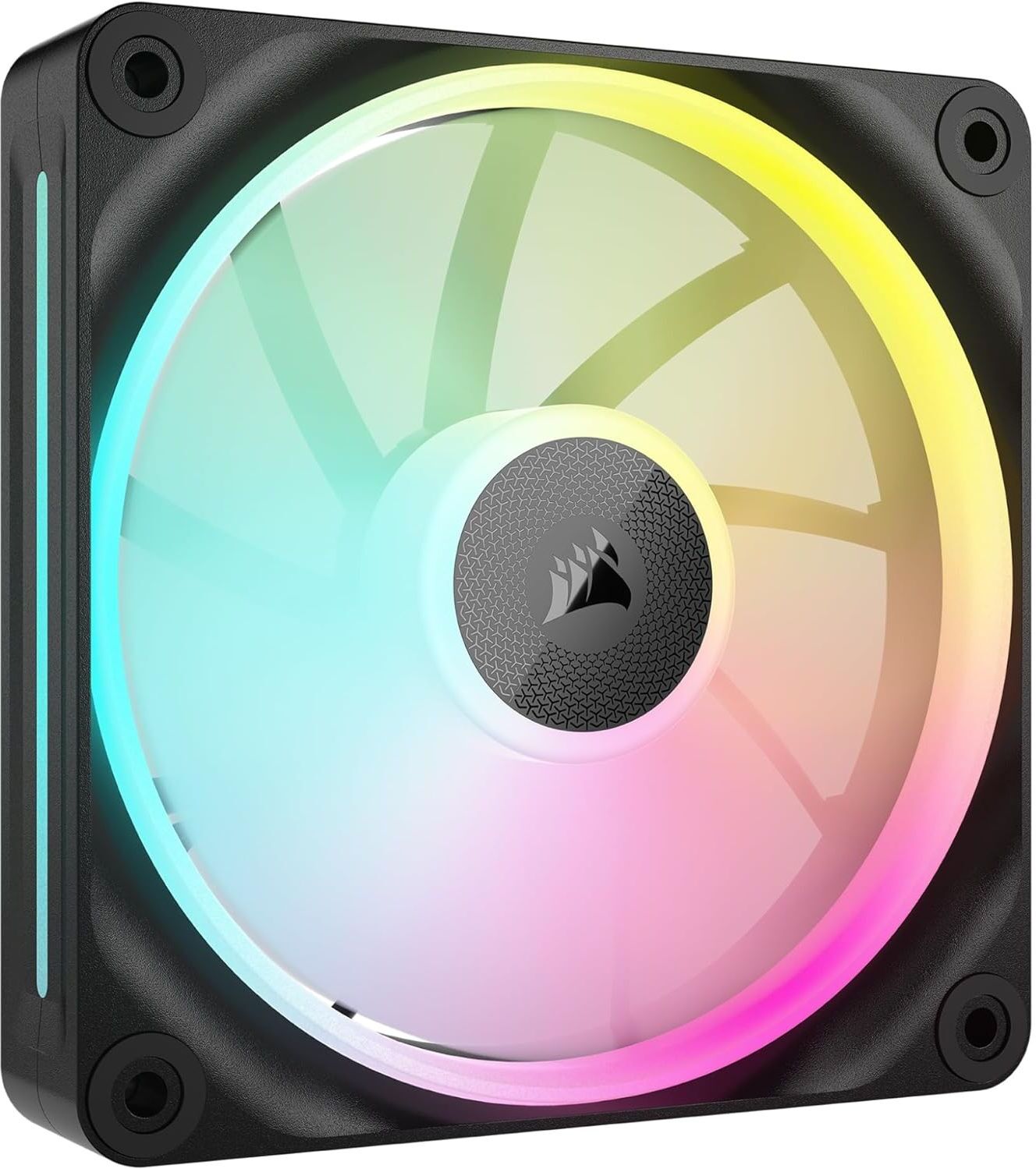
Corsair iCUE LINK LX120 RGB 120mm PWM Fan - Single Pack, Dual Light Loops, AirGuide Technology - Black, NewThe Corsair iCUE LINK LX120 RGB 120mm PWM Fan provides efficient cooling with stunning dual light loops featuring 18 RGB LEDs. It delivers precise airflow control with up to 2,400 RPM speeds and 5.22mm-H2O static pressure, optimized for radiator mounting and high-performance builds. Integrated AirGuide Technology and quiet magnetic dome bearings enhance cooling performance and minimize noise. Stunning RGB Lighting: Dual light loops with 18 LEDs provide customizable, synchronized lighting effects compatible with iCUE RGB devices. High-Performance Cooling: Achieves up to 2,400 RPM, pushing 69.9 CFM airflow and 5.22mm-H2O static pressure, ideal for radiator cooling. Seamless Integration: Includes iCUE LINK bridge connectors to connect multiple fans directly, compatible with the iCUE LINK System Hub (sold separately). CORSAIR AirGuide Technology: Anti-vortex vanes focus airflow for targeted and efficient cooling of key components. Quiet Operation: Magnetic dome bearings reduce noise and friction, ensuring longevity and efficient performance.34,99 £*Shipping: 0,00 £Secure redirect to the provider
-
Thorsons Ultralearning: Accelerate Your Career, Master Hard Skills and Outsmart the CompetitionFuture-proof your career and maximize your competitive advantage by learning the skill necessary to stay relevant, reinvent yourself, and adapt to whatever the workplace throws your way in this essential guide. Faced with tumultuous economic times and rapid technological change, staying ahead in your career depends on continual learning―a lifelong mastery of new ideas, subjects, and skills. If you want to accomplish more and stand apart from everyone else, you need to become an ultralearner. Scott Young incorporates the latest research about the most effective learning methods and the stories of other ultralearners like himself―among them Ben Franklin, Judit Polgar, and Richard Feynman, as well as a host of others, such as little-known modern polymaths like Nigel Richards who won the World Championship of French Scrabble―without knowing French. Young documents the methods he and others have used and shows that, far from being an obscure skill limited to aggressive autodidacts, ultralearning is a powerful tool anyone can use to improve their career, studies, and life. Ultralearning explores this fascinating subculture, shares the nine principles behind every successful ultralearning project, and offers insights into how you can organize and execute a plan to learn anything deeply and quickly, without teachers or budget-busting tuition costs. Whether the goal is to be fluent in a language (or ten languages), earn the equivalent of a college degree in a fraction of the time, or master multiple skills to build a product or business from the ground up, the principles in Ultralearning will guide you to success.8,99 £*Shipping: 2,99 £Secure redirect to the provider
-
Why is the TP-Link network adapter not working anymore?
The TP-Link network adapter may not be working anymore due to a variety of reasons. It could be a hardware issue such as a faulty adapter or a loose connection. It could also be a software issue such as outdated drivers or compatibility issues with the operating system. Additionally, network configuration settings or interference from other devices could also be causing the problem. Troubleshooting steps such as checking connections, updating drivers, and adjusting network settings may help identify and resolve the issue. **
-
Does TP-Link recognize the network but does not connect?
If TP-Link recognizes the network but does not connect, it could be due to several reasons. It could be a compatibility issue with the network's security settings or the router's configuration. It could also be due to interference from other devices or signal strength issues. Troubleshooting steps could include checking the network's security settings, ensuring the router is properly configured, and trying to connect from a different location to see if signal strength is the issue. If the problem persists, contacting TP-Link support or the network administrator for further assistance may be necessary. **
-
Which character is younger, Link or Toon Link?
Toon Link is generally considered to be younger than Link. Toon Link is often depicted as a younger, more cartoonish version of the character, with a more childlike appearance and demeanor. This is reflected in his design and personality in various games in the Legend of Zelda series. **
-
Can you hide a link behind another link?
Yes, it is possible to hide a link behind another link using HTML and CSS. This can be achieved by creating a transparent layer over the original link and then positioning the hidden link underneath it. This technique is often used for creating image-based navigation menus where the visible image serves as a link to another page, while the hidden link provides additional information for screen readers and search engines. However, it's important to use this technique responsibly and ensure that the hidden link is accessible to all users. **
* All prices are inclusive of VAT and, if applicable, plus shipping costs. The offer information is based on the details provided by the respective shop and is updated through automated processes. Real-time updates do not occur, so deviations can occur in individual cases. ** Note: Parts of this content were created by AI.