Buy brainstation.eu ?
We are moving the project
brainstation.eu .
Are you interested in purchasing the domain
brainstation.eu ?
domain@kv-gmbh.de · 0541-91531010
Buy brainstation.eu ?
How can I open a CorelDRAW X6 file in CorelDRAW 12?
To open a CorelDRAW X6 file in CorelDRAW 12, you can try the following steps: 1. First, save the CorelDRAW X6 file in a compatible format that is supported by CorelDRAW 12, such as .cdr or .eps. 2. Then, open CorelDRAW 12 and use the "File" menu to navigate to "Open" and select the saved file. 3. If the file is not opening properly, you may need to consider converting the file to a different format or using a file conversion tool to make it compatible with CorelDRAW 12. **
Which file type does GIMP use for CorelDRAW?
GIMP uses the CDR file type for CorelDRAW. CDR is the proprietary file format used by CorelDRAW for saving vector graphic images. GIMP can open and edit CDR files, but it may not support all features of the original CorelDRAW file. It is recommended to convert the CDR file to a more widely supported format like SVG or PDF before opening it in GIMP for editing. **

Similar search terms for CorelDRAW-Standard-2021-for
Top-Angebote
Products related to CorelDRAW-Standard-2021-for:
-
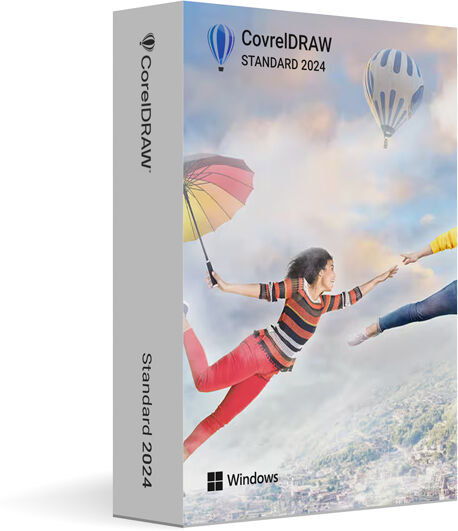
CorelDRAW Standard 2024 for WindowsCorelDRAW Standard 2024 for Windows is a versatile and user-friendly graphic design software tailored for Windows users seeking a powerful yet accessible tool for their creative projects. This edition of CorelDRAW offers an excellent balance between intuitive design features and professional-quality output, making it ideal for small businesses, hobbyists, and budding designers in the UK. The software equips you with a comprehensive set of vector illustration and page layout capabilities, enabling you to craft striking visuals for a wide range of applications. Whether you are designing logos, brochures, flyers, or social media graphics, CorelDRAW Standard 2024 simplifies the process with its streamlined interface and helpful tools. The program supports multiple page layouts, allowing you to manage complex projects with ease and maintain a consistent design style throughout your materials. Installation and operation are optimised for the Windows environment, ensuring smooth performance on compatible PCs. The software is designed to be approachable for those new to graphic design, featuring guided learning materials and templates that help you start your project quickly without a steep learning curve. At the same time, it provides sufficient depth for experienced users to refine their creations with precision. CorelDRAW Standard 2024 supports a wide range of popular file formats, facilitating seamless collaboration and file sharing with clients, printers, and colleagues. This ensures that your projects maintain their quality and integrity from creation through to final production. The application also offers robust colour management options, so you can achieve consistent and accurate colour reproduction, which is essential for professional print work. Whether you are refreshing your business branding, creating promotional materials, or indulging your creative side with personal projects, CorelDRAW Standard 2024 for Windows is a reliable and efficient choice. Its balance of functionality and ease of use makes it a practical investment for those based in the UK who require dependable design software without the complexity of more advanced suites. Available now through Omega Keys UK, this product comes with the convenience of digital delivery and local customer support. It is a valuable addition to your creative toolkit that empowers you to produce quality artwork with confidence and flexibility. Explore the possibilities of CorelDRAW Standard 2024 and elevate your design projects with a software solution crafted to meet the needs of Windows users across the United Kingdom.69,99 £*Shipping: 0,00 £Secure redirect to the provider
-
Microsoft Visio Standard 2021 for WindowsMicrosoft Visio Standard 2021 for Windows is a powerful diagramming tool designed to help you create professional and versatile visual representations with ease. Whether you're mapping out complex processes, designing organizational charts, or planning workflows, Visio offers a robust set of features tailored to meet your business and personal needs. This edition is specifically crafted for Windows users, ensuring seamless integration with your operating system for a smooth and responsive experience. The Standard 2021 version includes an extensive range of pre-built templates and shapes, allowing you to get started quickly without sacrificing customization. From flowcharts and network diagrams to floor plans and engineering designs, Visio provides the flexibility to bring your ideas to life with clarity and precision. One of the key advantages of Microsoft Visio Standard 2021 is its user-friendly interface that balances powerful functionality with intuitive controls. Whether you are a seasoned professional or new to diagramming software, you will find it accessible to create detailed visuals that communicate your concepts effectively. The drag-and-drop functionality, combined with smart tools for alignment, spacing, and formatting, helps streamline your workflow and improve productivity. Visio seamlessly integrates with other Microsoft Office applications, making it easier to incorporate diagrams into your presentations, reports, and documentation. You can embed your visuals into Word documents or PowerPoint slides, enhancing the impact and professionalism of your communications. This integration also supports the common file formats that facilitate sharing and collaboration with colleagues or clients who may not have Visio installed. Security and reliability are inherent in Microsoft products, and Visio Standard 2021 is no exception. This software is engineered to deliver stable performance on your Windows computer, backed by Microsoft's commitment to quality and ongoing support. This ensures your investment in Visio aids your work for years to come without unexpected interruptions or compatibility challenges. Acquiring Microsoft Visio Standard 2021 via Omega Keys UK means you can rely on a trusted vendor that specialises in genuine software products for the UK market. With the product in stock and ready for delivery, you can start creating detailed and impactful diagrams swiftly. This edition is an excellent choice if you require a comprehensive diagramming solution that combines professional features with straightforward usability, perfect for business, education, or personal projects. In conclusion, Microsoft Visio Standard 2021 for Windows offers a reliable, feature-rich platform for all your diagramming needs. Its extensive template library, integration capabilities, and user-friendly design make it an indispensable tool for visual communication. Whether you are outlining processes, planning projects, or designing systems, Visio empowers...69,99 £*Shipping: 0,00 £Secure redirect to the provider
-
Microsoft Project Standard 2021 for WindowsMicrosoft Project Standard 2021 for Windows is a robust project management software designed to help professionals and teams plan, execute, and deliver projects efficiently. This version is tailored specifically for Windows operating systems, providing a familiar interface and seamless integration with other Microsoft Office applications commonly used in the UK business environment. With Microsoft Project Standard 2021, you gain a powerful tool to create detailed project schedules, allocate resources effectively, and track progress against timelines. The software enables project managers to define tasks, assign dependencies, and establish milestones that keep projects on track. Its advanced scheduling engine adjusts plans dynamically, helping to identify potential bottlenecks before they impact delivery. One of the key advantages of this edition is its straightforward setup and usability, ideal for users who require a solid project management solution without the complexity of enterprise-level features. The interface is intuitive and familiar for those accustomed to Microsoft Office products, reducing the learning curve and allowing teams to get started quickly. Integration with Microsoft Office suite enhances productivity by allowing easy import and export of data across Word, Excel, and Outlook. This capability streamlines communication and reporting, making it simpler to share project status and collaborate with stakeholders. Additionally, the software supports customizable views and reports tailored to specific project needs, helping teams focus on the most relevant information. Microsoft Project Standard 2021 supports essential project management methodologies and can be applied across a range of industries and project types. Whether managing construction timelines, IT implementations, marketing campaigns, or product launches, this software provides the tools necessary to plan effectively and monitor progress with confidence. This product is available for immediate installation on Windows devices, allowing UK businesses and professionals to enhance their project management capabilities without delay. It is a one-time purchase license, providing long-term access to the software without the need for ongoing subscription fees. For organisations or individuals seeking a reliable and proven project management tool, Microsoft Project Standard 2021 offers a balanced mix of functionality and ease of use. It empowers users to bring clarity and control to complex projects, helping ensure successful outcomes through better planning and resource management. Overall, Microsoft Project Standard 2021 for Windows is a valuable addition to your business toolkit, particularly suited to those who prefer a traditional desktop application with comprehensive project scheduling features. It is designed to help you stay organised, meet deadlines, and manage resources efficiently in a competitive UK market.69,99 £*Shipping: 0,00 £Secure redirect to the provider
-
CorelDRAW Technical Suite 2022 for WindowsCorelDRAW Technical Suite 2022 for Windows is a comprehensive design software tailored for professionals who demand precision and versatility in technical illustration. This suite offers an extensive set of tools designed to create detailed and accurate technical graphics, diagrams, and documentation with ease. Whether you're working in engineering, manufacturing, architecture, or technical communication, this software addresses the complex requirements of technical design projects by combining powerful vector illustration with advanced drafting capabilities. Built to support the entire technical design workflow, CorelDRAW Technical Suite 2022 integrates a range of features that enhance productivity and ensure the highest level of detail. Its precise drawing tools allow you to create intricate designs from the ground up or enhance existing artwork with clarity and accuracy. The software supports multiple file formats, making it easier to collaborate with clients and colleagues who use different systems or require specific file types for their projects. The suite includes specialized applications that work seamlessly together, offering you the flexibility to manage various aspects of your technical projects. You can produce complex exploded views, assembly instructions, and maintenance manuals with ease, thanks to intelligent vector tools and enhanced 3D visualization features. These capabilities help communicate intricate information clearly, reducing misunderstandings and errors in production or assembly processes. CorelDRAW Technical Suite 2022 is designed to run on Windows systems, providing robust performance and compatibility tailored for professional environments. Its intuitive interface balances accessibility for new users with depth for experienced designers, ensuring a smooth learning curve and efficient workflow. The software also supports automation, allowing repetitive tasks to be streamlined, which saves valuable time during project development. For users in the UK, purchasing through Omega Keys UK ensures quick access to this full-featured technical design package with local support and reliable delivery. This makes it easier for businesses and individual professionals to adopt advanced design technology without delays or complications. The suite is ideal for those looking to elevate their technical drawing standards and produce professional-grade materials that meet industry requirements and client expectations. Whether you need to draft schematics, create detailed parts lists, or develop comprehensive technical illustrations, CorelDRAW Technical Suite 2022 provides a versatile and reliable platform for all these tasks. Its combination of precision tools, flexible file handling, and workflow integration makes it an essential asset for technical artists and engineers alike. Investing in CorelDRAW Technical Suite 2022 for Windows means equipping yourself with a trusted software solution recognized for its capability to handle complex...39,99 £*Shipping: 0,00 £Secure redirect to the provider


-
What skills are standard for Skill or Icrimax?
Standard skills for Skill or Icrimax may include proficiency in Minecraft gameplay, knowledge of game mechanics and strategies, strong communication and teamwork abilities for collaborating with other players, and the ability to entertain and engage an audience through streaming or content creation. Additionally, technical skills such as video editing, graphic design, and social media management may also be important for creating and promoting content. Finally, a strong understanding of the Minecraft community and the ability to adapt to new updates and changes in the game are also valuable skills for Skill or Icrimax. **
-
Does an HDMI cable in 2021 have a standard HDMI connector?
Yes, in 2021, HDMI cables typically have a standard HDMI connector. The standard HDMI connector is the most commonly used connector for transmitting high-definition audio and video signals between devices such as TVs, monitors, and gaming consoles. It is important to ensure that the HDMI cable you purchase has the correct connector for your devices to ensure compatibility and optimal performance. **
-
Why is CorelDRAW not starting? Error 1.
CorelDRAW may not be starting due to Error 1 for several reasons. It could be caused by a corrupted installation, incompatible system requirements, or conflicts with other software. Additionally, the error may be related to missing or damaged system files, or issues with the user account permissions. To troubleshoot this issue, it is recommended to reinstall CorelDRAW, ensure that the system meets the minimum requirements, and check for any conflicting software or system file issues. **
-
How do I create an outline for an arrow in CorelDRAW X5?
To create an outline for an arrow in CorelDRAW X5, you can follow these steps: 1. First, draw the arrow using the "Bezier" or "Freehand" tool. 2. Once the arrow is drawn, select it and go to the "Outline Pen" tool in the toolbar. 3. Choose the desired outline color and thickness for the arrow. 4. You can also adjust the outline properties such as style and cap type using the "Outline Pen" dialog box. 5. After setting the outline properties, your arrow will now have an outline. By following these steps, you can easily create an outline for an arrow in CorelDRAW X5. **

Why could the CorelDRAW object not be created?
The CorelDRAW object could not be created due to a potential issue with the installation of the software or a conflict with other programs running on the computer. It is also possible that the system requirements for running CorelDRAW are not met, such as insufficient memory or processing power. Additionally, if the software license is not valid or has expired, it could prevent the creation of the CorelDRAW object. **
What are the reasons for the development of a standard language?
The development of a standard language is important for several reasons. Firstly, it allows for clear communication and understanding among speakers of the language, as everyone is using the same rules and conventions. This is especially important for international communication and trade. Secondly, a standard language helps to preserve and promote a shared cultural identity, as it provides a common language for literature, media, and education. Finally, a standard language can also facilitate social and economic mobility, as it allows individuals to access opportunities and resources that require proficiency in the standard language. **
Top-Angebote
Products related to CorelDRAW-Standard-2021-for:
-
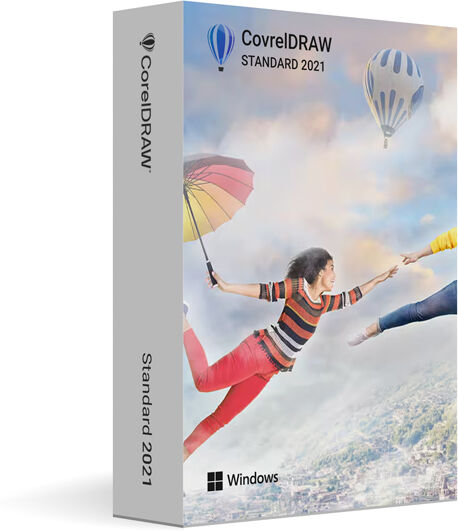
CorelDRAW Standard 2021 for WindowsCorelDRAW Standard 2021 for Windows is a versatile graphic design software tailored for users seeking powerful yet accessible tools to create stunning visuals. Ideal for small businesses, hobbyists, and anyone wanting to explore digital illustration, it delivers an intuitive experience on the Windows platform, making professional-grade design achievable without a steep learning curve. This edition focuses on essential design features, providing a suite of vector illustration tools that enable you to craft logos, brochures, newsletters, and social media graphics with precision and creativity. The user-friendly interface means you can start your projects quickly, with streamlined access to drawing, shaping, and text tools that adapt well to both newcomers and experienced designers. CorelDRAW Standard 2021 supports a wide range of file formats, ensuring compatibility with industry-standard graphics and print workflows. Whether you are importing photos, exporting designs for print or web, or collaborating with other creatives, this software handles your files smoothly. The Windows-specific optimisation ensures stable performance and integration with your system’s hardware, making the design process fluid and responsive. Features like professional templates and customizable project settings assist in speeding up workflows and maintaining consistency across your brand or project. The software also offers essential photo-editing capabilities, so you can perfect images within your designs without switching programs. This helps streamline your creative process and reduces the time spent toggling between applications. CorelDRAW Standard 2021 is a cost-effective solution that balances robust design capabilities with ease of use, making it suitable for those venturing into graphic design or operating within tighter budgets. It provides a solid foundation for creating high-quality, visually appealing content that stands out whether for print media, online platforms, or promotional materials. Whether you are designing for personal projects or professional marketing materials, this software supports your creative ambitions with reliable tools and features. Its compatibility with Windows means you can leverage your existing system setup without additional hardware investments. In summary, CorelDRAW Standard 2021 for Windows available at Omega Keys UK offers an accessible yet powerful toolset for graphic design. It empowers users to produce professional-quality designs with ease, supporting a range of creative needs from illustration and layout to photo editing. Explore your creativity confidently with software designed to match your Windows environment and help you deliver impressive results.49,99 £*Shipping: 0,00 £Secure redirect to the provider
-
CorelDRAW Standard 2021 for Windows – Lifetime LicenseCorelDRAW Standard 2021 for Windows – Lifetime License Create professional graphics, illustrations, layouts, and photo edits with CorelDRAW Standard 2021 for Windows. This powerful desktop design solution combines CorelDRAW Standard and Corel PHOTO-PAINT Standard, giving you essential tools for vector design, page layout, image editing, and creative projects. Designed for Windows users, CorelDRAW Standard 2021 is suitable for home users, graphic design enthusiasts, freelancers, small businesses, and anyone looking for reliable professional-level design tools without a recurring subscription. What’s Included CorelDRAW Standard 2021 Professional vector illustration and graphic design tools Create logos, illustrations, marketing materials, and visual content Page layout and creative design tools Precise drawing and object editing Professional typography and text layout Tools for creating print and digital graphics Support for a wide range of graphic file formats Corel PHOTO-PAINT Standard 2021 Professional image editing and enhancement Photo correction and adjustment tools Image retouching and creative editing Color and tone adjustments Tools for preparing images for design and print projects CorelDRAW Standard 2021 officially includes CorelDRAW Standard and Corel PHOTO-PAINT Standard. License & Delivery Lifetime / one-time purchase license No recurring subscription fees Windows license License is intended for one system/device Updates and upgrades are not included The license cannot be linked to a personal account You cannot log into an account while using the software with this license The license is tied exclusively to the system or device Digital delivery Installation assistance available 24/7 IT support available Important: This is a one-time purchase license. There are no recurring fees, but future updates and upgrades are not included. System Requirements Operating System Windows 10, 64-bit Windows 10 version 2004, 20H2, or later versions supported during the product lifecycle Windows 11 is also compatible with CorelDRAW Standard 2021 Processor Intel Core i3, i5, i7, or i9 AMD Ryzen 3, 5, 7, or 9 AMD Threadripper AMD EPYC Memory 4 GB RAM minimum 8 GB RAM or more recommended Storage 2.5 GB available hard disk space for application and installation files Display Minimum 1280 × 720 screen resolution 100% scaling / 96 dpi Input Devices Mouse Tablet Multi-touch screen Internet Connection Internet access is required to install and authenticate CorelDRAW Standard and to access certain included software components, online features, and content. Important Compatibility Information This product is designed for Windows PCs and is not a macOS version. Please make sure your computer meets the system requirements before purchasing. CorelDRAW Standard 2021 supports Windows 10 64-bit and is also compatible with Windows 11. Please also note that this is a one-time purchase license. It does not include recurring subscription fees, and updates or upgrades are...11,45 £*Shipping: 0,00 £Secure redirect to the provider
-
CorelDRAW Standard 2024 for WindowsCorelDRAW Standard 2024 for Windows is a versatile and user-friendly graphic design software tailored for Windows users seeking a powerful yet accessible tool for their creative projects. This edition of CorelDRAW offers an excellent balance between intuitive design features and professional-quality output, making it ideal for small businesses, hobbyists, and budding designers in the UK. The software equips you with a comprehensive set of vector illustration and page layout capabilities, enabling you to craft striking visuals for a wide range of applications. Whether you are designing logos, brochures, flyers, or social media graphics, CorelDRAW Standard 2024 simplifies the process with its streamlined interface and helpful tools. The program supports multiple page layouts, allowing you to manage complex projects with ease and maintain a consistent design style throughout your materials. Installation and operation are optimised for the Windows environment, ensuring smooth performance on compatible PCs. The software is designed to be approachable for those new to graphic design, featuring guided learning materials and templates that help you start your project quickly without a steep learning curve. At the same time, it provides sufficient depth for experienced users to refine their creations with precision. CorelDRAW Standard 2024 supports a wide range of popular file formats, facilitating seamless collaboration and file sharing with clients, printers, and colleagues. This ensures that your projects maintain their quality and integrity from creation through to final production. The application also offers robust colour management options, so you can achieve consistent and accurate colour reproduction, which is essential for professional print work. Whether you are refreshing your business branding, creating promotional materials, or indulging your creative side with personal projects, CorelDRAW Standard 2024 for Windows is a reliable and efficient choice. Its balance of functionality and ease of use makes it a practical investment for those based in the UK who require dependable design software without the complexity of more advanced suites. Available now through Omega Keys UK, this product comes with the convenience of digital delivery and local customer support. It is a valuable addition to your creative toolkit that empowers you to produce quality artwork with confidence and flexibility. Explore the possibilities of CorelDRAW Standard 2024 and elevate your design projects with a software solution crafted to meet the needs of Windows users across the United Kingdom.69,99 £*Shipping: 0,00 £Secure redirect to the provider
-
Microsoft Visio Standard 2021 for WindowsMicrosoft Visio Standard 2021 for Windows is a powerful diagramming tool designed to help you create professional and versatile visual representations with ease. Whether you're mapping out complex processes, designing organizational charts, or planning workflows, Visio offers a robust set of features tailored to meet your business and personal needs. This edition is specifically crafted for Windows users, ensuring seamless integration with your operating system for a smooth and responsive experience. The Standard 2021 version includes an extensive range of pre-built templates and shapes, allowing you to get started quickly without sacrificing customization. From flowcharts and network diagrams to floor plans and engineering designs, Visio provides the flexibility to bring your ideas to life with clarity and precision. One of the key advantages of Microsoft Visio Standard 2021 is its user-friendly interface that balances powerful functionality with intuitive controls. Whether you are a seasoned professional or new to diagramming software, you will find it accessible to create detailed visuals that communicate your concepts effectively. The drag-and-drop functionality, combined with smart tools for alignment, spacing, and formatting, helps streamline your workflow and improve productivity. Visio seamlessly integrates with other Microsoft Office applications, making it easier to incorporate diagrams into your presentations, reports, and documentation. You can embed your visuals into Word documents or PowerPoint slides, enhancing the impact and professionalism of your communications. This integration also supports the common file formats that facilitate sharing and collaboration with colleagues or clients who may not have Visio installed. Security and reliability are inherent in Microsoft products, and Visio Standard 2021 is no exception. This software is engineered to deliver stable performance on your Windows computer, backed by Microsoft's commitment to quality and ongoing support. This ensures your investment in Visio aids your work for years to come without unexpected interruptions or compatibility challenges. Acquiring Microsoft Visio Standard 2021 via Omega Keys UK means you can rely on a trusted vendor that specialises in genuine software products for the UK market. With the product in stock and ready for delivery, you can start creating detailed and impactful diagrams swiftly. This edition is an excellent choice if you require a comprehensive diagramming solution that combines professional features with straightforward usability, perfect for business, education, or personal projects. In conclusion, Microsoft Visio Standard 2021 for Windows offers a reliable, feature-rich platform for all your diagramming needs. Its extensive template library, integration capabilities, and user-friendly design make it an indispensable tool for visual communication. Whether you are outlining processes, planning projects, or designing systems, Visio empowers...69,99 £*Shipping: 0,00 £Secure redirect to the provider
-
How can I open a CorelDRAW X6 file in CorelDRAW 12?
To open a CorelDRAW X6 file in CorelDRAW 12, you can try the following steps: 1. First, save the CorelDRAW X6 file in a compatible format that is supported by CorelDRAW 12, such as .cdr or .eps. 2. Then, open CorelDRAW 12 and use the "File" menu to navigate to "Open" and select the saved file. 3. If the file is not opening properly, you may need to consider converting the file to a different format or using a file conversion tool to make it compatible with CorelDRAW 12. **
-
Which file type does GIMP use for CorelDRAW?
GIMP uses the CDR file type for CorelDRAW. CDR is the proprietary file format used by CorelDRAW for saving vector graphic images. GIMP can open and edit CDR files, but it may not support all features of the original CorelDRAW file. It is recommended to convert the CDR file to a more widely supported format like SVG or PDF before opening it in GIMP for editing. **
-
What skills are standard for Skill or Icrimax?
Standard skills for Skill or Icrimax may include proficiency in Minecraft gameplay, knowledge of game mechanics and strategies, strong communication and teamwork abilities for collaborating with other players, and the ability to entertain and engage an audience through streaming or content creation. Additionally, technical skills such as video editing, graphic design, and social media management may also be important for creating and promoting content. Finally, a strong understanding of the Minecraft community and the ability to adapt to new updates and changes in the game are also valuable skills for Skill or Icrimax. **
-
Does an HDMI cable in 2021 have a standard HDMI connector?
Yes, in 2021, HDMI cables typically have a standard HDMI connector. The standard HDMI connector is the most commonly used connector for transmitting high-definition audio and video signals between devices such as TVs, monitors, and gaming consoles. It is important to ensure that the HDMI cable you purchase has the correct connector for your devices to ensure compatibility and optimal performance. **
Similar search terms for CorelDRAW-Standard-2021-for
-
Microsoft Project Standard 2021 for WindowsMicrosoft Project Standard 2021 for Windows is a robust project management software designed to help professionals and teams plan, execute, and deliver projects efficiently. This version is tailored specifically for Windows operating systems, providing a familiar interface and seamless integration with other Microsoft Office applications commonly used in the UK business environment. With Microsoft Project Standard 2021, you gain a powerful tool to create detailed project schedules, allocate resources effectively, and track progress against timelines. The software enables project managers to define tasks, assign dependencies, and establish milestones that keep projects on track. Its advanced scheduling engine adjusts plans dynamically, helping to identify potential bottlenecks before they impact delivery. One of the key advantages of this edition is its straightforward setup and usability, ideal for users who require a solid project management solution without the complexity of enterprise-level features. The interface is intuitive and familiar for those accustomed to Microsoft Office products, reducing the learning curve and allowing teams to get started quickly. Integration with Microsoft Office suite enhances productivity by allowing easy import and export of data across Word, Excel, and Outlook. This capability streamlines communication and reporting, making it simpler to share project status and collaborate with stakeholders. Additionally, the software supports customizable views and reports tailored to specific project needs, helping teams focus on the most relevant information. Microsoft Project Standard 2021 supports essential project management methodologies and can be applied across a range of industries and project types. Whether managing construction timelines, IT implementations, marketing campaigns, or product launches, this software provides the tools necessary to plan effectively and monitor progress with confidence. This product is available for immediate installation on Windows devices, allowing UK businesses and professionals to enhance their project management capabilities without delay. It is a one-time purchase license, providing long-term access to the software without the need for ongoing subscription fees. For organisations or individuals seeking a reliable and proven project management tool, Microsoft Project Standard 2021 offers a balanced mix of functionality and ease of use. It empowers users to bring clarity and control to complex projects, helping ensure successful outcomes through better planning and resource management. Overall, Microsoft Project Standard 2021 for Windows is a valuable addition to your business toolkit, particularly suited to those who prefer a traditional desktop application with comprehensive project scheduling features. It is designed to help you stay organised, meet deadlines, and manage resources efficiently in a competitive UK market.69,99 £*Shipping: 0,00 £Secure redirect to the provider
-
CorelDRAW Technical Suite 2022 for WindowsCorelDRAW Technical Suite 2022 for Windows is a comprehensive design software tailored for professionals who demand precision and versatility in technical illustration. This suite offers an extensive set of tools designed to create detailed and accurate technical graphics, diagrams, and documentation with ease. Whether you're working in engineering, manufacturing, architecture, or technical communication, this software addresses the complex requirements of technical design projects by combining powerful vector illustration with advanced drafting capabilities. Built to support the entire technical design workflow, CorelDRAW Technical Suite 2022 integrates a range of features that enhance productivity and ensure the highest level of detail. Its precise drawing tools allow you to create intricate designs from the ground up or enhance existing artwork with clarity and accuracy. The software supports multiple file formats, making it easier to collaborate with clients and colleagues who use different systems or require specific file types for their projects. The suite includes specialized applications that work seamlessly together, offering you the flexibility to manage various aspects of your technical projects. You can produce complex exploded views, assembly instructions, and maintenance manuals with ease, thanks to intelligent vector tools and enhanced 3D visualization features. These capabilities help communicate intricate information clearly, reducing misunderstandings and errors in production or assembly processes. CorelDRAW Technical Suite 2022 is designed to run on Windows systems, providing robust performance and compatibility tailored for professional environments. Its intuitive interface balances accessibility for new users with depth for experienced designers, ensuring a smooth learning curve and efficient workflow. The software also supports automation, allowing repetitive tasks to be streamlined, which saves valuable time during project development. For users in the UK, purchasing through Omega Keys UK ensures quick access to this full-featured technical design package with local support and reliable delivery. This makes it easier for businesses and individual professionals to adopt advanced design technology without delays or complications. The suite is ideal for those looking to elevate their technical drawing standards and produce professional-grade materials that meet industry requirements and client expectations. Whether you need to draft schematics, create detailed parts lists, or develop comprehensive technical illustrations, CorelDRAW Technical Suite 2022 provides a versatile and reliable platform for all these tasks. Its combination of precision tools, flexible file handling, and workflow integration makes it an essential asset for technical artists and engineers alike. Investing in CorelDRAW Technical Suite 2022 for Windows means equipping yourself with a trusted software solution recognized for its capability to handle complex...39,99 £*Shipping: 0,00 £Secure redirect to the provider
-
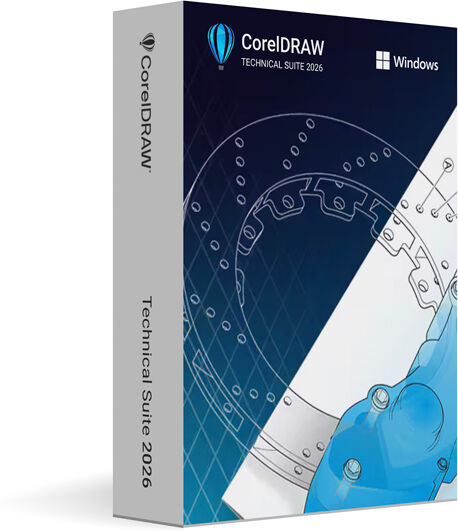
CorelDRAW Technical Suite 2026 for WindowsCorelDRAW Technical Suite 2026 for Windows is a comprehensive, professional-grade software solution designed specifically for technical illustrators, CAD professionals, and visual communicators who demand precision and clarity in their work. Whether you’re creating detailed schematics, complex assembly instructions, or intricate 3D designs, this suite combines powerful vector illustration tools with specialist technical drawing features to help you produce exceptional, accurate visuals with ease. The software aligns seamlessly with industry standards, enabling you to communicate technical information clearly and effectively across multiple platforms. This software package offers a rich set of features including advanced dimensioning tools, enhanced 3D CAD import, and detailed vector rendering capabilities that make complex technical diagrams and designs remarkably easier to manage. Users benefit from precise illustration control, multi-page layout options, and automated drawing tasks that streamline workflows, allowing you to meet deadlines and maintain high-quality output consistently. The intuitive user interface ensures a smooth learning curve while retaining the depth required by expert users, making it suitable for engineering firms, manufacturing companies, educational institutions, and independent technical artists. Typical applications range from producing technical manuals, engineering schematics, and maintenance documents to creating architectural plans and product design visuals. CorelDRAW Technical Suite 2026 supports multiple file formats for importing and exporting projects, ensuring compatibility with other professional tools in your workflow. This versatility allows for easy collaboration across departments and with external partners, enhancing productivity and reducing costs related to rework or miscommunication. Upon purchase, you will receive a digital delivery containing an official activation key and licence code via email, enabling download and instant installation. This ensures a straightforward process, allowing immediate activation and use of the software on your Windows device. Included in the purchase is a valid digital licence - a genuine, original software product protected by Corel’s official licensing system. You will also receive a digital invoice confirming your secure transaction, giving you peace of mind when you buy online. CorelDRAW Technical Suite 2026 requires a 64-bit version of Windows 10 or higher, with a minimum of 8GB RAM and 4GB of available storage space. A multi-core processor is recommended to handle complex computations efficiently. While the software runs well on mid-range hardware, having a capable graphics card will enhance performance during intensive vector rendering and 3D model handling. The installation process is straightforward and well documented, ensuring that whether you’re upgrading or installing fresh, setup will be hassle-free. The licence supplied with this product is a single-user...109,99 £*Shipping: 0,00 £Secure redirect to the provider
-
CorelDRAW Graphics Suite 2024 for macOSCorelDRAW Graphics Suite 2024 for Mac is a comprehensive and professional graphic design software tailored to meet the creative demands of designers, artists, and illustrators across the UK. This suite offers an extensive range of powerful tools for vector illustration, layout, photo editing, and typography, enabling you to bring your creative visions to life with precision and speed. Whether you are crafting detailed logos, marketing materials, websites, or artistic illustrations, CorelDRAW Graphics Suite provides the flexibility and quality you need to produce striking visual content. Ideal for creative professionals, freelancers, and businesses alike, this latest edition for Mac boasts enhanced performance, a refreshed user interface optimised for macOS, and new features designed to streamline your workflow. You can customise layouts, work with industry-standard file formats, and enjoy seamless use of colour management tools to ensure your projects look flawless across all media. From concept development to finished output, CorelDRAW Graphics Suite supports every stage of your design process, helping you work smarter and faster. When you buy CorelDRAW Graphics Suite 2024 for Mac through our store, you benefit from a digital delivery format that ensures immediate access to your software. Upon completing your compra online with secure payment, you'll receive your licencia digital along with your clave de producto and código de activación sent via email, enabling descarga inmediata and activación inmediata without delay. The package includes the full software installation files and a factura for your records. This original licencia oficial guarantees you are installing authentic software, free from unauthorised copies. The software is compatible with macOS versions from macOS Ventura 13.0 onwards and requires a minimum of 8GB RAM, a multi-core Intel or Apple silicon processor, and at least 10GB of available storage space for installation. These specifications provide a stable environment for CorelDRAW Graphics Suite 2024 to run smoothly, ensuring a hassle-free experiencia for your diseño projects on Mac. CorelDRAW Graphics Suite 2024 for Mac comes with a single-user licence that permits installation and activación inmediata on one device. Your clave de licencia or código de activación must be used once to register the software, linking it to your user account securely. This original licencia digital is designed exclusively for individual use, and any need for multiple licences should be arranged separately. Rest assured that purchasing through our store offers you the mejor precio, costes transparentes, and the seguridad of a payment process designed for customers in the United Kingdom. Order your copy of CorelDRAW Graphics Suite 2024 for Mac today to unlock your creative potential with a leading graphics solution. With our oferta and descuento options, buying online has never been more accessible or affordable. Take advantage of entrega...69,99 £*Shipping: 0,00 £Secure redirect to the provider
-
Why is CorelDRAW not starting? Error 1.
CorelDRAW may not be starting due to Error 1 for several reasons. It could be caused by a corrupted installation, incompatible system requirements, or conflicts with other software. Additionally, the error may be related to missing or damaged system files, or issues with the user account permissions. To troubleshoot this issue, it is recommended to reinstall CorelDRAW, ensure that the system meets the minimum requirements, and check for any conflicting software or system file issues. **
-
How do I create an outline for an arrow in CorelDRAW X5?
To create an outline for an arrow in CorelDRAW X5, you can follow these steps: 1. First, draw the arrow using the "Bezier" or "Freehand" tool. 2. Once the arrow is drawn, select it and go to the "Outline Pen" tool in the toolbar. 3. Choose the desired outline color and thickness for the arrow. 4. You can also adjust the outline properties such as style and cap type using the "Outline Pen" dialog box. 5. After setting the outline properties, your arrow will now have an outline. By following these steps, you can easily create an outline for an arrow in CorelDRAW X5. **
-
Why could the CorelDRAW object not be created?
The CorelDRAW object could not be created due to a potential issue with the installation of the software or a conflict with other programs running on the computer. It is also possible that the system requirements for running CorelDRAW are not met, such as insufficient memory or processing power. Additionally, if the software license is not valid or has expired, it could prevent the creation of the CorelDRAW object. **
-
What are the reasons for the development of a standard language?
The development of a standard language is important for several reasons. Firstly, it allows for clear communication and understanding among speakers of the language, as everyone is using the same rules and conventions. This is especially important for international communication and trade. Secondly, a standard language helps to preserve and promote a shared cultural identity, as it provides a common language for literature, media, and education. Finally, a standard language can also facilitate social and economic mobility, as it allows individuals to access opportunities and resources that require proficiency in the standard language. **
* All prices are inclusive of VAT and, if applicable, plus shipping costs. The offer information is based on the details provided by the respective shop and is updated through automated processes. Real-time updates do not occur, so deviations can occur in individual cases. ** Note: Parts of this content were created by AI.