Buy brainstation.eu ?
We are moving the project
brainstation.eu .
Are you interested in purchasing the domain
brainstation.eu ?
domain@kv-gmbh.de · 0541-91531010
Buy brainstation.eu ?
Should one keep IPv4 enabled despite having IPv6 enabled?
It is generally recommended to keep both IPv4 and IPv6 enabled on your network. While IPv6 is the newer protocol and offers many advantages over IPv4, there are still many devices and services that primarily use IPv4. By keeping both protocols enabled, you ensure compatibility with all devices and services on the internet. Additionally, having both protocols enabled provides redundancy in case one protocol experiences issues or outages. **
How can unlimited urban growth be enabled in the desert?
Unlimited urban growth in the desert can be enabled through careful planning and sustainable development. This can involve the use of innovative technologies such as desalination for water supply, solar power for energy, and efficient waste management systems. Additionally, creating green spaces and implementing sustainable building practices can help mitigate the environmental impact of urban growth in the desert. It is also important to consider the social and economic implications of urban growth in the desert, including providing access to education, healthcare, and employment opportunities for the growing population. **

Similar search terms for Enabled
Top-Angebote
Products related to Enabled:
-
Friedrich 8,000 BTU (5,000 DOE) Portable Air Conditioner, Wifi-EnabledDesigned for dependable comfort and everyday convenience, this Friedrich portable air conditioner delivers powerful, efficient cooling for bedrooms, offices, and other living spaces where flexibility matters most.379,99 $*Shipping: 0,00 $Secure redirect to the provider
-
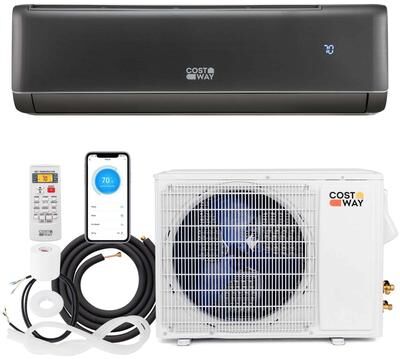
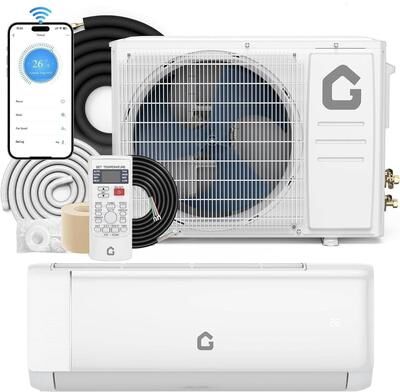
Garvee 18000 BTU Mini Split Air Conditioner & Heater, WiFi Enabled【Powerful Cooling & Heating, Energy Efficient】This 18,000 BTU mini split AC offers up to 19 SEER2 efficiency, ensuring powerful cooling and heating in temperatures from -13°F to 140°F. Ideal for spaces up to 1250 sq. ft1023,99 $*Shipping: 0,00 $Secure redirect to the provider
-
The Readers Paradise Connect To Grow: How To Network With Confidence, Purpose And Authenticity by Shweta Chawla - Non Fiction Paperback - Career & Networking Skills GuideNetworking often feels transactional and faintly exhausting, but this practical paperback guide reframes it entirely. Shweta Chawla shows readers how to approach every professional interaction with genuine confidence, clear purpose, and real authenticity, rather than chasing quick wins at crowded events. The book offers a repeatable, human-centered framework for building lasting relationships focused on mutual value instead of collecting contacts. Whether starting a career or scaling a business, readers gain mental shifts and practical tools that make reaching out feel natural. Connect To Grow is built around a simple idea: strong professional networks are grown, not harvested. Rather than offering rigid scripts or outdated sales formulas, the book focuses on realistic, people-first connection, with an emphasis on preparation that never feels rehearsed.2,99 £*Shipping: 2,99 £Secure redirect to the provider


-
How can I make a non-Wi-Fi enabled printer Wi-Fi enabled?
You can make a non-Wi-Fi enabled printer Wi-Fi enabled by using a wireless print server. A wireless print server connects to your printer via USB and then connects to your Wi-Fi network, allowing you to print from any device connected to the same network. Another option is to use a Wi-Fi enabled computer as a print server, where the computer is connected to the printer and then shares the printer over the Wi-Fi network. Both of these options will allow you to print wirelessly to a non-Wi-Fi enabled printer. **
-
What are Bluetooth-enabled printers?
Bluetooth-enabled printers are printers that have the capability to connect wirelessly to devices such as smartphones, tablets, and computers using Bluetooth technology. This allows users to easily print documents, photos, and other files without the need for a physical connection. Bluetooth-enabled printers are convenient for printing on the go or in situations where a wired connection is not practical. **
-
Is the laptop WLAN-enabled?
Yes, the laptop is WLAN-enabled. It has a built-in wireless network card that allows it to connect to Wi-Fi networks. This feature enables the laptop to access the internet and other devices wirelessly, providing flexibility and convenience for the user. **
-
Are the iPad restrictions enabled?
Yes, the iPad restrictions are enabled. These restrictions allow the user to control and limit access to certain features and content on the iPad, such as app usage, web browsing, and in-app purchases. By enabling these restrictions, the user can customize the iPad experience for themselves or for others, such as children, to ensure a safer and more controlled usage of the device. **
How can I connect a Wi-Fi-enabled camera to a network drive?
To connect a Wi-Fi-enabled camera to a network drive, you will first need to ensure that both the camera and the network drive are connected to the same Wi-Fi network. Next, you will need to access the settings on your camera to configure it to save photos or videos directly to the network drive. This usually involves entering the network drive's IP address and login credentials into the camera's settings. Once the camera is configured, it should be able to wirelessly transfer files to the network drive whenever it is connected to the same Wi-Fi network. **
How can I connect a Wi-Fi enabled camera to a network drive?
To connect a Wi-Fi enabled camera to a network drive, you will need to ensure that both the camera and the network drive are connected to the same Wi-Fi network. Then, you can typically access the camera's settings menu to configure it to save recordings or images directly to the network drive. This may involve entering the network drive's IP address, username, and password in the camera's settings. Once properly configured, the camera should be able to save files directly to the network drive for easy access and storage. **
Top-Angebote
Products related to Enabled:
-
Friedrich 8,000 BTU (5,000 DOE) Portable Air Conditioner, Wifi-EnabledDesigned for dependable comfort and everyday convenience, this Friedrich portable air conditioner delivers powerful, efficient cooling for bedrooms, offices, and other living spaces where flexibility matters most.379,99 $*Shipping: 0,00 $Secure redirect to the provider
-
Garvee 18000 BTU Mini Split Air Conditioner & Heater, WiFi Enabled【Powerful Cooling & Heating, Energy Efficient】This 18,000 BTU mini split AC offers up to 19 SEER2 efficiency, ensuring powerful cooling and heating in temperatures from -13°F to 140°F. Ideal for spaces up to 1250 sq. ft1023,99 $*Shipping: 0,00 $Secure redirect to the provider
-
Should one keep IPv4 enabled despite having IPv6 enabled?
It is generally recommended to keep both IPv4 and IPv6 enabled on your network. While IPv6 is the newer protocol and offers many advantages over IPv4, there are still many devices and services that primarily use IPv4. By keeping both protocols enabled, you ensure compatibility with all devices and services on the internet. Additionally, having both protocols enabled provides redundancy in case one protocol experiences issues or outages. **
-
How can unlimited urban growth be enabled in the desert?
Unlimited urban growth in the desert can be enabled through careful planning and sustainable development. This can involve the use of innovative technologies such as desalination for water supply, solar power for energy, and efficient waste management systems. Additionally, creating green spaces and implementing sustainable building practices can help mitigate the environmental impact of urban growth in the desert. It is also important to consider the social and economic implications of urban growth in the desert, including providing access to education, healthcare, and employment opportunities for the growing population. **
-
How can I make a non-Wi-Fi enabled printer Wi-Fi enabled?
You can make a non-Wi-Fi enabled printer Wi-Fi enabled by using a wireless print server. A wireless print server connects to your printer via USB and then connects to your Wi-Fi network, allowing you to print from any device connected to the same network. Another option is to use a Wi-Fi enabled computer as a print server, where the computer is connected to the printer and then shares the printer over the Wi-Fi network. Both of these options will allow you to print wirelessly to a non-Wi-Fi enabled printer. **
-
What are Bluetooth-enabled printers?
Bluetooth-enabled printers are printers that have the capability to connect wirelessly to devices such as smartphones, tablets, and computers using Bluetooth technology. This allows users to easily print documents, photos, and other files without the need for a physical connection. Bluetooth-enabled printers are convenient for printing on the go or in situations where a wired connection is not practical. **
Similar search terms for Enabled
-
The Readers Paradise Connect To Grow: How To Network With Confidence, Purpose And Authenticity by Shweta Chawla - Non Fiction Paperback - Career & Networking Skills GuideNetworking often feels transactional and faintly exhausting, but this practical paperback guide reframes it entirely. Shweta Chawla shows readers how to approach every professional interaction with genuine confidence, clear purpose, and real authenticity, rather than chasing quick wins at crowded events. The book offers a repeatable, human-centered framework for building lasting relationships focused on mutual value instead of collecting contacts. Whether starting a career or scaling a business, readers gain mental shifts and practical tools that make reaching out feel natural. Connect To Grow is built around a simple idea: strong professional networks are grown, not harvested. Rather than offering rigid scripts or outdated sales formulas, the book focuses on realistic, people-first connection, with an emphasis on preparation that never feels rehearsed.2,99 £*Shipping: 2,99 £Secure redirect to the provider
-
18000 BTU Wifi Enabled Mini Split Air Conditioner & Heater w/Heat PumpMeet all your cooling and heating needs with this powerful wall AC unit. Capable of cooling up to 1250 sq.ft and functioning even in extreme temperatures, this AC unit is equipped with advanced inverter technology for energy efficiency.1179,49 $*Shipping: 0,00 $Secure redirect to the provider
-
Garvee 21 SEER2 18000 BTU Mini Split Air Conditioner & Heater, WiFi EnabledEfficient 18,000 BTUs Mini Split AC/Heating System: This 18000 BTUs mini split air conditioner delivers quick and powerful cooling and heating ideal for bedrooms, offices, apartments, and small shops.1134,49 $*Shipping: 0,00 $Secure redirect to the provider
-
Is the laptop WLAN-enabled?
Yes, the laptop is WLAN-enabled. It has a built-in wireless network card that allows it to connect to Wi-Fi networks. This feature enables the laptop to access the internet and other devices wirelessly, providing flexibility and convenience for the user. **
-
Are the iPad restrictions enabled?
Yes, the iPad restrictions are enabled. These restrictions allow the user to control and limit access to certain features and content on the iPad, such as app usage, web browsing, and in-app purchases. By enabling these restrictions, the user can customize the iPad experience for themselves or for others, such as children, to ensure a safer and more controlled usage of the device. **
-
How can I connect a Wi-Fi-enabled camera to a network drive?
To connect a Wi-Fi-enabled camera to a network drive, you will first need to ensure that both the camera and the network drive are connected to the same Wi-Fi network. Next, you will need to access the settings on your camera to configure it to save photos or videos directly to the network drive. This usually involves entering the network drive's IP address and login credentials into the camera's settings. Once the camera is configured, it should be able to wirelessly transfer files to the network drive whenever it is connected to the same Wi-Fi network. **
-
How can I connect a Wi-Fi enabled camera to a network drive?
To connect a Wi-Fi enabled camera to a network drive, you will need to ensure that both the camera and the network drive are connected to the same Wi-Fi network. Then, you can typically access the camera's settings menu to configure it to save recordings or images directly to the network drive. This may involve entering the network drive's IP address, username, and password in the camera's settings. Once properly configured, the camera should be able to save files directly to the network drive for easy access and storage. **
* All prices are inclusive of VAT and, if applicable, plus shipping costs. The offer information is based on the details provided by the respective shop and is updated through automated processes. Real-time updates do not occur, so deviations can occur in individual cases. ** Note: Parts of this content were created by AI.