Buy brainstation.eu ?
We are moving the project
brainstation.eu .
Are you interested in purchasing the domain
brainstation.eu ?
domain@kv-gmbh.de · 0541-91531010
Buy brainstation.eu ?
What causes increasing strong fear of the future?
The increasing strong fear of the future can be caused by various factors such as uncertainty about economic stability, political unrest, environmental concerns like climate change, and technological advancements leading to job displacement. Additionally, global events such as pandemics or natural disasters can also contribute to a heightened sense of fear and anxiety about what lies ahead. The rapid pace of change in society and the unknown outcomes of these changes can further fuel fear of the future. **
Which network adapter do I need?
To determine which network adapter you need, you should consider the type of connection you have (Ethernet or Wi-Fi), the speed of your internet connection, and the compatibility with your device (laptop, desktop, etc.). If you have a wired connection, you will need an Ethernet network adapter. For wireless connections, you will need a Wi-Fi network adapter. Make sure to check the specifications of the adapter to ensure it meets your requirements. **


Similar search terms for PROFITOOL-0X30334-Increasing-Adapter
Top-Angebote
Products related to PROFITOOL-0X30334-Increasing-Adapter:
-
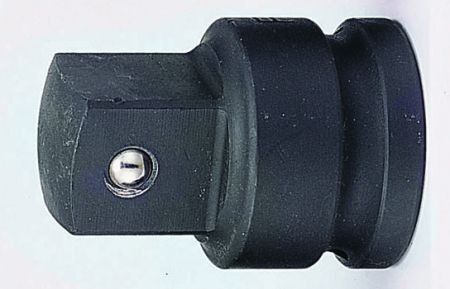
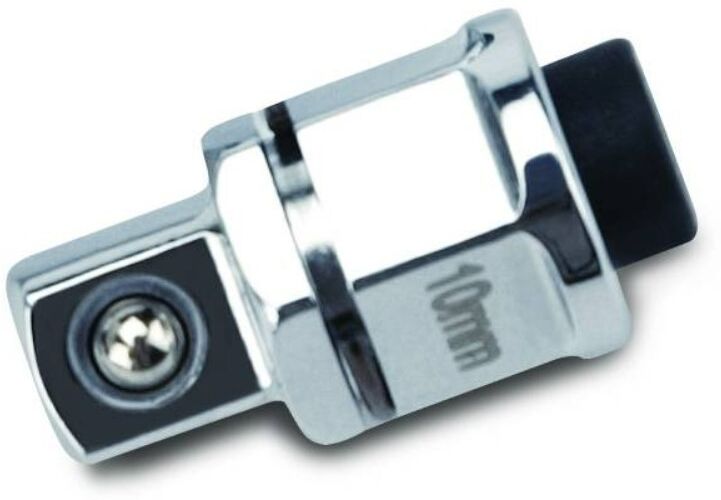
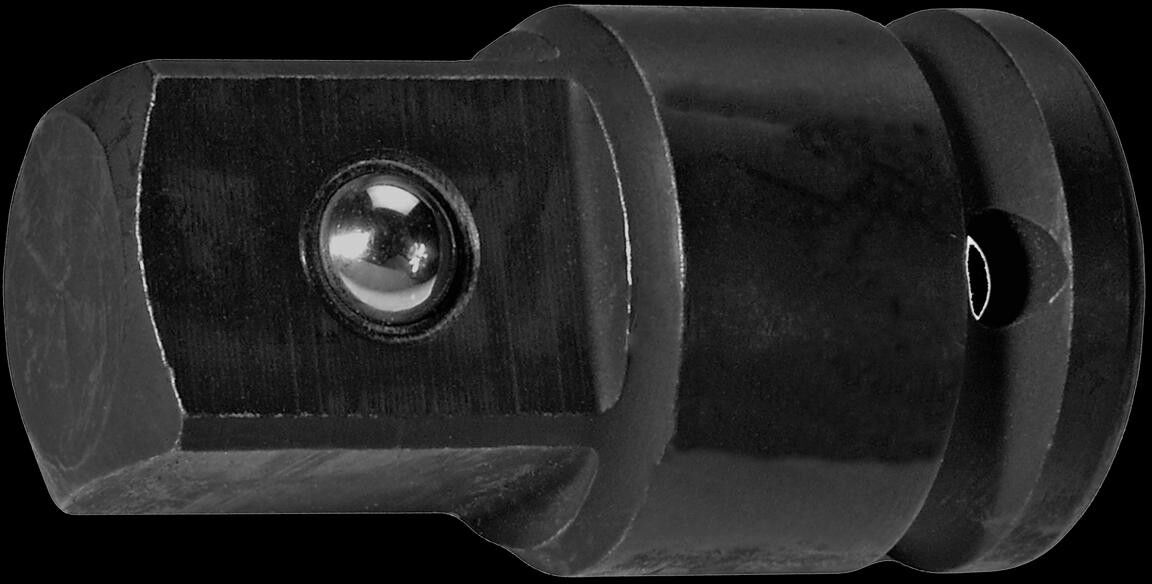
KS TOOLS 911.1234 Increasing Adapter, ratchetDrive side (profile): Rectangle; Square Drive Tang Size [mm (inch)]: 12.5 (1/2); Output end (profile): Rectangle; Square drive tang dimensions [mm (in)]: 20 (3/4); DIN/ISO: DIN 3120, ISO 1174, DIN 3123, ISO 3316; Surface: Satined Matt, Chromed; Material: Chrome Vanadium Steel; Total Length [mm]: 46,0; Weight [g]: 1409,29 £*Shipping: 8,45 £Secure redirect to the provider

-
Did you delete the network adapter?
No, I did not delete the network adapter. **
-
What is a wireless network adapter?
A wireless network adapter is a hardware device that allows a computer or other device to connect to a wireless network. It enables the device to communicate with the wireless router or access point, allowing it to access the internet or other resources on the network. Wireless network adapters can be built into a device, such as a laptop or smartphone, or they can be added externally via a USB or PCIe adapter. These adapters use radio frequency signals to transmit and receive data, providing a convenient and flexible way to connect to a network without the need for physical cables. **
-
Does the network adapter deactivate itself?
Yes, network adapters can deactivate themselves in certain situations. For example, if a device goes into power-saving mode or if there is a hardware or software issue, the network adapter may deactivate itself to conserve power or prevent further issues. Additionally, network adapters may also deactivate themselves if they detect a problem with the network connection, such as a loss of signal or interference. In these cases, the network adapter will attempt to reactivate itself once the issue has been resolved. **
-
Does economic growth also mean increasing prosperity in society?
Economic growth does not necessarily guarantee increasing prosperity in society. While economic growth can lead to higher GDP and overall wealth creation, the benefits of this growth may not be evenly distributed among all members of society. Inequality, lack of access to resources, and other social factors can prevent the benefits of economic growth from reaching everyone, leading to disparities in prosperity. Therefore, policies that focus on inclusive growth and address social issues are essential to ensure that economic growth translates into increasing prosperity for all members of society. **
How can I reactivate my network adapter?
To reactivate your network adapter, you can try the following steps: 1. Go to your computer's Control Panel and open the Device Manager. 2. Look for the Network Adapters section and find your network adapter. 3. Right-click on the network adapter and select "Enable" to reactivate it. 4. You can also try restarting your computer to see if that helps in reactivating the network adapter. **
Which network adapter does the PC need?
The PC needs a network adapter that is compatible with the type of network it will be connecting to. If the network is wired, the PC will need an Ethernet network adapter. If the network is wireless, the PC will need a Wi-Fi network adapter. It's important to ensure that the network adapter is compatible with the PC's operating system and has the necessary drivers for proper functionality. **
Top-Angebote
Products related to PROFITOOL-0X30334-Increasing-Adapter:
-
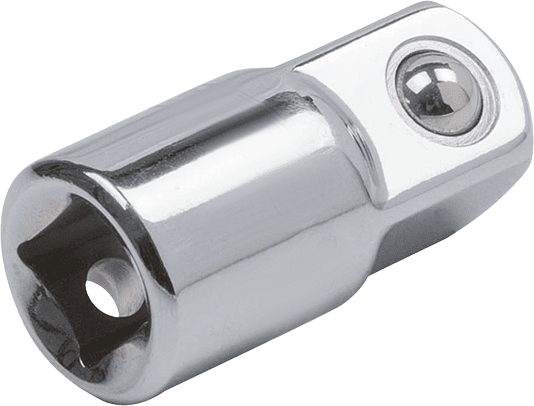
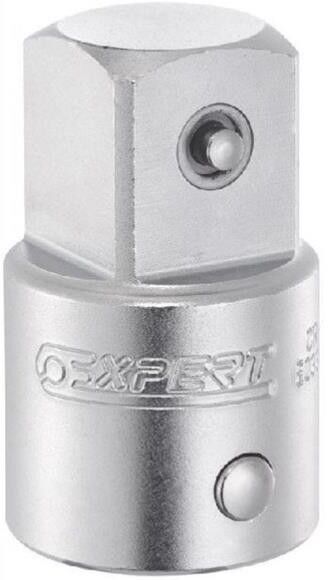
PROFITOOL 0X30334 Increasing Adapter, ratchetMaterial: Chrome-Molybdenum Steel; Square Drive Tang Size [mm (inch)]: 12.5 (1/2); Output end (profile): Rectangle; Drive side (profile): Rectangle; Square drive tang dimensions [mm (in)]: 20 (3/4)5,59 £*Shipping: 8,45 £Secure redirect to the provider
-
What causes increasing strong fear of the future?
The increasing strong fear of the future can be caused by various factors such as uncertainty about economic stability, political unrest, environmental concerns like climate change, and technological advancements leading to job displacement. Additionally, global events such as pandemics or natural disasters can also contribute to a heightened sense of fear and anxiety about what lies ahead. The rapid pace of change in society and the unknown outcomes of these changes can further fuel fear of the future. **
-
Which network adapter do I need?
To determine which network adapter you need, you should consider the type of connection you have (Ethernet or Wi-Fi), the speed of your internet connection, and the compatibility with your device (laptop, desktop, etc.). If you have a wired connection, you will need an Ethernet network adapter. For wireless connections, you will need a Wi-Fi network adapter. Make sure to check the specifications of the adapter to ensure it meets your requirements. **
-
Did you delete the network adapter?
No, I did not delete the network adapter. **
-
What is a wireless network adapter?
A wireless network adapter is a hardware device that allows a computer or other device to connect to a wireless network. It enables the device to communicate with the wireless router or access point, allowing it to access the internet or other resources on the network. Wireless network adapters can be built into a device, such as a laptop or smartphone, or they can be added externally via a USB or PCIe adapter. These adapters use radio frequency signals to transmit and receive data, providing a convenient and flexible way to connect to a network without the need for physical cables. **
Similar search terms for PROFITOOL-0X30334-Increasing-Adapter
-
KS TOOLS 911.1234 Increasing Adapter, ratchetDrive side (profile): Rectangle; Square Drive Tang Size [mm (inch)]: 12.5 (1/2); Output end (profile): Rectangle; Square drive tang dimensions [mm (in)]: 20 (3/4); DIN/ISO: DIN 3120, ISO 1174, DIN 3123, ISO 3316; Surface: Satined Matt, Chromed; Material: Chrome Vanadium Steel; Total Length [mm]: 46,0; Weight [g]: 1409,29 £*Shipping: 8,45 £Secure redirect to the provider
-
HAZET 1058-1 Increasing Adapter, ratchetOperating Mode: Manual (hand operated); Net weight [kg]: 0,26; Length [mm]: 60,6; Material: Chrome Vanadium Steel; Surface: Chromed; DIN/ISO: DIN 3123, ISO 3316; Drive side (profile): Rectangle; Square Drive Tang Size [mm (inch)]: 20 (3/4); Output end (profile): Rectangle; Square drive tang dimensions [mm (in)]: 25 (1); Manufactured in: Germany; Also available as set:37,49 £*Shipping: 8,45 £Secure redirect to the provider
-
Does the network adapter deactivate itself?
Yes, network adapters can deactivate themselves in certain situations. For example, if a device goes into power-saving mode or if there is a hardware or software issue, the network adapter may deactivate itself to conserve power or prevent further issues. Additionally, network adapters may also deactivate themselves if they detect a problem with the network connection, such as a loss of signal or interference. In these cases, the network adapter will attempt to reactivate itself once the issue has been resolved. **
-
Does economic growth also mean increasing prosperity in society?
Economic growth does not necessarily guarantee increasing prosperity in society. While economic growth can lead to higher GDP and overall wealth creation, the benefits of this growth may not be evenly distributed among all members of society. Inequality, lack of access to resources, and other social factors can prevent the benefits of economic growth from reaching everyone, leading to disparities in prosperity. Therefore, policies that focus on inclusive growth and address social issues are essential to ensure that economic growth translates into increasing prosperity for all members of society. **
-
How can I reactivate my network adapter?
To reactivate your network adapter, you can try the following steps: 1. Go to your computer's Control Panel and open the Device Manager. 2. Look for the Network Adapters section and find your network adapter. 3. Right-click on the network adapter and select "Enable" to reactivate it. 4. You can also try restarting your computer to see if that helps in reactivating the network adapter. **
-
Which network adapter does the PC need?
The PC needs a network adapter that is compatible with the type of network it will be connecting to. If the network is wired, the PC will need an Ethernet network adapter. If the network is wireless, the PC will need a Wi-Fi network adapter. It's important to ensure that the network adapter is compatible with the PC's operating system and has the necessary drivers for proper functionality. **
* All prices are inclusive of VAT and, if applicable, plus shipping costs. The offer information is based on the details provided by the respective shop and is updated through automated processes. Real-time updates do not occur, so deviations can occur in individual cases. ** Note: Parts of this content were created by AI.