Buy brainstation.eu ?
We are moving the project
brainstation.eu .
Are you interested in purchasing the domain
brainstation.eu ?
domain@kv-gmbh.de · 0541-91531010
Buy brainstation.eu ?
Can you please get another network socket with 4 ports?
Yes, I can help you with that. You can easily find a network socket with 4 ports at most electronics or computer stores. Alternatively, you can also purchase one online from various retailers. Just make sure to check the specifications and compatibility with your existing network setup before making a purchase. If you need further assistance, feel free to ask. **
How many HDMI ports and how many DP ports are there?
There are 2 HDMI ports and 1 DP port on the monitor. **

Similar search terms for Ports
Top-Angebote
Products related to Ports:
-
Anker Nano Charger (70W, 3 Ports)Power Your MacBook at True 70W Speed: Each USB-C port delivers 70W max of power—enough to charge a 14-inch MacBook Pro (2024) from 0 to 50% in 35 minutes. Compared to a standard 65W charger, it offers faster performance and better compatibility...32,99 $*Shipping: 0,00 $Secure redirect to the provider
-
Anker Charger (100W, 3 Ports, Smart Display)Full-Speed 100W Max Power: Advanced GaN technology delivers a steady 100W output on any USB-C port and sustains peak performance up to twice as long compared to the average 100W charger. See Charging in Motion: The high-definition smart display...45,99 $*Shipping: 0,00 $Secure redirect to the provider
-
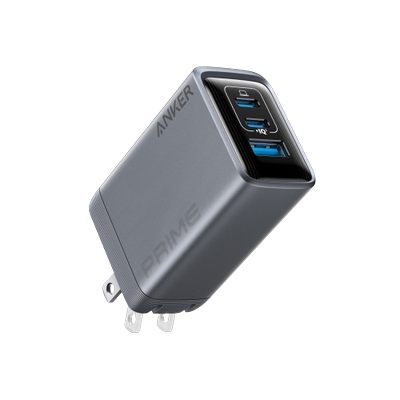
Anker Prime Charger (250W, 6 Ports, GaNPrime)Super Fast 250W Output: Experience the convenience of high-capacity charging with this 250W desktop charger, featuring four USB-C and two USB-A ports to power up your essentials simultaneously. High-Efficiency Charger: Power up your 16-inch MacBook Pro to 50% in just 25 minutes using the first USB-C port, which delivers 140W to significantly boost your productivity. Instant Power Feedback: Monitor your charging in real time with the 2.26-inch LCD display, providing visual feedback on charging status and speed. Personalsed Charging: Achieve perfect charging consistently with the smart control dial, which allows for immediate adjustments to energy output, ensuring each device charges at its optimal speed. What You Get: Anker Prime Charger (250W, 6 Ports, GaNPrime), welcome guide, 24-month warranty, and our friendly customer service.109,00 £*Shipping: 0,00 £Secure redirect to the provider
-
Anker Nano Car Charger (167.5W, 3 Ports)Triple-Port 167.5W Max: Seamlessly power up all your essential devices with the first USB-C port delivering a powerful 100W, the second USB-C port providing 45W, and the USB-A port adding an additional 22.5W. Ultra-Fast 100W USB-C1 Port: With the...32,28 $*Shipping: 0,00 $Secure redirect to the provider


-
What are tagged ports?
Tagged ports, also known as trunk ports, are network switch ports that are configured to carry traffic for multiple VLANs. When a frame enters a tagged port, it is tagged with a VLAN identifier, allowing the switch to differentiate between different VLANs and forward the frame to the appropriate destination. Tagged ports are commonly used to connect switches together or to connect a switch to a router or server that needs to communicate with multiple VLANs. This allows for more efficient use of network resources and better segmentation of network traffic. **
-
Can I replace my front USB 2.0 ports with USB 3.0 ports?
Yes, it is possible to replace front USB 2.0 ports with USB 3.0 ports. However, it will require some technical knowledge and skills to do so. You will need to ensure that the motherboard supports USB 3.0 and that there are available headers for the new ports. Additionally, you will need to physically replace the ports and potentially update the drivers for the new USB 3.0 ports. It is recommended to consult with a professional or refer to the motherboard's manual for specific instructions. **
-
Why doesn't the home network work when multiple LAN ports are used?
When multiple LAN ports are used in a home network, it can cause issues if they are not properly configured. This can lead to network congestion, IP address conflicts, and other connectivity problems. Additionally, if the network devices are not set up to communicate with each other effectively, it can lead to a breakdown in the network's functionality. It's important to ensure that the network devices are properly configured and that the network infrastructure can handle the increased traffic when multiple LAN ports are used. **
-
Do the USB 2.0 ports not work, but the USB 3.0 ports do?
If the USB 2.0 ports are not working but the USB 3.0 ports are, it could indicate a problem with the USB 2.0 controller or the ports themselves. This could be due to a hardware issue, such as a faulty controller or damaged ports. It could also be a driver issue, where the USB 2.0 controller is not properly recognized or supported by the operating system. Troubleshooting steps could include checking for driver updates, testing the ports with different devices, and potentially seeking hardware repairs if the issue persists. **

Why do USB ports fail?
USB ports can fail for a variety of reasons, including physical damage from improper insertion of USB devices, electrical surges or power spikes, and general wear and tear over time. Additionally, dust and debris can accumulate in the port, leading to poor connections and eventual failure. In some cases, the USB controller or circuitry within the device may also malfunction, causing the port to fail. Regular maintenance and proper handling of USB devices can help prevent port failure. **
What are the Docker ports?
Docker ports are used to expose services running inside a Docker container to the outside world. Ports are essential for allowing communication between the container and the host machine or other containers. By mapping ports from the container to the host machine, external services can interact with the services running inside the container. Docker ports are specified in the Dockerfile or when running a container using the `-p` flag followed by the port numbers. **
Top-Angebote
Products related to Ports:
-
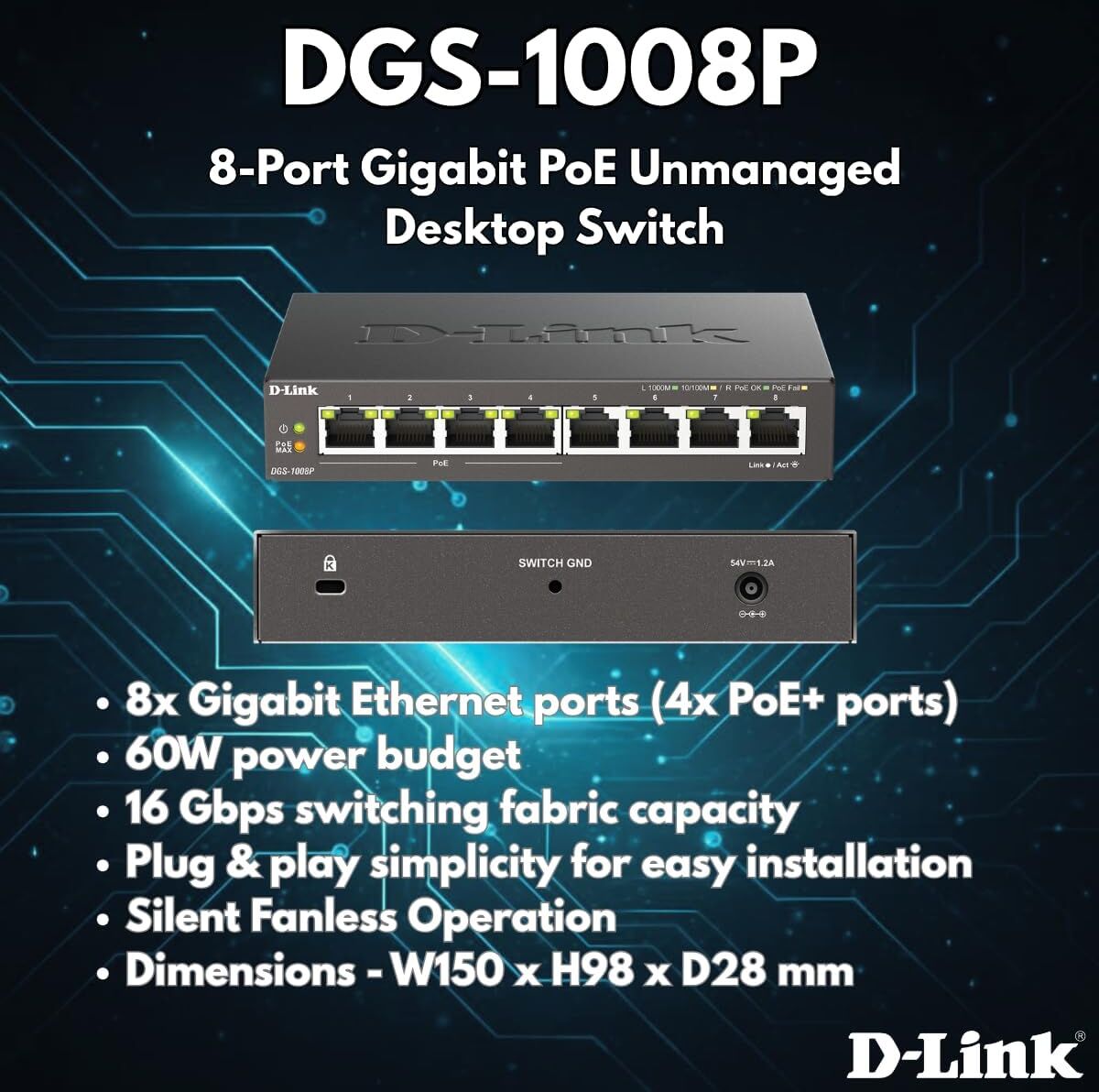
D-Link DGS-1008P 8-Port Gigabit Unmanaged PoE+ Network Switch – 4 PoE Ports, 60W Power Budget, Plug & Play, Metal Case.gadcet-pdp{--g-green:#00a651;color:#1f2430;line-height:1.55;font-size:inherit;max-width:760px}.gadcet-pdp>*:first-child{margin-top:0}.gadcet-pdp p{margin:0 0.9em}.gadcet-pdp h3{font-size:1.05em;font-weight:600;color:#11161f;margin:1.4em 0.5em;padding-left:.5em;border-left:3px solid var(--g-green);border-radius:0;line-height:1.3}.gadcet-pdp ul{list-style:none!important;margin:0 0.9em;padding:0!important}.gadcet-pdp ul li{position:relative;padding:.1em 0.1em 1.5em;margin:0}.gadcet-pdp ul li::before{content:"";position:absolute;left:.16em;top:.45em;width:.36em;height:.66em;border:solid var(--g-green);border-width:0.14em.14em 0;transform:rotate(45deg)}.gadcet-pdp table{width:100%;border-collapse:collapse;margin:.3em 0 1em;font-size:.95em;border:1px solid #e7e9ee!important;border-radius:8px;overflow:hidden}.gadcet-pdp table td{padding:.5em.8em;border-bottom:1px solid #eef0f4!important;vertical-align:top}.gadcet-pdp table tr:last-child td{border-bottom:0!important}.gadcet-pdp table tr:nth-child(even){background:#f7f9f8}.gadcet-pdp table td:first-child{font-weight:600;color:#454c59;width:40%}@media (max-width:600px){.gadcet-pdp table td:first-child{width:42%}} Expand your wired network while powering compatible devices with the D-Link DGS-1008P. This unmanaged Gigabit switch combines straightforward plug-and-play installation with four PoE/PoE+ ports and quiet fanless operation. Key Features Eight 10/100/1000BASE-T Gigabit Ethernet ports Four PoE/PoE+ ports located on ports 1 to 4 60W total PoE power budget with up to 30W per PoE port Supports IEEE 802.3af PoE and IEEE 802.3at PoE+ Unmanaged plug-and-play operation with no software configuration required Silent fanless design and compact metal case 16Gbps switching capacity and 11.90Mpps forwarding rate IEEE 802.3x Flow Control and store-and-forward switching Auto-negotiation and Auto-MDI/MDI-X on every port Supports IEEE 802.3az Energy-Efficient Ethernet and D-Link Green technology Benefits Carry power and network data to compatible devices through one Ethernet cable Reduce the need for separate power adapters near IP cameras, access points and VoIP phones Add Gigabit connections without complicated configuration Maintain a quiet workspace thanks to fanless operation Specifications Brand D-Link Model DGS-1008P Switch type Unmanaged desktop PoE switch Total ports 8 x 10/100/1000BASE-T Gigabit Ethernet PoE ports 4 x PoE/PoE+ ports, ports 1 to 4 PoE standards IEEE 802.3af and IEEE 802.3at PoE power budget 60W total Maximum power per PoE port Up to 30W Switching capacity 16Gbps Forwarding rate 11.90Mpps MAC address table 4K entries Flow control IEEE 802.3x Switching method Store-and-forward Housing Metal case EAN 790069344169 What You'll Receive One new D-Link DGS-1008P 8-port Gigabit unmanaged PoE+ network switch. Ideal For A practical choice for home offices, small businesses, CCTV systems and installations using compatible IP cameras, wireless access points or VoIP phones.38,99 £*Shipping: 0,00 £Secure redirect to the provider
-
The Readers Paradise Connect To Grow: How To Network With Confidence, Purpose And Authenticity by Shweta Chawla - Non Fiction Paperback - Career & Networking Skills GuideNetworking often feels transactional and faintly exhausting, but this practical paperback guide reframes it entirely. Shweta Chawla shows readers how to approach every professional interaction with genuine confidence, clear purpose, and real authenticity, rather than chasing quick wins at crowded events. The book offers a repeatable, human-centered framework for building lasting relationships focused on mutual value instead of collecting contacts. Whether starting a career or scaling a business, readers gain mental shifts and practical tools that make reaching out feel natural. Connect To Grow is built around a simple idea: strong professional networks are grown, not harvested. Rather than offering rigid scripts or outdated sales formulas, the book focuses on realistic, people-first connection, with an emphasis on preparation that never feels rehearsed.2,99 £*Shipping: 2,99 £Secure redirect to the provider
-
Anker Nano Charger (70W, 3 Ports)Power Your MacBook at True 70W Speed: Each USB-C port delivers 70W max of power—enough to charge a 14-inch MacBook Pro (2024) from 0 to 50% in 35 minutes. Compared to a standard 65W charger, it offers faster performance and better compatibility...32,99 $*Shipping: 0,00 $Secure redirect to the provider
-
Anker Charger (100W, 3 Ports, Smart Display)Full-Speed 100W Max Power: Advanced GaN technology delivers a steady 100W output on any USB-C port and sustains peak performance up to twice as long compared to the average 100W charger. See Charging in Motion: The high-definition smart display...45,99 $*Shipping: 0,00 $Secure redirect to the provider
-
Can you please get another network socket with 4 ports?
Yes, I can help you with that. You can easily find a network socket with 4 ports at most electronics or computer stores. Alternatively, you can also purchase one online from various retailers. Just make sure to check the specifications and compatibility with your existing network setup before making a purchase. If you need further assistance, feel free to ask. **
-
How many HDMI ports and how many DP ports are there?
There are 2 HDMI ports and 1 DP port on the monitor. **
-
What are tagged ports?
Tagged ports, also known as trunk ports, are network switch ports that are configured to carry traffic for multiple VLANs. When a frame enters a tagged port, it is tagged with a VLAN identifier, allowing the switch to differentiate between different VLANs and forward the frame to the appropriate destination. Tagged ports are commonly used to connect switches together or to connect a switch to a router or server that needs to communicate with multiple VLANs. This allows for more efficient use of network resources and better segmentation of network traffic. **
-
Can I replace my front USB 2.0 ports with USB 3.0 ports?
Yes, it is possible to replace front USB 2.0 ports with USB 3.0 ports. However, it will require some technical knowledge and skills to do so. You will need to ensure that the motherboard supports USB 3.0 and that there are available headers for the new ports. Additionally, you will need to physically replace the ports and potentially update the drivers for the new USB 3.0 ports. It is recommended to consult with a professional or refer to the motherboard's manual for specific instructions. **
Similar search terms for Ports
-
Anker Prime Charger (250W, 6 Ports, GaNPrime)Super Fast 250W Output: Experience the convenience of high-capacity charging with this 250W desktop charger, featuring four USB-C and two USB-A ports to power up your essentials simultaneously. High-Efficiency Charger: Power up your 16-inch MacBook Pro to 50% in just 25 minutes using the first USB-C port, which delivers 140W to significantly boost your productivity. Instant Power Feedback: Monitor your charging in real time with the 2.26-inch LCD display, providing visual feedback on charging status and speed. Personalsed Charging: Achieve perfect charging consistently with the smart control dial, which allows for immediate adjustments to energy output, ensuring each device charges at its optimal speed. What You Get: Anker Prime Charger (250W, 6 Ports, GaNPrime), welcome guide, 24-month warranty, and our friendly customer service.109,00 £*Shipping: 0,00 £Secure redirect to the provider
-
Anker Nano Car Charger (167.5W, 3 Ports)Triple-Port 167.5W Max: Seamlessly power up all your essential devices with the first USB-C port delivering a powerful 100W, the second USB-C port providing 45W, and the USB-A port adding an additional 22.5W. Ultra-Fast 100W USB-C1 Port: With the...32,28 $*Shipping: 0,00 $Secure redirect to the provider
-
Anker Zolo Charger (50W, 4 Ports) WhiteCharge 4 Devices Without Compromise: Enjoy consistent and convenient charging for all your gear thanks to 2 USB-C ports and 2 USB-A ports. Dual-Port Fast Charging with 50W Max Output: Even with both ports used, USB-C1 maintains full 30W output and USB-C2 charges at 20W. Compact and travel-ready: slips easily into your bag or pocket for effortless power on the go. Stay Protected with ActiveShield 4.0: Enjoy reliable performance with 24-hour monitoring, upgraded GaN architecture, and long-term warranty coverage. What You Get: Anker Zolo Charger (50W, 4 Ports), hassle-free warranty, welcome guide, and our friendly customer service.14,24 £*Shipping: 0,00 £Secure redirect to the provider
-
Anker Prime Charger (100W, 3 Ports, GaN)100W Multi-Device Fast Charger: Power up three devices simultaneously with a total of 100W output through two USB-C and one USB-A port for efficient power distribution. Maximum Power with USB-C: Each USB-C port delivers a full 100W, efficiently...69,99 $*Shipping: 0,00 $Secure redirect to the provider
-
Why doesn't the home network work when multiple LAN ports are used?
When multiple LAN ports are used in a home network, it can cause issues if they are not properly configured. This can lead to network congestion, IP address conflicts, and other connectivity problems. Additionally, if the network devices are not set up to communicate with each other effectively, it can lead to a breakdown in the network's functionality. It's important to ensure that the network devices are properly configured and that the network infrastructure can handle the increased traffic when multiple LAN ports are used. **
-
Do the USB 2.0 ports not work, but the USB 3.0 ports do?
If the USB 2.0 ports are not working but the USB 3.0 ports are, it could indicate a problem with the USB 2.0 controller or the ports themselves. This could be due to a hardware issue, such as a faulty controller or damaged ports. It could also be a driver issue, where the USB 2.0 controller is not properly recognized or supported by the operating system. Troubleshooting steps could include checking for driver updates, testing the ports with different devices, and potentially seeking hardware repairs if the issue persists. **
-
Why do USB ports fail?
USB ports can fail for a variety of reasons, including physical damage from improper insertion of USB devices, electrical surges or power spikes, and general wear and tear over time. Additionally, dust and debris can accumulate in the port, leading to poor connections and eventual failure. In some cases, the USB controller or circuitry within the device may also malfunction, causing the port to fail. Regular maintenance and proper handling of USB devices can help prevent port failure. **
-
What are the Docker ports?
Docker ports are used to expose services running inside a Docker container to the outside world. Ports are essential for allowing communication between the container and the host machine or other containers. By mapping ports from the container to the host machine, external services can interact with the services running inside the container. Docker ports are specified in the Dockerfile or when running a container using the `-p` flag followed by the port numbers. **
* All prices are inclusive of VAT and, if applicable, plus shipping costs. The offer information is based on the details provided by the respective shop and is updated through automated processes. Real-time updates do not occur, so deviations can occur in individual cases. ** Note: Parts of this content were created by AI.