Buy brainstation.eu ?
We are moving the project
brainstation.eu .
Are you interested in purchasing the domain
brainstation.eu ?
domain@kv-gmbh.de · 0541-91531010
Buy brainstation.eu ?
What are possible problems with Excel spreadsheets?
Possible problems with Excel spreadsheets include errors in formulas or data entry, lack of data validation leading to inaccurate information, difficulty in tracking changes and version control, limited scalability for large datasets, and security risks if sensitive information is not properly protected. Additionally, Excel may not be the most efficient tool for complex data analysis or collaboration among multiple users. **
What advantages do databases offer over spreadsheets?
Databases offer several advantages over spreadsheets. Firstly, databases are better at handling large amounts of data and can efficiently store and retrieve information. They also provide better data integrity and security, as they allow for more control over who can access and modify the data. Additionally, databases allow for more complex data relationships and can handle more advanced queries and analysis. Overall, databases are better suited for managing and organizing large volumes of data compared to spreadsheets. **


Similar search terms for Spreadsheets
Top-Angebote
Products related to Spreadsheets:
-
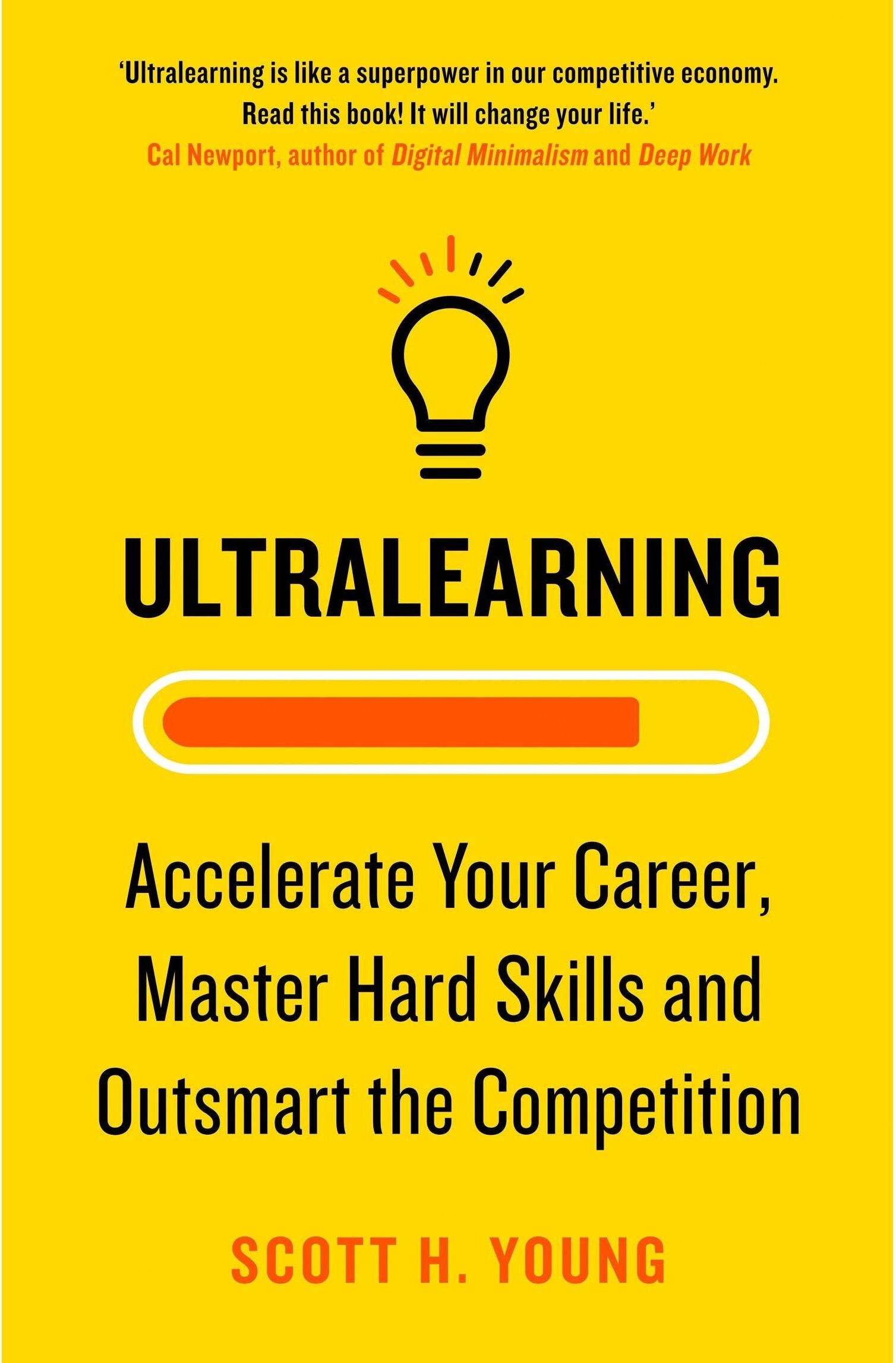
Thorsons Ultralearning: Accelerate Your Career, Master Hard Skills and Outsmart the CompetitionFuture-proof your career and maximize your competitive advantage by learning the skill necessary to stay relevant, reinvent yourself, and adapt to whatever the workplace throws your way in this essential guide. Faced with tumultuous economic times and rapid technological change, staying ahead in your career depends on continual learning―a lifelong mastery of new ideas, subjects, and skills. If you want to accomplish more and stand apart from everyone else, you need to become an ultralearner. Scott Young incorporates the latest research about the most effective learning methods and the stories of other ultralearners like himself―among them Ben Franklin, Judit Polgar, and Richard Feynman, as well as a host of others, such as little-known modern polymaths like Nigel Richards who won the World Championship of French Scrabble―without knowing French. Young documents the methods he and others have used and shows that, far from being an obscure skill limited to aggressive autodidacts, ultralearning is a powerful tool anyone can use to improve their career, studies, and life. Ultralearning explores this fascinating subculture, shares the nine principles behind every successful ultralearning project, and offers insights into how you can organize and execute a plan to learn anything deeply and quickly, without teachers or budget-busting tuition costs. Whether the goal is to be fluent in a language (or ten languages), earn the equivalent of a college degree in a fraction of the time, or master multiple skills to build a product or business from the ground up, the principles in Ultralearning will guide you to success.8,99 £*Shipping: 2,99 £Secure redirect to the provider
-
Uplifted Trends Montessori Sensory Busy Board Educational Drawer Cube For Baby Skills Development pinkUnlock your childs potential with the 6 in 1 Montessori Sensory Busy Board! This interactive, handson toy is designed to enhance baby motor skills while keeping them engaged for hours. Perfect for both girls and boys, it features various fidget...39,97 $*Shipping: 0,00 $Secure redirect to the provider
-
Profile Books Growth Hacker Marketing: A Primer On The Future Of Business - Non Fiction - PaperbackTitle:. Growth Hacker Marketing: A Primer on the Future of Business Overview:. Growth Hacker Marketing delivers a transformative blueprint for building thriving businesses in the digital age. Rather than relying on bloated advertising budgets or legacy public relations campaigns, this essential textbook equips founders and early-stage teams with lean, data-driven methodologies designed specifically for rapid scalability. Written by industry veterans Ryan Holiday and Stephen E. Schmidt, the guide unpacks the modern discipline of growth hacking, which seamlessly merges creative storytelling, product development, and analytical rigor. You will learn how to engineer organic referral loops, optimise social sharing mechanisms, and turn existing customers into your most effective acquisition channel. Each chapter breaks down proven tactics that top-tier technology companies use to capture market share before securing external funding. The narrative avoids vague corporate jargon, instead providing a practical roadmap that prioritises testing, iteration, and measurable outcomes over guesswork. Whether you are launching your first venture or pivoting an established brand, this paperback serves as an indispensable field manual for navigating today’s fragmented media landscape. What Makes This Book Stand Out:. What separates this collection from traditional marketing textbooks is its relentless focus on economics and engineering. The pages challenge the assumption that consumer attention requires expensive broadcast campaigns, replacing that outdated mindset with clever, low-cost alternatives that actually convert. Readers gain access to meticulously documented case studies illustrating how scrappy teams leverage search engine visibility, gamification, and strategic partnerships to outmanoeuvre industry giants. The authors also emphasise product-led growth, teaching you how to design user experiences that inherently encourage viral expansion. By framing marketing as an experimental science rather than an art form, the guide empowers you to make confident decisions backed by actual performance metrics. Every principle is grounded in real-world execution, ensuring that the strategies translate directly to your operations, your spreadsheet, and your bottom line. Who This Book Is Perfect For:. This paperback is precisely tailored for startups, independent entrepreneurs, indie developers, and small business owners who simply cannot sustain traditional ad spending. Marketing managers, product designers, and growth analysts will also find immediate value in the structured frameworks for tracking acquisition costs and retention rates. Educators and university students studying contemporary commerce, digital strategy, and consumer behaviour will appreciate the contemporary approach that replaces theoretical models with actionable playbooks. It is equally suited for seasoned executives looking to modernise stagnant outreach efforts and align their teams with current...8,99 £*Shipping: 2,99 £Secure redirect to the provider
-
Ravensburger Bluey 35pc Puzzle - Family Play - Kids Jigsaw Puzzle - Problem-Solving Skills - Fine Motor DevelopmentBring the beloved world of Bluey into your living room with this Ravensburger 35pc puzzle. Perfectly crafted for young puzzle enthusiasts, this delightful puzzle features vibrant imagery from the popular TV series. With just 35 pieces, it's an ideal introduction to puzzling for little hands and curious minds. This puzzle not only entertains, but also promotes important cognitive skills as your child assembles the colorful pieces, enhancing their problem-solving abilities, hand-eye coordination, and fine motor skills. Gather around the dining table and enjoy quality family time as you piece together this charming puzzle. Each piece is made from durable materials, ensuring longevity and reusability.4,99 £*Shipping: 3,95 £Secure redirect to the provider


-
Can you help me with Excel spreadsheets?
Yes, I can help you with Excel spreadsheets. I can assist with creating, formatting, and organizing data in Excel, as well as using formulas and functions to perform calculations and analysis. Whether you need help with basic tasks or more advanced functions, I can provide guidance and support to help you effectively use Excel for your needs. **
-
How can I avoid duplicate values in Google Spreadsheets?
To avoid duplicate values in Google Spreadsheets, you can use the built-in data validation feature. Select the range of cells where you want to avoid duplicates, then go to Data > Data validation, choose "Custom formula is" from the dropdown menu, and enter the formula "=COUNTIF(A:A, A1)<=1" (replace A:A and A1 with your specific range). This formula will only allow unique values in the selected range. Another option is to use the "Remove duplicates" feature under Data > Remove duplicates, which will automatically remove any duplicate values in the selected range. **
-
Why doesn't the VLOOKUP function work in Google Spreadsheets?
The VLOOKUP function may not work in Google Spreadsheets for a few reasons. One common reason is that the function may not be used correctly, such as specifying the wrong range or not using the correct syntax. Another reason could be that the data being looked up is not in the correct format or is not sorted properly. Additionally, the VLOOKUP function in Google Spreadsheets may not work if the spreadsheet is too large or if there are too many calculations being performed, causing the function to time out. **
-
How can you permanently round values in Google Spreadsheets/Excel?
In Google Spreadsheets/Excel, you can permanently round values by using the ROUND function. Simply enter the formula =ROUND(cell reference, number of decimal places) in a new cell to round the value in the specified cell to the desired number of decimal places. This will permanently round the value in the cell, and any changes to the original value will automatically reflect in the rounded value. **


How can you open two Excel spreadsheets simultaneously in Teams?
To open two Excel spreadsheets simultaneously in Teams, you can click on the Files tab within the Teams channel where the Excel files are located. From there, you can select and open one Excel file. To open the second Excel file simultaneously, you can right-click on the Excel icon in the taskbar and select Excel to open a new instance of the program. This will allow you to have two Excel spreadsheets open at the same time in Teams. **
How can you sum a row in Google Docs Spreadsheets?
To sum a row in Google Docs Spreadsheets, you can use the SUM function. First, click on the cell where you want the sum to appear. Then, type "=SUM(" and select the range of cells you want to sum. Finally, close the parentheses and press Enter. This will calculate the sum of the selected cells and display the result in the cell you selected. **
Top-Angebote
Products related to Spreadsheets:
-
The Readers Paradise Connect To Grow: How To Network With Confidence, Purpose And Authenticity by Shweta Chawla - Non Fiction Paperback - Career & Networking Skills GuideNetworking often feels transactional and faintly exhausting, but this practical paperback guide reframes it entirely. Shweta Chawla shows readers how to approach every professional interaction with genuine confidence, clear purpose, and real authenticity, rather than chasing quick wins at crowded events. The book offers a repeatable, human-centered framework for building lasting relationships focused on mutual value instead of collecting contacts. Whether starting a career or scaling a business, readers gain mental shifts and practical tools that make reaching out feel natural. Connect To Grow is built around a simple idea: strong professional networks are grown, not harvested. Rather than offering rigid scripts or outdated sales formulas, the book focuses on realistic, people-first connection, with an emphasis on preparation that never feels rehearsed.2,99 £*Shipping: 2,99 £Secure redirect to the provider
-
James Zeiger Minecraft Beginner's Guide (21st Century Skills Innovation Library: Unofficial Guides Junior) - Non Fiction - PaperbackTitle:. Minecraft Beginner's Guide Condition: BRAND NEW. Format: Paperback. ISBN: Overview:. Dive into the world of Minecraft with this kid-friendly introduction designed for young builders and curious minds. The Minecraft Beginner's Guide, part of the 21st Century Skills Innovation Library: Unofficial Guides Junior, is crafted for readers who are stepping into blocky worlds for the first time. It explains the game’s core ideas in clear, approachable language, pairing each concept with simple visuals and practical, step-by-step guidance. From gathering resources and crafting essential items to planning safe bases and exploring biomes, the book teaches critical thinking, problem-solving, and creativity in a hands-on way. The paperback format keeps reading light and portable, making it ideal for reading at home, on journeys, or in the classroom. Beyond the how-to, it encourages safe, responsible gaming and helps young players build confidence as they experiment and iterate. This is not just a manual; it’s a springboard for independent play, storytelling in a sandbox environment, and the thrill of turning ideas into buildable, shareable worlds. A thoughtful gift for budding coders and creative minds alike, it channels Minecraft’s excitement into tangible, real-world skills. What Makes This Book Stand Out:. What sets this Minecraft beginner’s guide apart is its careful balance of accessibility and depth. Written for younger readers, it uses friendly, age-appropriate language and concise explanations that demystify complex ideas without talking down to the reader. The layout emphasises clear steps, quick win moments, and visual cues that reinforce learning by doing. Readers don’t just memorize recipes; they learn problem-solving strategies, planning, and experimentation—skills that transfer beyond the game. The inclusion of safe gaming guidance aligns with parents’ and teachers’ expectations for younger players, making it a reliable tool for independent reading, guided gaming sessions, or classroom activities. This book is genuinely engaging, turning browser curiosity into confident, curious builders who can imagine, design, and execute their own Minecraft projects. Who This Book Is Perfect For:. This book is ideal for children aged roughly 8–12 who are new to Minecraft or want a clear, structured start. It also serves as a practical resource for parents seeking kid-friendly explanations, for teachers looking to integrate digital literacy into lessons, and for gift buyers searching for an engaging STEM-inspired present. Perfect for early readers who enjoy visuals, short chapters, and actionable steps, it supports growing independence and safe play habits. Whether a family reads together or a classroom uses it as a mini-curriculum, this guide makes Minecraft approachable and enjoyable from page one. Key Highlights:. Clear, beginner-friendly explanations tailored to younger readers. Step-by-step guidance paired with friendly visuals. Focus on planning,...10,82 £*Shipping: 2,99 £Secure redirect to the provider
-
Thorsons Ultralearning: Accelerate Your Career, Master Hard Skills and Outsmart the CompetitionFuture-proof your career and maximize your competitive advantage by learning the skill necessary to stay relevant, reinvent yourself, and adapt to whatever the workplace throws your way in this essential guide. Faced with tumultuous economic times and rapid technological change, staying ahead in your career depends on continual learning―a lifelong mastery of new ideas, subjects, and skills. If you want to accomplish more and stand apart from everyone else, you need to become an ultralearner. Scott Young incorporates the latest research about the most effective learning methods and the stories of other ultralearners like himself―among them Ben Franklin, Judit Polgar, and Richard Feynman, as well as a host of others, such as little-known modern polymaths like Nigel Richards who won the World Championship of French Scrabble―without knowing French. Young documents the methods he and others have used and shows that, far from being an obscure skill limited to aggressive autodidacts, ultralearning is a powerful tool anyone can use to improve their career, studies, and life. Ultralearning explores this fascinating subculture, shares the nine principles behind every successful ultralearning project, and offers insights into how you can organize and execute a plan to learn anything deeply and quickly, without teachers or budget-busting tuition costs. Whether the goal is to be fluent in a language (or ten languages), earn the equivalent of a college degree in a fraction of the time, or master multiple skills to build a product or business from the ground up, the principles in Ultralearning will guide you to success.8,99 £*Shipping: 2,99 £Secure redirect to the provider
-
Uplifted Trends Montessori Sensory Busy Board Educational Drawer Cube For Baby Skills Development pinkUnlock your childs potential with the 6 in 1 Montessori Sensory Busy Board! This interactive, handson toy is designed to enhance baby motor skills while keeping them engaged for hours. Perfect for both girls and boys, it features various fidget...39,97 $*Shipping: 0,00 $Secure redirect to the provider
-
What are possible problems with Excel spreadsheets?
Possible problems with Excel spreadsheets include errors in formulas or data entry, lack of data validation leading to inaccurate information, difficulty in tracking changes and version control, limited scalability for large datasets, and security risks if sensitive information is not properly protected. Additionally, Excel may not be the most efficient tool for complex data analysis or collaboration among multiple users. **
-
What advantages do databases offer over spreadsheets?
Databases offer several advantages over spreadsheets. Firstly, databases are better at handling large amounts of data and can efficiently store and retrieve information. They also provide better data integrity and security, as they allow for more control over who can access and modify the data. Additionally, databases allow for more complex data relationships and can handle more advanced queries and analysis. Overall, databases are better suited for managing and organizing large volumes of data compared to spreadsheets. **
-
Can you help me with Excel spreadsheets?
Yes, I can help you with Excel spreadsheets. I can assist with creating, formatting, and organizing data in Excel, as well as using formulas and functions to perform calculations and analysis. Whether you need help with basic tasks or more advanced functions, I can provide guidance and support to help you effectively use Excel for your needs. **
-
How can I avoid duplicate values in Google Spreadsheets?
To avoid duplicate values in Google Spreadsheets, you can use the built-in data validation feature. Select the range of cells where you want to avoid duplicates, then go to Data > Data validation, choose "Custom formula is" from the dropdown menu, and enter the formula "=COUNTIF(A:A, A1)<=1" (replace A:A and A1 with your specific range). This formula will only allow unique values in the selected range. Another option is to use the "Remove duplicates" feature under Data > Remove duplicates, which will automatically remove any duplicate values in the selected range. **
Similar search terms for Spreadsheets
-
Profile Books Growth Hacker Marketing: A Primer On The Future Of Business - Non Fiction - PaperbackTitle:. Growth Hacker Marketing: A Primer on the Future of Business Overview:. Growth Hacker Marketing delivers a transformative blueprint for building thriving businesses in the digital age. Rather than relying on bloated advertising budgets or legacy public relations campaigns, this essential textbook equips founders and early-stage teams with lean, data-driven methodologies designed specifically for rapid scalability. Written by industry veterans Ryan Holiday and Stephen E. Schmidt, the guide unpacks the modern discipline of growth hacking, which seamlessly merges creative storytelling, product development, and analytical rigor. You will learn how to engineer organic referral loops, optimise social sharing mechanisms, and turn existing customers into your most effective acquisition channel. Each chapter breaks down proven tactics that top-tier technology companies use to capture market share before securing external funding. The narrative avoids vague corporate jargon, instead providing a practical roadmap that prioritises testing, iteration, and measurable outcomes over guesswork. Whether you are launching your first venture or pivoting an established brand, this paperback serves as an indispensable field manual for navigating today’s fragmented media landscape. What Makes This Book Stand Out:. What separates this collection from traditional marketing textbooks is its relentless focus on economics and engineering. The pages challenge the assumption that consumer attention requires expensive broadcast campaigns, replacing that outdated mindset with clever, low-cost alternatives that actually convert. Readers gain access to meticulously documented case studies illustrating how scrappy teams leverage search engine visibility, gamification, and strategic partnerships to outmanoeuvre industry giants. The authors also emphasise product-led growth, teaching you how to design user experiences that inherently encourage viral expansion. By framing marketing as an experimental science rather than an art form, the guide empowers you to make confident decisions backed by actual performance metrics. Every principle is grounded in real-world execution, ensuring that the strategies translate directly to your operations, your spreadsheet, and your bottom line. Who This Book Is Perfect For:. This paperback is precisely tailored for startups, independent entrepreneurs, indie developers, and small business owners who simply cannot sustain traditional ad spending. Marketing managers, product designers, and growth analysts will also find immediate value in the structured frameworks for tracking acquisition costs and retention rates. Educators and university students studying contemporary commerce, digital strategy, and consumer behaviour will appreciate the contemporary approach that replaces theoretical models with actionable playbooks. It is equally suited for seasoned executives looking to modernise stagnant outreach efforts and align their teams with current...8,99 £*Shipping: 2,99 £Secure redirect to the provider
-
Ravensburger Bluey 35pc Puzzle - Family Play - Kids Jigsaw Puzzle - Problem-Solving Skills - Fine Motor DevelopmentBring the beloved world of Bluey into your living room with this Ravensburger 35pc puzzle. Perfectly crafted for young puzzle enthusiasts, this delightful puzzle features vibrant imagery from the popular TV series. With just 35 pieces, it's an ideal introduction to puzzling for little hands and curious minds. This puzzle not only entertains, but also promotes important cognitive skills as your child assembles the colorful pieces, enhancing their problem-solving abilities, hand-eye coordination, and fine motor skills. Gather around the dining table and enjoy quality family time as you piece together this charming puzzle. Each piece is made from durable materials, ensuring longevity and reusability.4,99 £*Shipping: 3,95 £Secure redirect to the provider
-
Angela Hicks Junior Artist Colour By Numbers 4 Books Collection Set for Childrens Skills DevelopmentDescription. Junior Artist Colour By Numbers: Unicorns. Junior Artist Colour By Numbers: Mermaids. Junior Artist Colour By Numbers: Dinosaurs. Junior Artist Colour By Numbers: Animals. UNIT 41-C-2-05. Title. Junior Artist Colour By Numbers 4 Books Collection Set for Childrens Skills Development. Delivery. Content. Reviews99,99 £*Shipping: 0,00 £Secure redirect to the provider
-
Why doesn't the VLOOKUP function work in Google Spreadsheets?
The VLOOKUP function may not work in Google Spreadsheets for a few reasons. One common reason is that the function may not be used correctly, such as specifying the wrong range or not using the correct syntax. Another reason could be that the data being looked up is not in the correct format or is not sorted properly. Additionally, the VLOOKUP function in Google Spreadsheets may not work if the spreadsheet is too large or if there are too many calculations being performed, causing the function to time out. **
-
How can you permanently round values in Google Spreadsheets/Excel?
In Google Spreadsheets/Excel, you can permanently round values by using the ROUND function. Simply enter the formula =ROUND(cell reference, number of decimal places) in a new cell to round the value in the specified cell to the desired number of decimal places. This will permanently round the value in the cell, and any changes to the original value will automatically reflect in the rounded value. **
-
How can you open two Excel spreadsheets simultaneously in Teams?
To open two Excel spreadsheets simultaneously in Teams, you can click on the Files tab within the Teams channel where the Excel files are located. From there, you can select and open one Excel file. To open the second Excel file simultaneously, you can right-click on the Excel icon in the taskbar and select Excel to open a new instance of the program. This will allow you to have two Excel spreadsheets open at the same time in Teams. **
-
How can you sum a row in Google Docs Spreadsheets?
To sum a row in Google Docs Spreadsheets, you can use the SUM function. First, click on the cell where you want the sum to appear. Then, type "=SUM(" and select the range of cells you want to sum. Finally, close the parentheses and press Enter. This will calculate the sum of the selected cells and display the result in the cell you selected. **
* All prices are inclusive of VAT and, if applicable, plus shipping costs. The offer information is based on the details provided by the respective shop and is updated through automated processes. Real-time updates do not occur, so deviations can occur in individual cases. ** Note: Parts of this content were created by AI.