Buy brainstation.eu ?
We are moving the project
brainstation.eu .
Are you interested in purchasing the domain
brainstation.eu ?
domain@kv-gmbh.de · 0541-91531010
Buy brainstation.eu ?
What is the difference between the TP-Link TL-WA850RE WiFi extender and the TP-Link RE200 AC750?
The TP-Link TL-WA850RE is a basic WiFi extender that supports speeds up to 300Mbps and has a single Ethernet port for wired connections. It is designed to extend the range of an existing WiFi network. On the other hand, the TP-Link RE200 AC750 is a more advanced WiFi extender that supports speeds up to 750Mbps and has an Ethernet port for wired connections. It also features dual-band technology, allowing it to operate on both the 2.4GHz and 5GHz bands for improved performance and flexibility. In summary, the main differences between the two extenders are their speed capabilities, Ethernet port availability, and dual-band support. **
How do I connect the TP-Link WiFi Powerline Extender to the Speedport?
To connect the TP-Link WiFi Powerline Extender to the Speedport, you will first need to plug in the Powerline Extender near your Speedport router. Then, use an Ethernet cable to connect the Powerline Extender to the Speedport router. Next, press the WPS button on your Speedport router followed by the WPS button on the Powerline Extender to establish a secure connection. Finally, wait for the Powerline Extender to sync with the router, and you should have extended WiFi coverage in your home. **

Similar search terms for TP-LINK-RE220BE-BE3600-WiFi
Top-Angebote
Products related to TP-LINK-RE220BE-BE3600-WiFi:
-
TP-LINK Archer NX200 WiFi 5G Router - AX 1800, Dual-band, NewThe TP-LINK Archer NX200 WiFi 5G Router brings ultra-fast connectivity to your home or office. Powered by AX 1800 dual-band technology, this router ensures smooth streaming, low-latency gaming, and efficient multitasking across all your devices. AX 1800 Dual-Band Performance : Combines 2.4GHz and 5GHz bands for optimal speed and coverage. WiFi 5G Technology : Delivers faster and more stable connections for high-bandwidth tasks. Seamless Connectivity : Supports multiple devices simultaneously for gaming, streaming, and browsing. Easy Setup : Intuitive app-based configuration ensures quick and hassle-free installation. Advanced Security : Protects your network with WPA3 encryption and robust parental controls. Compact Design : Sleek and modern design to fit into any environment. This router offers a perfect blend of speed, reliability, and security for modern internet needs. Whether you're gaming, streaming, or working remotely, the TP-LINK Archer NX200 ensures consistent performance across all your devices. Upgrade your internet experience with the TP-LINK Archer NX200 WiFi 5G Router. Order today and enjoy high-speed, uninterrupted connectivity!199,99 £*Shipping: 0,00 £Secure redirect to the provider
-
TP-LINK Archer AX58 WiFi Cable & Fibre Router - AX 3000, Dual-band, NewOverview Upgrade your home network with the TP‑LINK Archer AX58 Wi‑Fi Router, a powerful AX3000 dual‑band solution designed for fast, reliable connectivity on cable and fibre broadband. Featuring next‑generation Wi‑Fi 6 technology, this router delivers smoother streaming, stronger coverage, and reduced congestion even with multiple devices connected. Whether you’re gaming, video calling, streaming 4K content, or working from home, the Archer AX58 keeps you connected with fast speeds, enhanced stability and robust wireless security. Key Features Wi‑Fi 6 (802.11ax) Technology – Delivers significantly faster speeds, greater capacity and improved performance for busy home networks. AX3000 Dual‑Band Speed – Up to 3000 Mbps combined throughput (574 Mbps on 2.4 GHz + 2402 Mbps on 5 GHz) for lag‑free streaming and gaming. OFDMA & MU‑MIMO – Efficiently handles multiple devices at once to reduce latency and network congestion. Broad Coverage & Strong Signal – Advanced antennas and beamforming provide stable connections throughout your home. Seamless Connectivity for Cable & Fibre – Works reliably with both cable and fibre broadband services. Enhanced Security with WPA3 – Latest Wi‑Fi encryption standard keeps your network secure from unauthorised access. Easy Setup & Management – Simple installation via the TP‑LINK Tether app (or web GUI) for intuitive control and parental settings. Gigabit Ethernet Ports – Four LAN ports and one WAN port for fast wired connections to desktops, consoles and smart devices. Benefits The TP‑LINK Archer AX58 brings next‑generation Wi‑Fi performance to your home or small office network, eliminating dead spots and buffering with high‑speed connections tailored for modern online lifestyles. Its robust dual‑band design and advanced Wi‑Fi 6 features ensure smoother 4K streaming, low‑latency gaming, and reliable video conferencing, even when multiple users are online. Enhanced security options protect your data and devices, while easy setup and intuitive management tools keep your network running smoothly. Specification Detail Product Name TP‑LINK Archer AX58 Wi‑Fi Router Wireless Standard Wi‑Fi 6 (802.11ax) Speed Class AX3000 (Dual‑Band) 2.4 GHz Speed Up to ~574 Mbps 5 GHz Speed Up to ~2402 Mbps Security WPA2/WPA3 Ports 1 × Gigabit WAN, 4 × Gigabit LAN Antennas High‑Performance External Antennas Compatibility Cable & Fibre Broadband App Management TP‑LINK Tether Beamforming Yes MU‑MIMO / OFDMA Yes Colour Black Brand TP‑LINK59,99 £*Shipping: 0,00 £Secure redirect to the provider
-
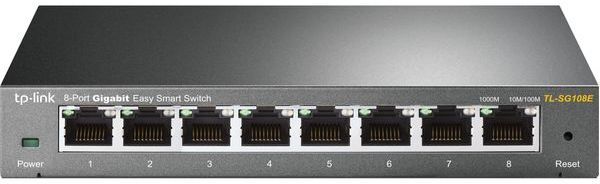
TP-LINK TL-SG108E 8-Port Gigabit Easy Smart Network Switch – Managed Desktop Ethernet SwitchOverview The TP-Link TL-SG108E 8-Port Gigabit Easy Smart Network Switch is a reliable and efficient networking solution designed for small offices, home networks, and workstations. Featuring 8 Gigabit Ethernet ports, this switch provides fast and stable wired connections for computers, printers, IP cameras, gaming consoles, and other network devices. With Easy Smart management features, including VLAN, QoS, and network monitoring, it allows users to optimise network performance while maintaining simple configuration. Built with a durable metal casing and plug-and-play functionality, the TL-SG108E offers dependable network expansion and high-speed connectivity. Key Features 8 Gigabit Ethernet Ports – High-speed wired connections for multiple network devices. Easy Smart Management – Supports VLAN, QoS, IGMP Snooping, and network monitoring features. Plug-and-Play Setup – Simple installation without complex configuration. Gigabit Speeds – Up to 1000Mbps for fast data transfer and network performance. Quality of Service (QoS) – Prioritise network traffic for smooth streaming and gaming. VLAN Support – Improved network segmentation and security. Durable Metal Housing – Robust build designed for long-term reliability. Energy Efficient Design – Automatically adjusts power consumption based on connection status. Fanless Operation – Silent performance suitable for office or home environments. Compact Desktop Design – Ideal for small networking setups. Benefits The TP-Link TL-SG108E is ideal for expanding wired networks while maintaining reliable and high-speed performance. With Gigabit connectivity, it supports smooth data transfer for bandwidth-intensive tasks such as video streaming, file sharing, and online gaming. The Easy Smart management features allow users to optimise network traffic and improve overall network efficiency. Functions such as VLAN segmentation and QoS prioritisation help ensure stable and secure connectivity across connected devices. Its compact, fanless design ensures quiet operation, making it suitable for home offices and workspaces where minimal noise is preferred. With durable metal construction and simple plug-and-play installation, the TL-SG108E provides dependable networking performance with minimal maintenance. Specifications Specification Details Brand TP-Link Model TL-SG108E EAN / Barcode [Ean] Type Easy Smart Gigabit Network Switch Ports 8 × Gigabit Ethernet Ports Switching Capacity 16 Gbps Forwarding Rate 11.9 Mpps Management Features VLAN, QoS, IGMP Snooping, Monitoring Connectivity Ethernet Mounting Desktop Housing Material Metal Cooling Fanless Power Supply External Power Adapter Dimensions Approx. 158 × 101 × 25 mm Weight Approx. 0.46 kg Package Contents TP-Link TL-SG108E Switch, Power Adapter, Installation Guide28,98 £*Shipping: 0,00 £Secure redirect to the provider
-
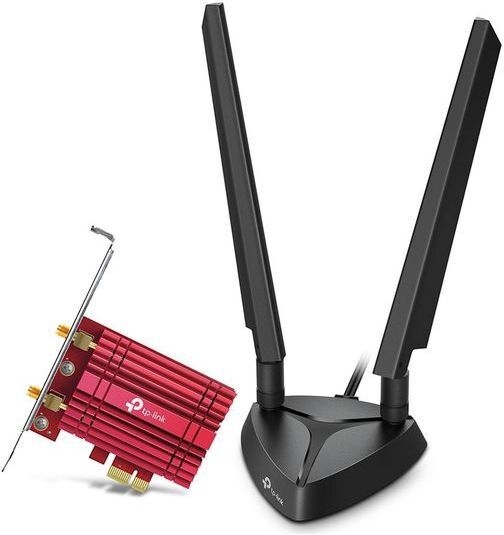
TP-LINK Archer TXE75E Wireless & Bluetooth, NewOverview Upgrade your PC to next-generation connectivity with the TP-Link Archer TXE75E Wireless & Bluetooth PCIe Adapter. Featuring Wi-Fi 6E and Bluetooth 5.3 technology, this dual-band adapter delivers ultra-fast, low-latency performance for gaming, streaming, and productivity. With speeds up to 2402 Mbps on 6GHz, 2402 Mbps on 5GHz, and 574 Mbps on 2.4GHz, it ensures seamless online experiences and stable connections. Equipped with high-gain antennas and a magnetic antenna base, the Archer TXE75E guarantees strong, reliable wireless coverage and flexible installation. Key Features Next-Gen Wi-Fi 6E Technology – Access the newly available 6GHz band for faster speeds, lower latency, and reduced interference. Ultra-Fast Tri-Band Performance – Speeds up to 2402 Mbps (6GHz), 2402 Mbps (5GHz), and 574 Mbps (2.4GHz) for smooth 4K streaming and gaming. Advanced Bluetooth 5.3 – Connect wireless peripherals like headsets, controllers, and keyboards with improved range and stability. Low-Latency Connectivity – Ideal for online gaming, video conferencing, and VR applications. Magnetic Antenna Base – Position the dual high-gain antennas flexibly to optimise signal strength and reception. WPA3 Security Protocol – The latest wireless encryption standard for enhanced network protection. Intel® Wi-Fi 6E Chipset – Ensures top-tier reliability, performance, and compatibility with modern motherboards. Backward Compatible – Supports Wi-Fi 6, Wi-Fi 5, and earlier standards for versatile system integration. Windows Compatibility – Works with Windows 10 and Windows 11 (64-bit) systems. Easy Installation – Simple PCIe setup with included Bluetooth header cable. Benefits The TP-Link Archer TXE75E brings lightning-fast wireless and Bluetooth performance to desktop PCs. With Wi-Fi 6E support, you can enjoy smoother online gameplay, lag-free video streaming, and faster downloads. Its tri-band connectivity and advanced antenna system provide consistent high-speed coverage, making it a powerful upgrade for any high-performance setup. Specifications Specification Details Brand TP-Link Model Archer TXE75E Interface PCI Express x1 Wireless Standard Wi-Fi 6E (802.11ax) Bands 2.4GHz, 5GHz, 6GHz Maximum Speeds 6GHz – 2402 Mbps / 5GHz – 2402 Mbps / 2.4GHz – 574 Mbps Bluetooth Version Bluetooth 5.3 Chipset Intel® Wi-Fi 6E AXE540 Antenna Type 2 × External High-Gain Antennas (with Magnetic Base) Security WPA3, WPA2 Operating Systems Windows 10/11 (64-bit) Dimensions 95 × 120 × 21 mm Weight Approx. 120g Additional Features OFDMA, MU-MIMO, BSS Colouring, Beamforming Included Accessories Magnetic Antenna Base, Low-Profile Bracket, Bluetooth Cable44,99 £*Shipping: 0,00 £Secure redirect to the provider


-
'Ubiquiti or TP-Link?'
Both Ubiquiti and TP-Link are reputable brands in the networking industry, but they cater to different market segments. Ubiquiti is known for its high-performance, enterprise-grade networking equipment, often used by businesses and professionals. TP-Link, on the other hand, offers a wide range of networking products suitable for home and small business use, with a focus on affordability and ease of use. The choice between the two brands depends on the specific needs and budget of the user. If you require advanced features and reliability, Ubiquiti may be the better choice, while TP-Link is a great option for those looking for cost-effective and user-friendly networking solutions. **
-
Why can't I find my TP-Link WiFi USB adapter in the adapter settings?
If you cannot find your TP-Link WiFi USB adapter in the adapter settings, there could be a few reasons for this. It's possible that the adapter is not properly connected to your computer or the USB port is not functioning correctly. Another reason could be that the drivers for the adapter are not installed or outdated, causing it to not be recognized by the system. Make sure to check the physical connection, update the drivers, and restart your computer to see if the adapter appears in the settings. **
-
What are possible network problems with TP-Link Powerline?
Possible network problems with TP-Link Powerline include slow or inconsistent connection speeds, interference from other electrical devices, and compatibility issues with older wiring or circuitry. Additionally, the distance between the Powerline adapters can affect the quality of the connection, and using multiple adapters on different electrical circuits in the same building can also cause network problems. Finally, firmware issues or hardware malfunctions in the Powerline adapters themselves can lead to network disruptions. **
-
Is the TP-Link defective?
Without specific details about the issue with the TP-Link device, it is difficult to determine if it is defective. However, if the device is not functioning as expected or is experiencing consistent issues, it may be defective. It is recommended to troubleshoot the device and contact the manufacturer or retailer for support if the issues persist. **

How can I encrypt my TP-Link Wi-Fi network?
To encrypt your TP-Link Wi-Fi network, you can enable WPA2 encryption on your router. This can usually be done by accessing your router's settings through a web browser and navigating to the wireless security settings. From there, you can select WPA2 as the encryption method and create a strong password to secure your network. Make sure to save the changes and reconnect your devices using the new password to ensure they are protected. **
Why is the TP-Link network adapter not working anymore?
The TP-Link network adapter may not be working anymore due to a variety of reasons. It could be a hardware issue such as a faulty adapter or a loose connection. It could also be a software issue such as outdated drivers or compatibility issues with the operating system. Additionally, network configuration settings or interference from other devices could also be causing the problem. Troubleshooting steps such as checking connections, updating drivers, and adjusting network settings may help identify and resolve the issue. **
Top-Angebote
Products related to TP-LINK-RE220BE-BE3600-WiFi:
-
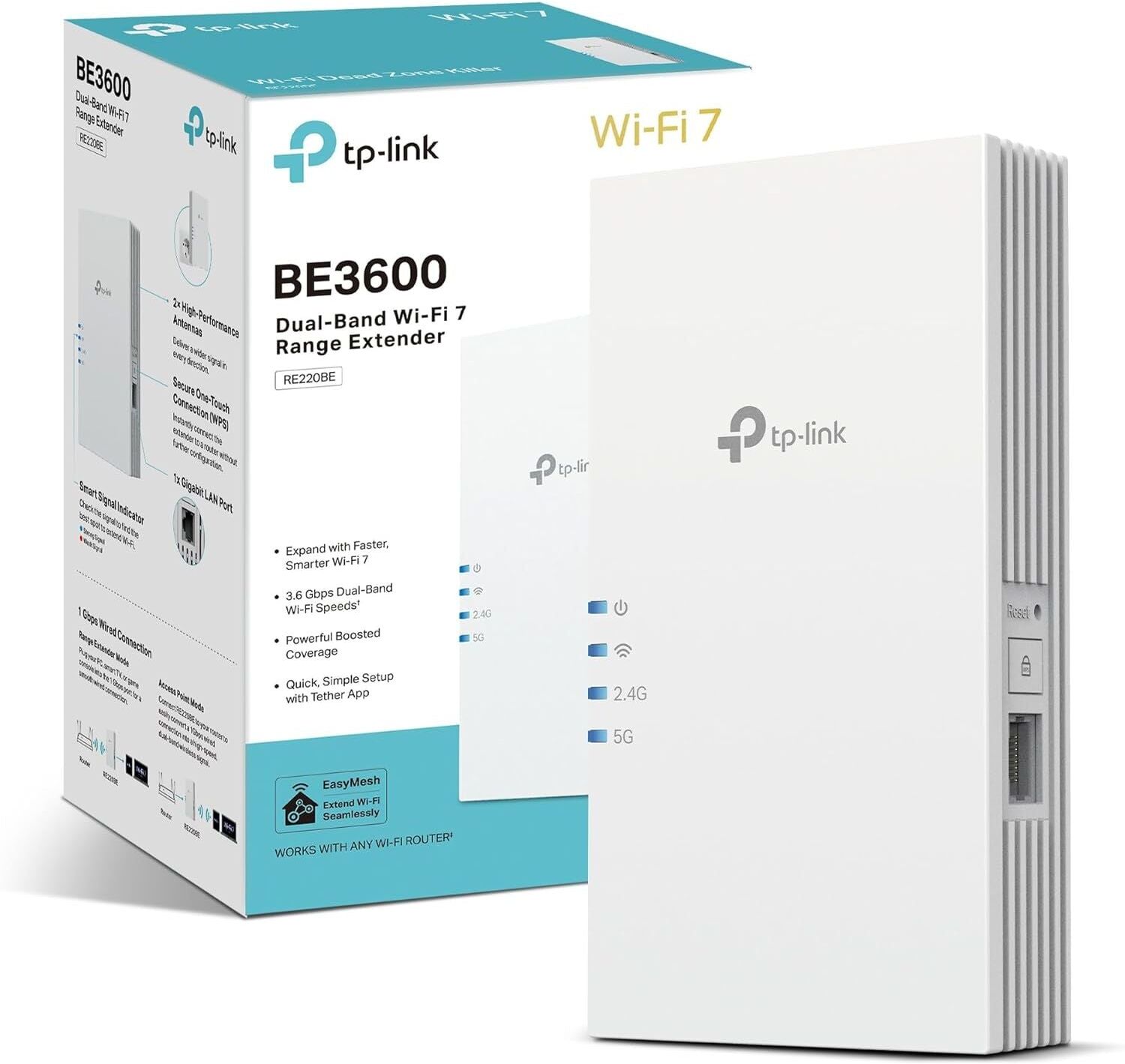
TP-LINK RE220BE BE3600 WiFi 7 Extender Booster with Ethernet PortOverview Eliminate weak WiFi zones and enjoy faster, smoother connectivity across your home with the TP-Link RE220BE BE3600 WiFi Extender Booster. Built with WiFi 7 dual-band technology, EasyMesh support, MLO, 4K-QAM and a Gigabit Ethernet port, this plug-and-play internet booster helps extend reliable coverage for streaming, gaming, video calls, browsing and smart home devices. It is the simple upgrade for rooms where your router signal struggles to reach. Key Features & Benefits Stronger WiFi Coverage Where You Need It Most – Extend your existing wireless network into bedrooms, offices, lofts, garden rooms and other hard-to-reach areas, helping reduce dead zones and frustrating signal drops. Faster Everyday Performance with BE3600 WiFi 7 – Delivers dual-band speeds of up to 3.6Gbps, with up to 2882Mbps on 5GHz and 688Mbps on 2.4GHz, giving you smoother performance for streaming, browsing and multitasking. Lower Latency with Multi-Link Operation – MLO helps improve throughput, reduce latency and increase link reliability, making your connection feel more responsive for gaming, video calls and busy households. Sharper Efficiency with 4K-QAM – 4K-QAM improves data transmission efficiency, helping compatible devices enjoy better wireless performance when connected to supported WiFi 7 networks. Wired Stability for Key Devices – The built-in Gigabit Ethernet port lets you connect smart TVs, PCs, laptops or games consoles for a faster and more stable wired connection. Seamless Whole-Home WiFi with EasyMesh – Pair with compatible EasyMesh routers and extenders to create a smoother whole-home network, helping reduce dropouts when moving between rooms. Smarter Roaming Around the Home – Smart roaming helps your devices stay connected to the strongest available signal as you move from room to room. Simple Plug-and-Play Setup – Plug it into a wall socket and set it up quickly using the TP-Link Tether App or WPS button, with easy management from your smartphone. Broad Compatibility – Works with WiFi devices across multiple generations and is compatible with existing routers and internet providers, making it a practical upgrade without replacing your full setup. Why Choose This Product The TP-Link RE220BE BE3600 WiFi 7 Extender Booster is ideal for customers who want stronger WiFi without complicated installation or expensive rewiring. Whether your signal drops upstairs, your smart TV buffers in the lounge, or your home office connection struggles during video calls, this compact extender helps bring faster and more reliable coverage to the areas that need it most. With WiFi 7 performance, EasyMesh support, app control and a Gigabit Ethernet port, it gives your home network a cleaner, smarter and more future-ready upgrade. Specifications Table Specification Details Model TP-Link RE220BE Product Type WiFi Extender / Internet Booster / Range Extender WiFi Standard WiFi 7 Speed Rating BE3600 Wireless Speed Up to 3.6Gbps total 5GHz Speed Up to 2882Mbps 2.4GHz...75,00 £*Shipping: 0,00 £Secure redirect to the provider
-
TP-LINK TL-PA8010P WiFi Powerline Starter Kit, NewUltra-fast powerline speed: HomePlug standard compliant, high-speed data transfer rate of up to 1300 Mbps, ideal for ultra HD streaming and online gaming MIMO technology - line-neutral/line-ground 2×2 MIMO with beamforming ensures fast and stable connection Gigabit port - provide reliable high-speed wired connection for game consoles, smart TVs and NAS Keep your outlet - an integrated socket lets you power regular devices as normal and a built-in noise filter prevents them from interrupting the powerline signal Plug, pair and play - set up your powerline network and start enjoying fast wired connection in minutes Packaging may vary Brand TP-Link Hardware interface Ethernet Colour White Compatible devices Smart TV Product dimensions 7.2L x 13.1W x 4.2H centimetres Data link protocol Gigabit Ethernet Data transfer rate 1300 Megabits Per Second Item weight 0.47 Kilograms69,99 £*Shipping: 0,00 £Secure redirect to the provider
-
TP-LINK Archer NX200 WiFi 5G Router - AX 1800, Dual-band, NewThe TP-LINK Archer NX200 WiFi 5G Router brings ultra-fast connectivity to your home or office. Powered by AX 1800 dual-band technology, this router ensures smooth streaming, low-latency gaming, and efficient multitasking across all your devices. AX 1800 Dual-Band Performance : Combines 2.4GHz and 5GHz bands for optimal speed and coverage. WiFi 5G Technology : Delivers faster and more stable connections for high-bandwidth tasks. Seamless Connectivity : Supports multiple devices simultaneously for gaming, streaming, and browsing. Easy Setup : Intuitive app-based configuration ensures quick and hassle-free installation. Advanced Security : Protects your network with WPA3 encryption and robust parental controls. Compact Design : Sleek and modern design to fit into any environment. This router offers a perfect blend of speed, reliability, and security for modern internet needs. Whether you're gaming, streaming, or working remotely, the TP-LINK Archer NX200 ensures consistent performance across all your devices. Upgrade your internet experience with the TP-LINK Archer NX200 WiFi 5G Router. Order today and enjoy high-speed, uninterrupted connectivity!199,99 £*Shipping: 0,00 £Secure redirect to the provider
-
TP-LINK Archer AX58 WiFi Cable & Fibre Router - AX 3000, Dual-band, NewOverview Upgrade your home network with the TP‑LINK Archer AX58 Wi‑Fi Router, a powerful AX3000 dual‑band solution designed for fast, reliable connectivity on cable and fibre broadband. Featuring next‑generation Wi‑Fi 6 technology, this router delivers smoother streaming, stronger coverage, and reduced congestion even with multiple devices connected. Whether you’re gaming, video calling, streaming 4K content, or working from home, the Archer AX58 keeps you connected with fast speeds, enhanced stability and robust wireless security. Key Features Wi‑Fi 6 (802.11ax) Technology – Delivers significantly faster speeds, greater capacity and improved performance for busy home networks. AX3000 Dual‑Band Speed – Up to 3000 Mbps combined throughput (574 Mbps on 2.4 GHz + 2402 Mbps on 5 GHz) for lag‑free streaming and gaming. OFDMA & MU‑MIMO – Efficiently handles multiple devices at once to reduce latency and network congestion. Broad Coverage & Strong Signal – Advanced antennas and beamforming provide stable connections throughout your home. Seamless Connectivity for Cable & Fibre – Works reliably with both cable and fibre broadband services. Enhanced Security with WPA3 – Latest Wi‑Fi encryption standard keeps your network secure from unauthorised access. Easy Setup & Management – Simple installation via the TP‑LINK Tether app (or web GUI) for intuitive control and parental settings. Gigabit Ethernet Ports – Four LAN ports and one WAN port for fast wired connections to desktops, consoles and smart devices. Benefits The TP‑LINK Archer AX58 brings next‑generation Wi‑Fi performance to your home or small office network, eliminating dead spots and buffering with high‑speed connections tailored for modern online lifestyles. Its robust dual‑band design and advanced Wi‑Fi 6 features ensure smoother 4K streaming, low‑latency gaming, and reliable video conferencing, even when multiple users are online. Enhanced security options protect your data and devices, while easy setup and intuitive management tools keep your network running smoothly. Specification Detail Product Name TP‑LINK Archer AX58 Wi‑Fi Router Wireless Standard Wi‑Fi 6 (802.11ax) Speed Class AX3000 (Dual‑Band) 2.4 GHz Speed Up to ~574 Mbps 5 GHz Speed Up to ~2402 Mbps Security WPA2/WPA3 Ports 1 × Gigabit WAN, 4 × Gigabit LAN Antennas High‑Performance External Antennas Compatibility Cable & Fibre Broadband App Management TP‑LINK Tether Beamforming Yes MU‑MIMO / OFDMA Yes Colour Black Brand TP‑LINK59,99 £*Shipping: 0,00 £Secure redirect to the provider
-
What is the difference between the TP-Link TL-WA850RE WiFi extender and the TP-Link RE200 AC750?
The TP-Link TL-WA850RE is a basic WiFi extender that supports speeds up to 300Mbps and has a single Ethernet port for wired connections. It is designed to extend the range of an existing WiFi network. On the other hand, the TP-Link RE200 AC750 is a more advanced WiFi extender that supports speeds up to 750Mbps and has an Ethernet port for wired connections. It also features dual-band technology, allowing it to operate on both the 2.4GHz and 5GHz bands for improved performance and flexibility. In summary, the main differences between the two extenders are their speed capabilities, Ethernet port availability, and dual-band support. **
-
How do I connect the TP-Link WiFi Powerline Extender to the Speedport?
To connect the TP-Link WiFi Powerline Extender to the Speedport, you will first need to plug in the Powerline Extender near your Speedport router. Then, use an Ethernet cable to connect the Powerline Extender to the Speedport router. Next, press the WPS button on your Speedport router followed by the WPS button on the Powerline Extender to establish a secure connection. Finally, wait for the Powerline Extender to sync with the router, and you should have extended WiFi coverage in your home. **
-
'Ubiquiti or TP-Link?'
Both Ubiquiti and TP-Link are reputable brands in the networking industry, but they cater to different market segments. Ubiquiti is known for its high-performance, enterprise-grade networking equipment, often used by businesses and professionals. TP-Link, on the other hand, offers a wide range of networking products suitable for home and small business use, with a focus on affordability and ease of use. The choice between the two brands depends on the specific needs and budget of the user. If you require advanced features and reliability, Ubiquiti may be the better choice, while TP-Link is a great option for those looking for cost-effective and user-friendly networking solutions. **
-
Why can't I find my TP-Link WiFi USB adapter in the adapter settings?
If you cannot find your TP-Link WiFi USB adapter in the adapter settings, there could be a few reasons for this. It's possible that the adapter is not properly connected to your computer or the USB port is not functioning correctly. Another reason could be that the drivers for the adapter are not installed or outdated, causing it to not be recognized by the system. Make sure to check the physical connection, update the drivers, and restart your computer to see if the adapter appears in the settings. **
Similar search terms for TP-LINK-RE220BE-BE3600-WiFi
-
TP-LINK TL-SG108E 8-Port Gigabit Easy Smart Network Switch – Managed Desktop Ethernet SwitchOverview The TP-Link TL-SG108E 8-Port Gigabit Easy Smart Network Switch is a reliable and efficient networking solution designed for small offices, home networks, and workstations. Featuring 8 Gigabit Ethernet ports, this switch provides fast and stable wired connections for computers, printers, IP cameras, gaming consoles, and other network devices. With Easy Smart management features, including VLAN, QoS, and network monitoring, it allows users to optimise network performance while maintaining simple configuration. Built with a durable metal casing and plug-and-play functionality, the TL-SG108E offers dependable network expansion and high-speed connectivity. Key Features 8 Gigabit Ethernet Ports – High-speed wired connections for multiple network devices. Easy Smart Management – Supports VLAN, QoS, IGMP Snooping, and network monitoring features. Plug-and-Play Setup – Simple installation without complex configuration. Gigabit Speeds – Up to 1000Mbps for fast data transfer and network performance. Quality of Service (QoS) – Prioritise network traffic for smooth streaming and gaming. VLAN Support – Improved network segmentation and security. Durable Metal Housing – Robust build designed for long-term reliability. Energy Efficient Design – Automatically adjusts power consumption based on connection status. Fanless Operation – Silent performance suitable for office or home environments. Compact Desktop Design – Ideal for small networking setups. Benefits The TP-Link TL-SG108E is ideal for expanding wired networks while maintaining reliable and high-speed performance. With Gigabit connectivity, it supports smooth data transfer for bandwidth-intensive tasks such as video streaming, file sharing, and online gaming. The Easy Smart management features allow users to optimise network traffic and improve overall network efficiency. Functions such as VLAN segmentation and QoS prioritisation help ensure stable and secure connectivity across connected devices. Its compact, fanless design ensures quiet operation, making it suitable for home offices and workspaces where minimal noise is preferred. With durable metal construction and simple plug-and-play installation, the TL-SG108E provides dependable networking performance with minimal maintenance. Specifications Specification Details Brand TP-Link Model TL-SG108E EAN / Barcode [Ean] Type Easy Smart Gigabit Network Switch Ports 8 × Gigabit Ethernet Ports Switching Capacity 16 Gbps Forwarding Rate 11.9 Mpps Management Features VLAN, QoS, IGMP Snooping, Monitoring Connectivity Ethernet Mounting Desktop Housing Material Metal Cooling Fanless Power Supply External Power Adapter Dimensions Approx. 158 × 101 × 25 mm Weight Approx. 0.46 kg Package Contents TP-Link TL-SG108E Switch, Power Adapter, Installation Guide28,98 £*Shipping: 0,00 £Secure redirect to the provider
-
TP-LINK Archer TXE75E Wireless & Bluetooth, NewOverview Upgrade your PC to next-generation connectivity with the TP-Link Archer TXE75E Wireless & Bluetooth PCIe Adapter. Featuring Wi-Fi 6E and Bluetooth 5.3 technology, this dual-band adapter delivers ultra-fast, low-latency performance for gaming, streaming, and productivity. With speeds up to 2402 Mbps on 6GHz, 2402 Mbps on 5GHz, and 574 Mbps on 2.4GHz, it ensures seamless online experiences and stable connections. Equipped with high-gain antennas and a magnetic antenna base, the Archer TXE75E guarantees strong, reliable wireless coverage and flexible installation. Key Features Next-Gen Wi-Fi 6E Technology – Access the newly available 6GHz band for faster speeds, lower latency, and reduced interference. Ultra-Fast Tri-Band Performance – Speeds up to 2402 Mbps (6GHz), 2402 Mbps (5GHz), and 574 Mbps (2.4GHz) for smooth 4K streaming and gaming. Advanced Bluetooth 5.3 – Connect wireless peripherals like headsets, controllers, and keyboards with improved range and stability. Low-Latency Connectivity – Ideal for online gaming, video conferencing, and VR applications. Magnetic Antenna Base – Position the dual high-gain antennas flexibly to optimise signal strength and reception. WPA3 Security Protocol – The latest wireless encryption standard for enhanced network protection. Intel® Wi-Fi 6E Chipset – Ensures top-tier reliability, performance, and compatibility with modern motherboards. Backward Compatible – Supports Wi-Fi 6, Wi-Fi 5, and earlier standards for versatile system integration. Windows Compatibility – Works with Windows 10 and Windows 11 (64-bit) systems. Easy Installation – Simple PCIe setup with included Bluetooth header cable. Benefits The TP-Link Archer TXE75E brings lightning-fast wireless and Bluetooth performance to desktop PCs. With Wi-Fi 6E support, you can enjoy smoother online gameplay, lag-free video streaming, and faster downloads. Its tri-band connectivity and advanced antenna system provide consistent high-speed coverage, making it a powerful upgrade for any high-performance setup. Specifications Specification Details Brand TP-Link Model Archer TXE75E Interface PCI Express x1 Wireless Standard Wi-Fi 6E (802.11ax) Bands 2.4GHz, 5GHz, 6GHz Maximum Speeds 6GHz – 2402 Mbps / 5GHz – 2402 Mbps / 2.4GHz – 574 Mbps Bluetooth Version Bluetooth 5.3 Chipset Intel® Wi-Fi 6E AXE540 Antenna Type 2 × External High-Gain Antennas (with Magnetic Base) Security WPA3, WPA2 Operating Systems Windows 10/11 (64-bit) Dimensions 95 × 120 × 21 mm Weight Approx. 120g Additional Features OFDMA, MU-MIMO, BSS Colouring, Beamforming Included Accessories Magnetic Antenna Base, Low-Profile Bracket, Bluetooth Cable44,99 £*Shipping: 0,00 £Secure redirect to the provider
-
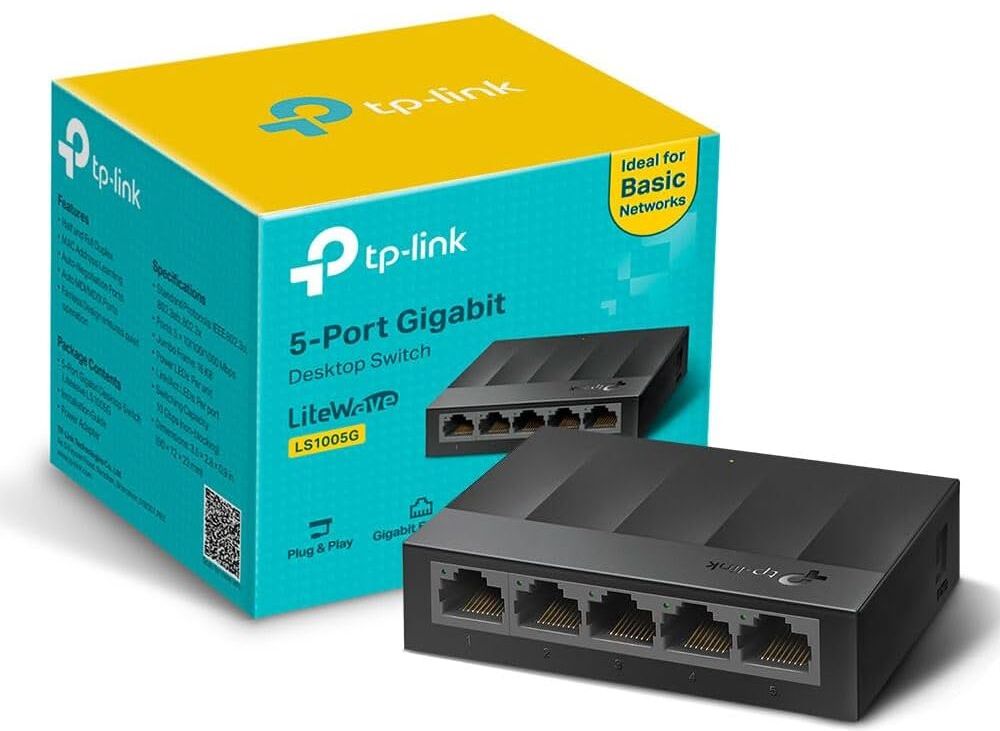
TP-LINK LS1005G 5-Port Gigabit Ethernet Switch – Desktop/Wall-Mount Network Hub, Plug & Play, Plastic CaseProduct Overview: The LS1005G 5-Port Gigabit Ethernet Switch is the perfect solution for expanding your home or office network. With five Gigabit Ethernet ports, this network splitter allows you to connect multiple devices for faster and more stable internet connectivity. Its plug-and-play functionality ensures quick and easy setup without the need for any software installation. The compact, durable plastic case allows for both desktop and wall-mount installation, making it a versatile option for any space. Key Features: 5 Gigabit Ethernet Ports : Provides five high-speed Gigabit Ethernet ports for fast and reliable wired connections to your devices. Plug and Play : Easy to use with no setup or installation required, simply plug in and start connecting devices immediately. Versatile Desktop/Wallmount Design : Can be placed on a desk or mounted on a wall for space-saving convenience and flexibility. Durable Plastic Case : Lightweight yet durable, the plastic casing ensures long-lasting use and protection for the internal components. Improved Network Performance : Ideal for enhancing the speed and stability of your home or office network, supporting multiple devices simultaneously. Energy-Efficient : Designed to operate efficiently with low power consumption, helping you save on energy costs. Product Description: The LS1005G 5-Port Desktop/Wallmount Gigabit Ethernet Switch is a reliable and efficient solution for expanding your wired network. With five Gigabit Ethernet ports, it ensures fast data transfer speeds for streaming, gaming, and browsing. Its plug-and-play feature makes installation quick and hassle-free, while the durable plastic case offers long-lasting protection for the device. Whether you're using it on a desktop or mounting it on a wall, the LS1005G provides flexibility and convenience. Enhance your network setup today with this compact yet powerful network splitter, ideal for connecting multiple devices in any home or office environment.9,99 £*Shipping: 0,00 £Secure redirect to the provider
-
TP-LINK Managed Network Switch 5-Port Gigabit, Support QoS VLAN IGMP Snooping, Network Monitoring through Web Interface, 2.82 W, NewThis item offers easy setup through a web-based user interface and management utility. It is a 5-port RJ45 network switch with speeds of 10/100/1000Mbps, equipped with network monitoring, traffic prioritization, and VLAN capabilities. Additionally, it supports useful features like port mirroring, IGMP snooping, loop prevention, and Link aggregation. Quality of Service (QoS) is also supported, allowing for port-based/802.1p/DSCP priority, rate limiting, and storm control. Moreover, it incorporates energy-efficient technology, which can reduce power consumption by up to 57 percent.18,99 £*Shipping: 0,00 £Secure redirect to the provider
-
What are possible network problems with TP-Link Powerline?
Possible network problems with TP-Link Powerline include slow or inconsistent connection speeds, interference from other electrical devices, and compatibility issues with older wiring or circuitry. Additionally, the distance between the Powerline adapters can affect the quality of the connection, and using multiple adapters on different electrical circuits in the same building can also cause network problems. Finally, firmware issues or hardware malfunctions in the Powerline adapters themselves can lead to network disruptions. **
-
Is the TP-Link defective?
Without specific details about the issue with the TP-Link device, it is difficult to determine if it is defective. However, if the device is not functioning as expected or is experiencing consistent issues, it may be defective. It is recommended to troubleshoot the device and contact the manufacturer or retailer for support if the issues persist. **
-
How can I encrypt my TP-Link Wi-Fi network?
To encrypt your TP-Link Wi-Fi network, you can enable WPA2 encryption on your router. This can usually be done by accessing your router's settings through a web browser and navigating to the wireless security settings. From there, you can select WPA2 as the encryption method and create a strong password to secure your network. Make sure to save the changes and reconnect your devices using the new password to ensure they are protected. **
-
Why is the TP-Link network adapter not working anymore?
The TP-Link network adapter may not be working anymore due to a variety of reasons. It could be a hardware issue such as a faulty adapter or a loose connection. It could also be a software issue such as outdated drivers or compatibility issues with the operating system. Additionally, network configuration settings or interference from other devices could also be causing the problem. Troubleshooting steps such as checking connections, updating drivers, and adjusting network settings may help identify and resolve the issue. **
* All prices are inclusive of VAT and, if applicable, plus shipping costs. The offer information is based on the details provided by the respective shop and is updated through automated processes. Real-time updates do not occur, so deviations can occur in individual cases. ** Note: Parts of this content were created by AI.