Buy brainstation.eu ?
We are moving the project
brainstation.eu .
Are you interested in purchasing the domain
brainstation.eu ?
domain@kv-gmbh.de · 0541-91531010
Buy brainstation.eu ?
Which app is better: TomTom Go Mobile or Waze?
The better app between TomTom Go Mobile and Waze depends on individual preferences and needs. TomTom Go Mobile is known for its accurate offline maps and reliable navigation, making it a good choice for those who frequently travel in areas with poor internet connectivity. On the other hand, Waze is popular for its real-time traffic updates, user-generated content, and community-driven features, making it a great option for those who prioritize up-to-date information and crowd-sourced data. Ultimately, the better app for you will depend on whether you prioritize offline navigation and accuracy (TomTom Go Mobile) or real-time traffic updates and community-driven features (Waze). **
Why can't the TomTom Go find a GPS signal?
The TomTom Go may have difficulty finding a GPS signal due to various reasons such as being in an area with poor satellite visibility, being surrounded by tall buildings or dense foliage that obstructs the signal, or having a hardware issue with the device itself. Additionally, if the GPS settings on the device are not properly configured or if there are software glitches, it may also struggle to establish a connection with the satellites. Troubleshooting steps such as resetting the device, updating the software, or ensuring clear line of sight to the sky can help resolve the issue. **


Similar search terms for TomTom-GO-Discover-7
Top-Angebote
Products related to TomTom-GO-Discover-7:
-
TomTom VIA 62 Car Sat Nav - BlackDescription The TomTom Car Sat Nav VIA 62 provides route guidance through a 6-inch resistive screen. It is designed for drivers who want a portable sat nav with smartphone-connected traffic services, hands-free calling and map updates. TomTom Traffic uses traffic information to help intelligently plan routes around congestion. Free map updates can be downloaded with the latest road changes, while three months of speed camera alerts provide advance warnings when approaching a speed camera. Connecting the sat nav to a smartphone via Bluetooth enables traffic services, speed camera updates and MyDrive. The 6-inch display offers a clear interface for navigation, and the device supports MicroSD cards. USB is included among the components, while the compact 280 g design measures 16.2 x 2.4 x 10.5 cm. An essential addition for drivers seeking connected navigation and practical route guidance on the road.240,99 £*Shipping: 0,00 £Secure redirect to the provider
-
Milles Kelly Get Set Go Skills For School 4 Books Collection Set - Wipe Clean - Non Fiction - Ages 4-7Titles in This Set:. Computing and coding. Know your Numbers. Know Your Grammar. Science Condition: BRAND NEW. Format: Spiral-Bound. ISBN: 9789124150907 Overview:. Get Set Go Skills for School 4 Wipe Clean Books Set Plus one Pen (Ages 4-7) brings four essential early-learning titles into one handy, reusable bundle. Designed for little hands, these spiral-bound wipe-clean workbooks make practice feel like play, letting children trace letters, numbers, and words again and again without paper waste. The set covers computing and coding, Know Your Numbers, Know Your Grammar, and Science—core skills that build confidence in school readiness. Each book features large, friendly illustrations, clear prompts, and simple activities that reinforce handwriting, number sense, grammar basics, and scientific curiosity. With the included pen, children can practice repeatedly, turning mistakes into stepping stones rather than setbacks. This bundle is perfect for homes, pre-schools, and classrooms where quick, mess-free activities keep learners engaged. The non-fiction focus helps young readers connect classroom learning to everyday life, supporting a smooth transition to formal schooling while keeping curiosity high. What Makes This Collection Special:. This collection stands out for its cohesive learning journey. Each title uses the same wipe-clean format, so children quickly gain independence and confidence as they move from numbers to grammar to science. The readiness-friendly topics align with early years curricula, making it easier for parents and teachers to plan short, repeatable practice sessions. The pen-and-paper interaction supports fine motor development while building resilience as children retry activities until correct. The bundle also packs excellent value: four core topics in one purchase, with consistent typography, icons, and layout that reduce cognitive load and boost recall. The compact, portable format is ideal for travel or quick school-day practice, and the durable spiral binding lies flat for comfortable writing. This is a thoughtful gift for birthdays or back-to-school, offering a complete, reusable learning toolkit that ages 4–7 learners can grow with. Books Included in This Collection:. Computing and coding. Computing and coding introduces young children to digital thinking with friendly, age-appropriate activities. Through simple patterns, sequencing, and guided prompts, little learners build foundational problem-solving skills while practicing handwriting on wipe-clean pages. The clear visuals and keyboard-free tasks keep the focus on logic and creativity, not screens. The included pen makes it easy to correct and re-do, supporting iterative thinking as children test ideas, spot mistakes, and celebrate progress. A gentle introduction to tech literacy, this book helps prepare children for the increasingly digital world with confidence and curiosity.. Know your Numbers. Know Your Numbers builds essential numeracy skills in a bright,...10,99 £*Shipping: 2,99 £Secure redirect to the provider


-
Why is the TomTom Go not finding a GPS signal?
The TomTom Go may not be finding a GPS signal due to several reasons. It could be because the device is indoors or in an area with poor satellite visibility, obstructing the GPS signal. Additionally, the device's GPS receiver may be experiencing technical issues or the software may need to be updated. It's also possible that the GPS signal is being blocked by interference from other electronic devices or tall buildings. **
-
What is the name of the Android family of TomTom Go?
The Android family of TomTom Go is called the TomTom GO Navigation app. This app is specifically designed for Android devices and provides users with advanced navigation features, real-time traffic information, and offline maps. It is a popular choice for Android users looking for a reliable and user-friendly navigation solution. **
-
How long does the battery last on a TomTom GO 5000?
The battery life of a TomTom GO 5000 is approximately 2 hours. This may vary depending on usage and settings. It is recommended to keep the device plugged in while driving to ensure continuous power supply. **
-
Why is TomTom not connecting?
TomTom may not be connecting due to several reasons. It could be a problem with the device's hardware, such as a faulty USB port or cable. It could also be a software issue, such as outdated drivers or a corrupted application. Additionally, connectivity problems could be caused by issues with the computer's operating system or settings. Troubleshooting steps such as checking the hardware connections, updating drivers, and restarting the device and computer may help resolve the issue. **

Can the TomTom navigation system be used without the latest update, for example, 7-8 years ago?
Yes, the TomTom navigation system can still be used without the latest update from 7-8 years ago. However, it is important to note that the maps and software may not be as accurate or up to date as they would be with the latest update. Users may encounter outdated roads, changes in traffic patterns, and missing points of interest. It is recommended to regularly update the navigation system to ensure the most accurate and reliable information while navigating. **
How can I change the sound settings in the TomTom GO app for iOS and Android?
To change the sound settings in the TomTom GO app for iOS and Android, you can follow these steps: 1. Open the TomTom GO app on your device. 2. Go to the app's settings menu, usually represented by a gear icon. 3. Look for the sound settings option within the settings menu. 4. In the sound settings, you can adjust the volume, choose different voice guidance options, and customize other sound-related preferences to suit your preferences. **
Top-Angebote
Products related to TomTom-GO-Discover-7:
-
TomTom GO Discover 7" Sat Nav - Worldwide MapsThe TomTom GO Discover is a car sat nav with a 7-inch touchscreen and TomTom world maps. Live traffic information and speed camera alerts are delivered through a connected smartphone, and maps and software update over Wi-Fi without a computer.Supplied with a click-and-drive windscreen mount and in-car charger.273,99 £*Shipping: 0,00 £Secure redirect to the provider
-
Which app is better: TomTom Go Mobile or Waze?
The better app between TomTom Go Mobile and Waze depends on individual preferences and needs. TomTom Go Mobile is known for its accurate offline maps and reliable navigation, making it a good choice for those who frequently travel in areas with poor internet connectivity. On the other hand, Waze is popular for its real-time traffic updates, user-generated content, and community-driven features, making it a great option for those who prioritize up-to-date information and crowd-sourced data. Ultimately, the better app for you will depend on whether you prioritize offline navigation and accuracy (TomTom Go Mobile) or real-time traffic updates and community-driven features (Waze). **
-
Why can't the TomTom Go find a GPS signal?
The TomTom Go may have difficulty finding a GPS signal due to various reasons such as being in an area with poor satellite visibility, being surrounded by tall buildings or dense foliage that obstructs the signal, or having a hardware issue with the device itself. Additionally, if the GPS settings on the device are not properly configured or if there are software glitches, it may also struggle to establish a connection with the satellites. Troubleshooting steps such as resetting the device, updating the software, or ensuring clear line of sight to the sky can help resolve the issue. **
-
Why is the TomTom Go not finding a GPS signal?
The TomTom Go may not be finding a GPS signal due to several reasons. It could be because the device is indoors or in an area with poor satellite visibility, obstructing the GPS signal. Additionally, the device's GPS receiver may be experiencing technical issues or the software may need to be updated. It's also possible that the GPS signal is being blocked by interference from other electronic devices or tall buildings. **
-
What is the name of the Android family of TomTom Go?
The Android family of TomTom Go is called the TomTom GO Navigation app. This app is specifically designed for Android devices and provides users with advanced navigation features, real-time traffic information, and offline maps. It is a popular choice for Android users looking for a reliable and user-friendly navigation solution. **
Similar search terms for TomTom-GO-Discover-7
-
TomTom VIA 62 Car Sat Nav - BlackDescription The TomTom Car Sat Nav VIA 62 provides route guidance through a 6-inch resistive screen. It is designed for drivers who want a portable sat nav with smartphone-connected traffic services, hands-free calling and map updates. TomTom Traffic uses traffic information to help intelligently plan routes around congestion. Free map updates can be downloaded with the latest road changes, while three months of speed camera alerts provide advance warnings when approaching a speed camera. Connecting the sat nav to a smartphone via Bluetooth enables traffic services, speed camera updates and MyDrive. The 6-inch display offers a clear interface for navigation, and the device supports MicroSD cards. USB is included among the components, while the compact 280 g design measures 16.2 x 2.4 x 10.5 cm. An essential addition for drivers seeking connected navigation and practical route guidance on the road.240,99 £*Shipping: 0,00 £Secure redirect to the provider
-
Milles Kelly Get Set Go Skills For School 4 Books Collection Set - Wipe Clean - Non Fiction - Ages 4-7Titles in This Set:. Computing and coding. Know your Numbers. Know Your Grammar. Science Condition: BRAND NEW. Format: Spiral-Bound. ISBN: 9789124150907 Overview:. Get Set Go Skills for School 4 Wipe Clean Books Set Plus one Pen (Ages 4-7) brings four essential early-learning titles into one handy, reusable bundle. Designed for little hands, these spiral-bound wipe-clean workbooks make practice feel like play, letting children trace letters, numbers, and words again and again without paper waste. The set covers computing and coding, Know Your Numbers, Know Your Grammar, and Science—core skills that build confidence in school readiness. Each book features large, friendly illustrations, clear prompts, and simple activities that reinforce handwriting, number sense, grammar basics, and scientific curiosity. With the included pen, children can practice repeatedly, turning mistakes into stepping stones rather than setbacks. This bundle is perfect for homes, pre-schools, and classrooms where quick, mess-free activities keep learners engaged. The non-fiction focus helps young readers connect classroom learning to everyday life, supporting a smooth transition to formal schooling while keeping curiosity high. What Makes This Collection Special:. This collection stands out for its cohesive learning journey. Each title uses the same wipe-clean format, so children quickly gain independence and confidence as they move from numbers to grammar to science. The readiness-friendly topics align with early years curricula, making it easier for parents and teachers to plan short, repeatable practice sessions. The pen-and-paper interaction supports fine motor development while building resilience as children retry activities until correct. The bundle also packs excellent value: four core topics in one purchase, with consistent typography, icons, and layout that reduce cognitive load and boost recall. The compact, portable format is ideal for travel or quick school-day practice, and the durable spiral binding lies flat for comfortable writing. This is a thoughtful gift for birthdays or back-to-school, offering a complete, reusable learning toolkit that ages 4–7 learners can grow with. Books Included in This Collection:. Computing and coding. Computing and coding introduces young children to digital thinking with friendly, age-appropriate activities. Through simple patterns, sequencing, and guided prompts, little learners build foundational problem-solving skills while practicing handwriting on wipe-clean pages. The clear visuals and keyboard-free tasks keep the focus on logic and creativity, not screens. The included pen makes it easy to correct and re-do, supporting iterative thinking as children test ideas, spot mistakes, and celebrate progress. A gentle introduction to tech literacy, this book helps prepare children for the increasingly digital world with confidence and curiosity.. Know your Numbers. Know Your Numbers builds essential numeracy skills in a bright,...10,99 £*Shipping: 2,99 £Secure redirect to the provider
-
Rashmi Sirdeshpande Think Like a Boss: Discover the skills that turn great ideas into CASH: World Book Day 2022Description. * Ever thought making money was just for adults?. * Or that business was boring?. * And that inventing stuff was only for super clever people?. Think again.. Though this book may be small, it's bursting with BIG ideas for budding entrepreneurs. From understanding money and looking after it, to the nuts and bolts of setting up a business, making your big ideas a reality and using your cash for good.. Don't have a big business idea just yet? Don't fear. Being a boss isn't just about making money. It's about building confidence, thinking outside of the box, problem solving and being fearless. Which isn't a bad place to start, right?. So don't leave everything to the grown-ups. It's time to boss it.. Packed with tips and tricks from real businesses and fantastic role models.. Title. Think Like a Boss: Discover the skills that turn great ideas into CASH: World Book Day 2022. Delivery. Content. Reviews0,49 £*Shipping: 2,99 £Secure redirect to the provider
-
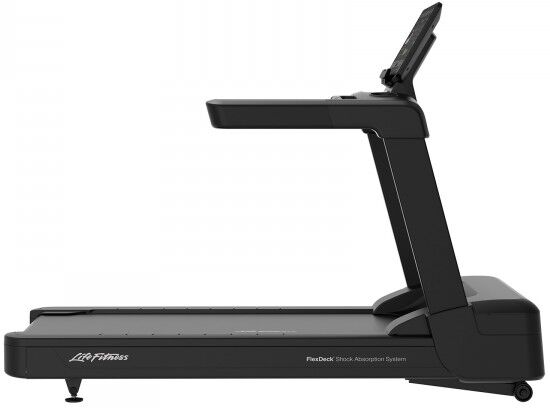
Life Fitness Aspire Treadmill Discover SE4 16The Life Fitness Aspire Treadmill is where advanced engineering meets thoughtful design. Whether you're a seasoned runner or just starting out, it delivers a smooth and natural workout experience you can count on. You can pick the SL Console with its simple LED display or go for the Discover SE4,...14229,00 £*Shipping: 0,00 £Secure redirect to the provider
-
How long does the battery last on a TomTom GO 5000?
The battery life of a TomTom GO 5000 is approximately 2 hours. This may vary depending on usage and settings. It is recommended to keep the device plugged in while driving to ensure continuous power supply. **
-
Why is TomTom not connecting?
TomTom may not be connecting due to several reasons. It could be a problem with the device's hardware, such as a faulty USB port or cable. It could also be a software issue, such as outdated drivers or a corrupted application. Additionally, connectivity problems could be caused by issues with the computer's operating system or settings. Troubleshooting steps such as checking the hardware connections, updating drivers, and restarting the device and computer may help resolve the issue. **
-
Can the TomTom navigation system be used without the latest update, for example, 7-8 years ago?
Yes, the TomTom navigation system can still be used without the latest update from 7-8 years ago. However, it is important to note that the maps and software may not be as accurate or up to date as they would be with the latest update. Users may encounter outdated roads, changes in traffic patterns, and missing points of interest. It is recommended to regularly update the navigation system to ensure the most accurate and reliable information while navigating. **
-
How can I change the sound settings in the TomTom GO app for iOS and Android?
To change the sound settings in the TomTom GO app for iOS and Android, you can follow these steps: 1. Open the TomTom GO app on your device. 2. Go to the app's settings menu, usually represented by a gear icon. 3. Look for the sound settings option within the settings menu. 4. In the sound settings, you can adjust the volume, choose different voice guidance options, and customize other sound-related preferences to suit your preferences. **
* All prices are inclusive of VAT and, if applicable, plus shipping costs. The offer information is based on the details provided by the respective shop and is updated through automated processes. Real-time updates do not occur, so deviations can occur in individual cases. ** Note: Parts of this content were created by AI.